> ## Documentation Index
> Fetch the complete documentation index at: https://docs.melonly.com/llms.txt
> Use this file to discover all available pages before exploring further.
# Dispatch AI
> Let units update statuses, run lookups and manage calls by talking to an automated dispatcher on the radio.
***
## What is Dispatch AI?
Dispatch AI is an automated dispatcher that lives on one of your CAD radio channels. Units talk to it like a real dispatcher, and it updates the CAD for them and answers back over the radio. It's free and off by default.
***
## Setting Up Dispatch AI
Requires the CAD Admin permission. See [Permissions](/CAD/Intro/permissions).
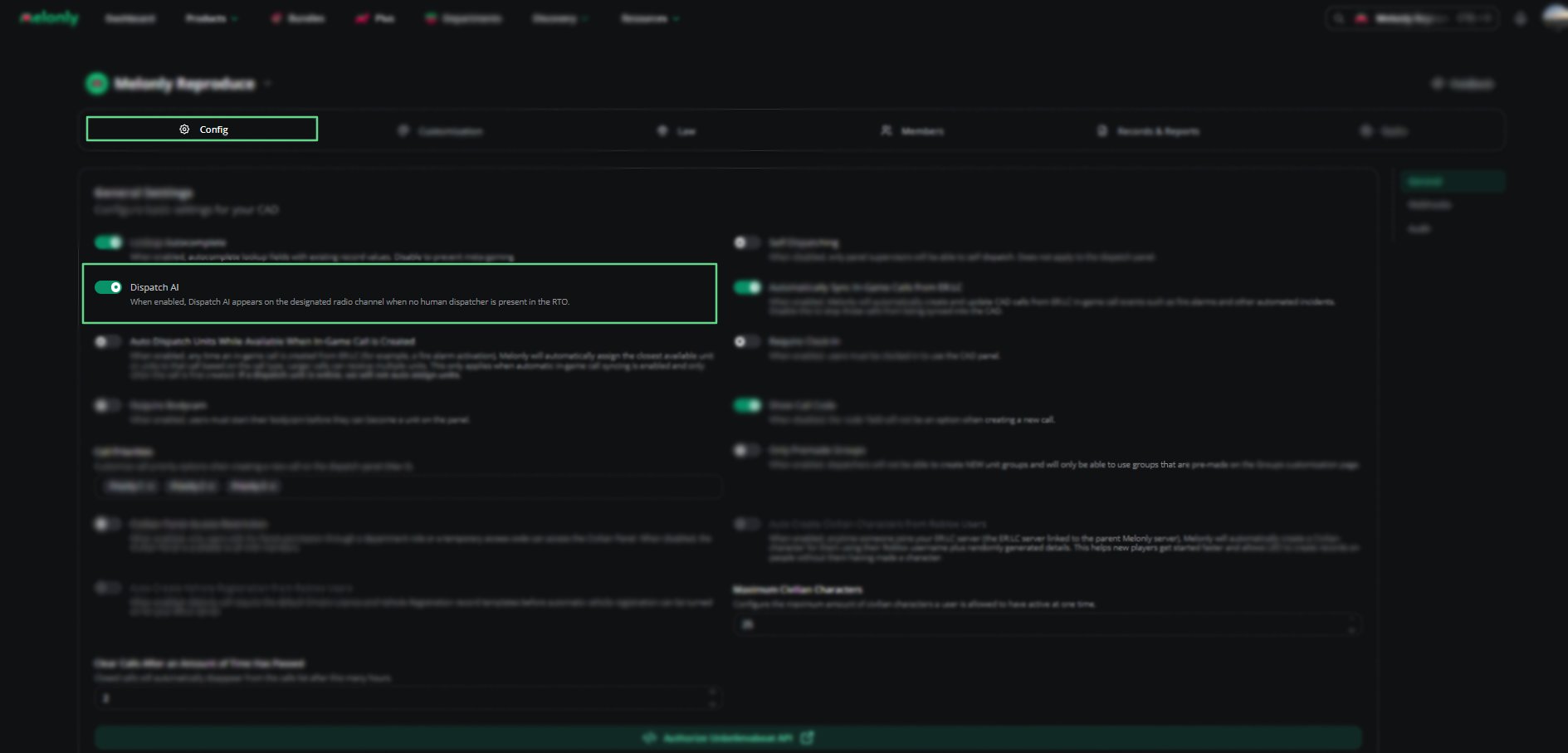
In the CAD admin panel, open **Config** and turn on **Dispatch AI** in [General Settings](/CAD/Admin/config#general-settings).
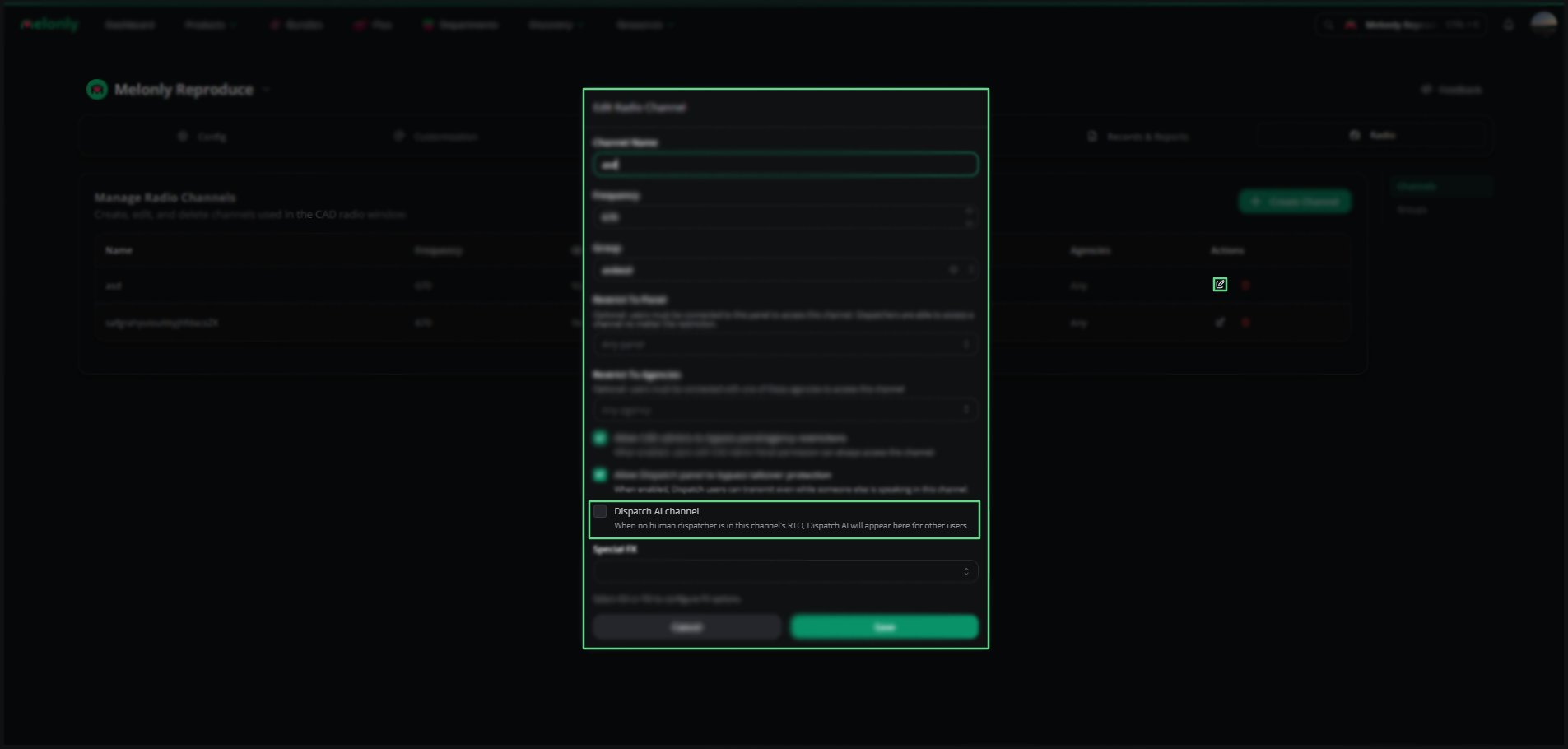
Open **Radio**, edit (or create) the [channel](/CAD/Admin/radio#channels) you want, tick **Dispatch AI channel** and save.
Only one channel can be the Dispatch AI channel. Ticking it on another channel moves it there.
***
## Talking to Dispatch AI
Join the Dispatch AI channel from a Police, Fire, EMS, DOT or Dispatch panel. Hold push-to-talk, start with "Dispatch", then say what you need in your own words, for example "Dispatch, 1-A-12, show me on scene."
Dispatch AI acts as your unit, so your normal permissions apply. Everyone on the channel hears your transmission and its reply, and it reads plates and unit numbers back phonetically. Anything said without "Dispatch" is ignored.
Click **Show commands** next to Dispatch AI in the radio window for a list of example phrases.
***
## Commands
| Category | What it does | Example |
| - | - | - |
| Unit status | Sets Available, Unavailable, Busy, En route or On scene. | "Show me en route" |
| Panic | Turns your panic on or off. | "Activate panic" |
| Lookups | Runs a name or plate. | "Run plate ABC-123" |
| BOLO checks | Checks a person or plate against active BOLOs. | "Any BOLOs on John Smith" |
| Group units | Puts units in a unit group, creating it if needed. | "Group Alpha with 1-A-12 and 1-A-13" |
| Clear group | Removes units from their group. | "Clear group for 1-A-12" |
| Create a call | Creates a call at a location. | "Create a traffic stop at Main and 1st" |
| Assign to a call | Assigns units to a call by its title. | "Assign me to that domestic call" |
| Attach / remove units | Adds or removes units on a call. | "Attach 101 to my call" |
| Add a note | Adds a note to your current call. | "Add note: suspect in custody" |
| Close a call | Closes a call. | "Close call 24-00123" |
| Your calls | Reads back the calls you're on. | "What calls am I on?" |
| Anything else | Answers general questions and reads back info. | Any general question |
***
## Rules and Limits
* It only listens on the Dispatch AI channel.
* Custom statuses can't be set by voice.
* On the Dispatch panel, you can only set Available, Busy or Unavailable, and panic isn't available.
* Each user can make up to 100 requests per minute.
* If Dispatch AI is down, it simply doesn't reply. The radio keeps working.
* When it can't do something, it tells you on the radio, usually with the reason, such as having no active unit or no matching call.
***
Still have questions? Join our Discord server for support from the Melonly Team.
This documentation is built and hosted on [Mintlify](https://mintlify.com), a developer documentation platform.