> ## Documentation Index
> Fetch the complete documentation index at: https://docs.melonly.com/llms.txt
> Use this file to discover all available pages before exploring further.
# Nicknames
> Configure automated nickname prefixes for members on shift or on leave.
***
## What are Nickname Prefixes?
Nickname prefixes allow Melonly to automatically update a member's Discord nickname based on their activity or status.\
This helps staff quickly identify who is on shift or on leave without manually checking logs or roles.
You can customize each prefix to match your server's style or formatting.
***
## Available Nickname Prefixes
| Nickname | When it is applied |
| - | - |
| **On Shift Nickname** | Prefix added while a member is on shift |
| **On LOA Nickname** | Prefix added while a member is on leave |
***
## Configuring Nicknames
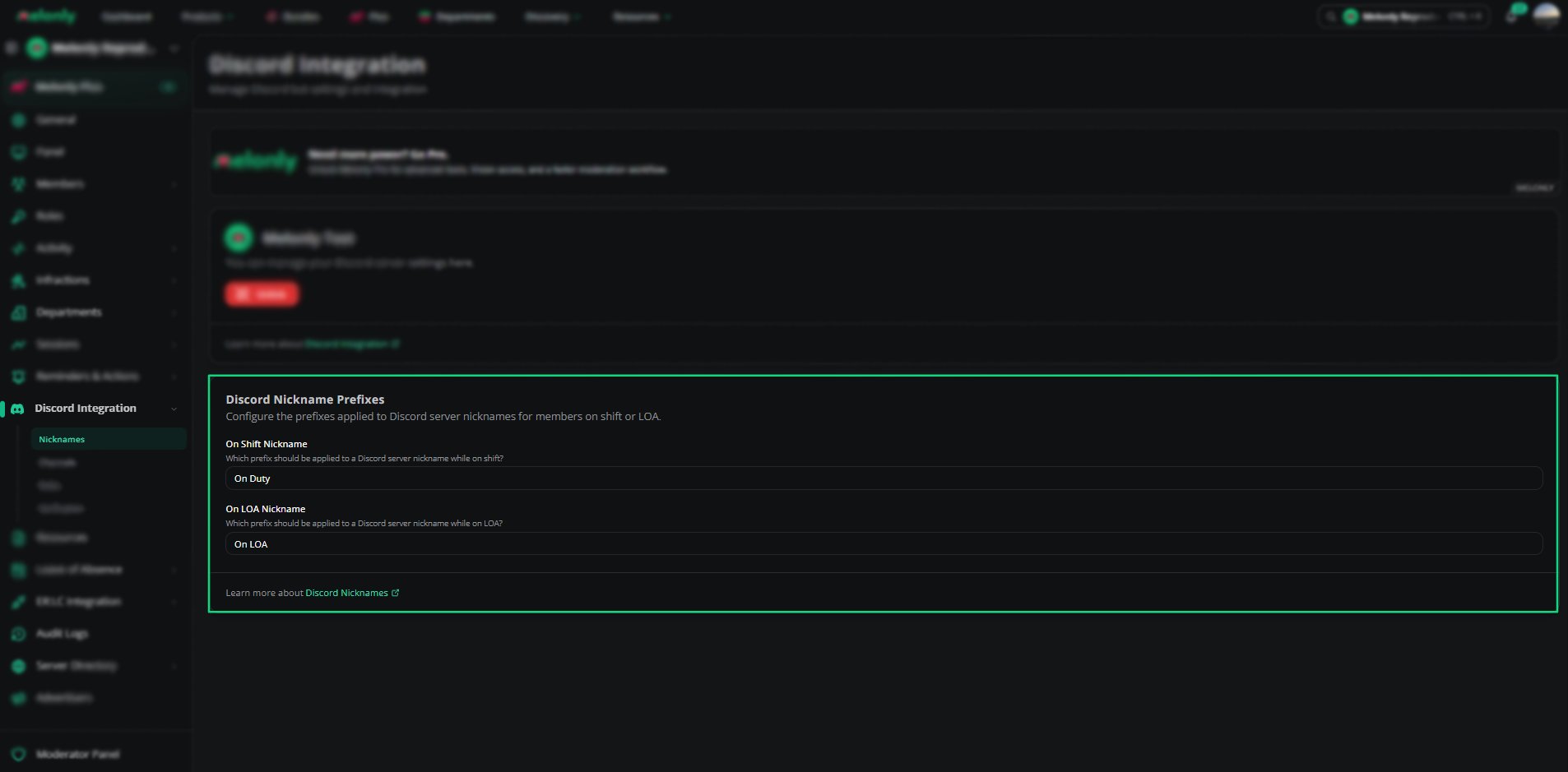
In the Nicknames section, you can choose which prefix should be applied when a member starts a shift or goes on leave.
These prefixes are added automatically and removed when the member's status changes.
 ***
## Melonly Plus Bot Nickname
With [Melonly Plus](https://melonly.xyz/plus), the Melonly bot renames itself to Melonly+ and changes its avatar in your server. The **Melonly Plus Bot Nickname** card only appears on servers with Melonly Plus.
| Setting | Description |
| - | - |
| **Disable Melonly+ Bot Rename** | When enabled, the bot will not change its name or avatar to Melonly+. |
| **Force resync bot profile** | Manually updates the bot's nickname and avatar in your Discord server to match the setting above. Has a 1 hour cooldown. |
***
## Required Discord Permissions
For Melonly to update nicknames correctly, the bot must have the proper Discord permissions.
| Requirement | Description |
| - | - |
| Manage Nicknames | Melonly must have the Manage Nicknames permission enabled. |
| Role Positioning | The Melonly Bot's role must be placed **above** the members whose nicknames it will update. |
If these requirements are not met, Melonly will not be able to modify member nicknames.
***
Still have questions? Join our Discord server for support from the Melonly Team.
This documentation is built and hosted on [Mintlify](https://mintlify.com), a developer documentation platform.
***
## Melonly Plus Bot Nickname
With [Melonly Plus](https://melonly.xyz/plus), the Melonly bot renames itself to Melonly+ and changes its avatar in your server. The **Melonly Plus Bot Nickname** card only appears on servers with Melonly Plus.
| Setting | Description |
| - | - |
| **Disable Melonly+ Bot Rename** | When enabled, the bot will not change its name or avatar to Melonly+. |
| **Force resync bot profile** | Manually updates the bot's nickname and avatar in your Discord server to match the setting above. Has a 1 hour cooldown. |
***
## Required Discord Permissions
For Melonly to update nicknames correctly, the bot must have the proper Discord permissions.
| Requirement | Description |
| - | - |
| Manage Nicknames | Melonly must have the Manage Nicknames permission enabled. |
| Role Positioning | The Melonly Bot's role must be placed **above** the members whose nicknames it will update. |
If these requirements are not met, Melonly will not be able to modify member nicknames.
***
Still have questions? Join our Discord server for support from the Melonly Team.
This documentation is built and hosted on [Mintlify](https://mintlify.com), a developer documentation platform.