> ## Documentation Index
> Fetch the complete documentation index at: https://docs.melonly.com/llms.txt
> Use this file to discover all available pages before exploring further.
# AFK Inactivity Checks
> Detect inactive on-shift staff during ER:LC sessions and alert your team, with an escalation step.
***
## What are AFK Inactivity Checks?
AFK Inactivity Checks watch your on-shift staff during ER:LC sessions. If a staff member goes inactive, Melonly alerts your team, then escalates if they stay inactive.
Requires your [ER:LC webhooks](/Dashboard/erlcintegration/webhook/webhookconfig) to be set up.
***
## How to Configure AFK Inactivity Checks
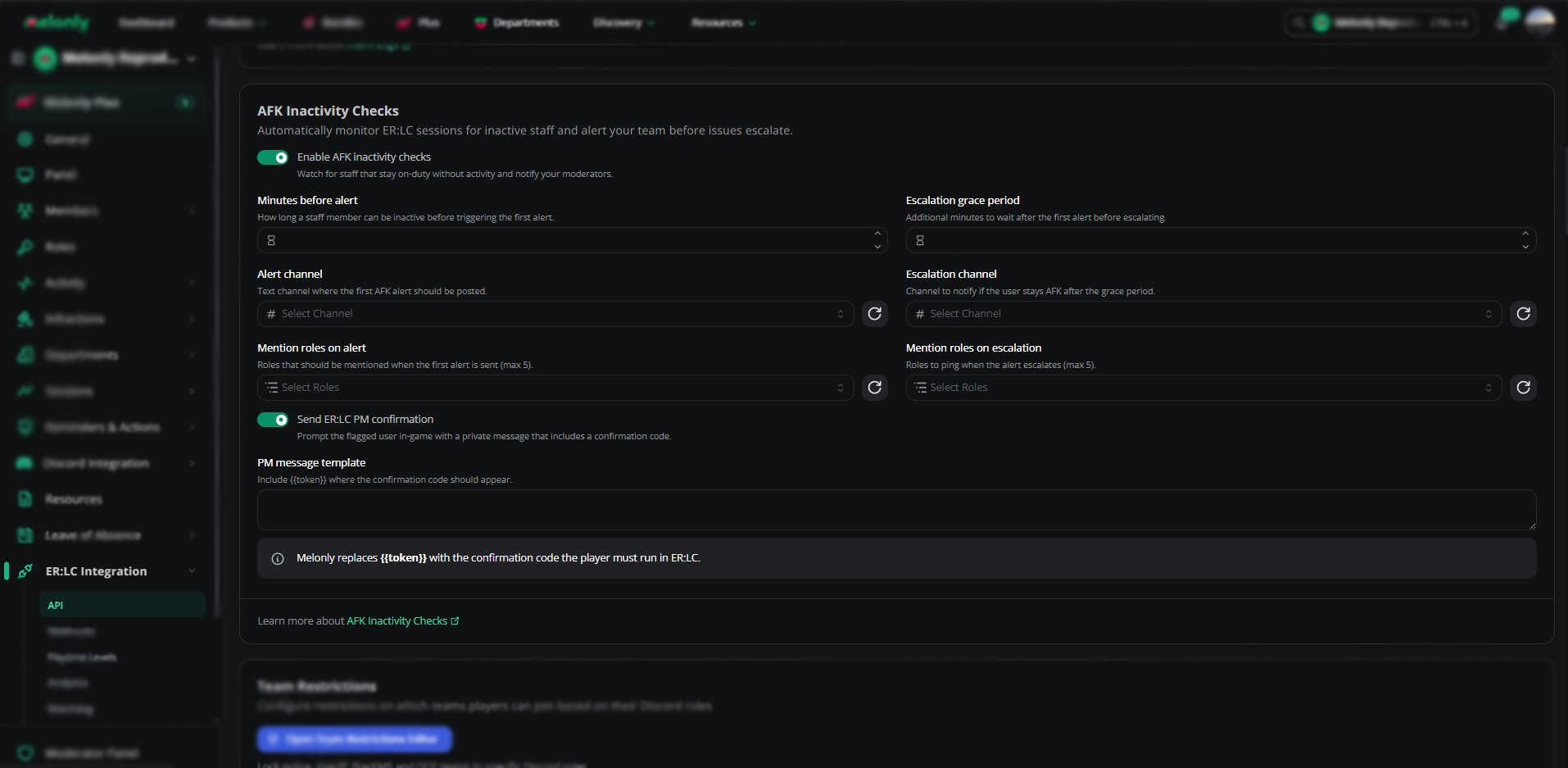
Find **AFK Inactivity Checks** on the **ER:LC Integration → API** page, below **Event Logs**.
### Configuration Options
| Setting | Description |
| - | - |
| Enable AFK Inactivity Checks | Turns the feature on or off |
| Minutes Before Alert | How long a staff member can be inactive before the first alert. 5 to 240 minutes. |
| Escalation Grace Period | How long to wait after the first alert before escalating. 3 to 240 minutes. |
| Alert Channel | Where the first alert posts, usually a staff-only channel |
| Escalation Channel | Where escalation alerts post |
| Mention Roles on Alert | Up to 5 roles to ping on the first alert |
| Mention Roles on Escalation | Up to 5 roles to ping on escalation, usually senior staff |
| Send ER:LC PM Confirmation | Sends the flagged staff member an in-game PM with a code. They run `:log {code}` to confirm they're active. |
| PM Message Template | The PM text, up to 500 characters. Include `{{token}}` where the code should go. |
Melonly won't save the template without `{{token}}`. If the template is empty, no PM is sent.
 ***
## Example Workflow
* A staff member goes inactive during a session
* After **Minutes Before Alert**, Melonly posts an alert in the alert channel
* If **Send ER:LC PM Confirmation** is on, the staff member gets a PM asking them to confirm
* If they stay inactive for the **Escalation Grace Period**, Melonly posts an escalation and pings the escalation roles
***
Still have questions? Join our Discord server for support from the Melonly Team.
This documentation is built and hosted on [Mintlify](https://mintlify.com), a developer documentation platform.
***
## Example Workflow
* A staff member goes inactive during a session
* After **Minutes Before Alert**, Melonly posts an alert in the alert channel
* If **Send ER:LC PM Confirmation** is on, the staff member gets a PM asking them to confirm
* If they stay inactive for the **Escalation Grace Period**, Melonly posts an escalation and pings the escalation roles
***
Still have questions? Join our Discord server for support from the Melonly Team.
This documentation is built and hosted on [Mintlify](https://mintlify.com), a developer documentation platform.