> ## Documentation Index
> Fetch the complete documentation index at: https://docs.melonly.com/llms.txt
> Use this file to discover all available pages before exploring further.
# Automated Messages
> Send scheduled announcements, hints and PMs in ER:LC, and run automatic member and vehicle checks.
***
## What are Automated Messages?
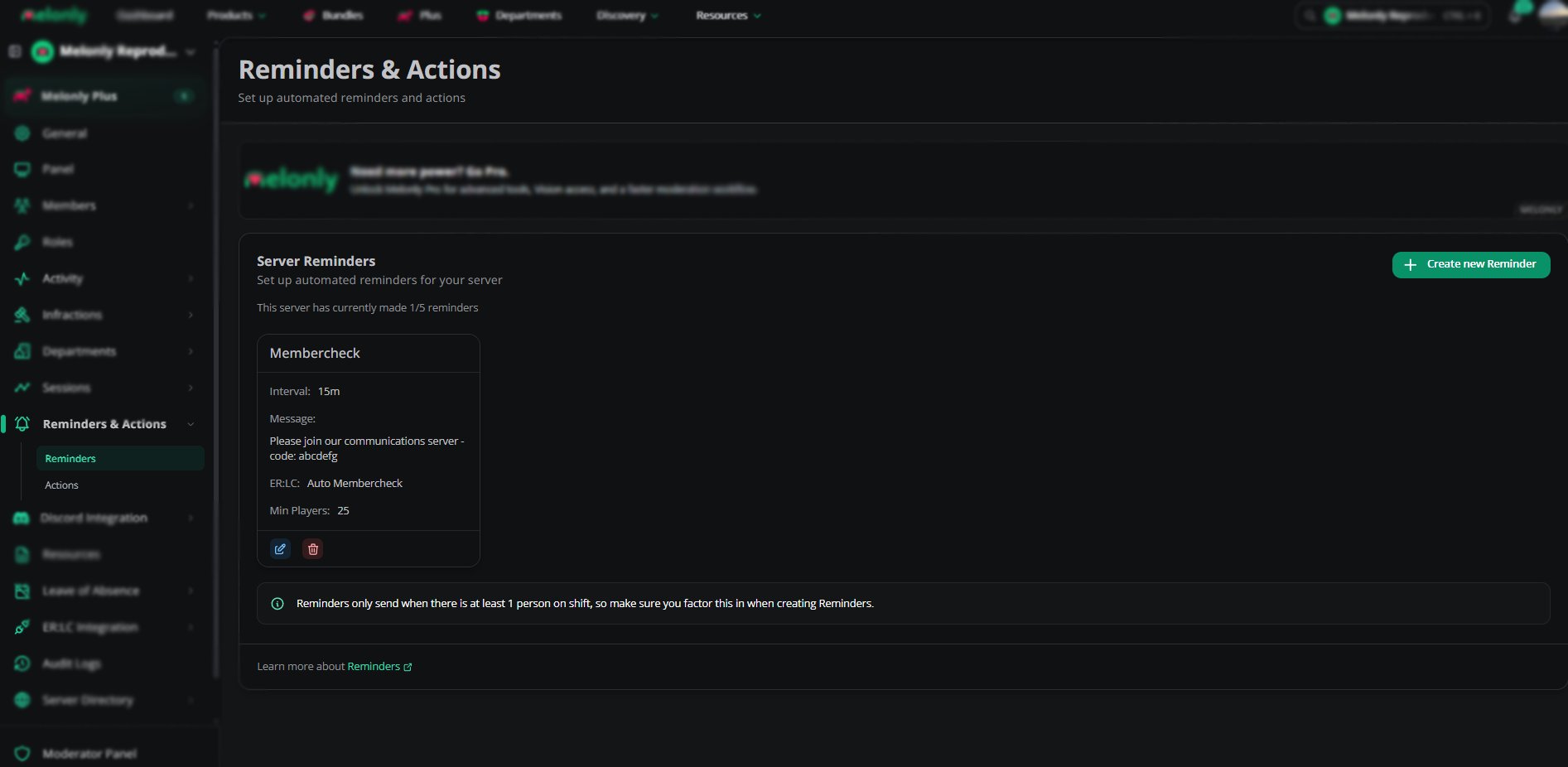
Automated Messages send announcements, hints and PMs in ER:LC on a schedule, and run checks like `:membercheck` and `:vehiclecheck`. They're powered by [Melonly Reminders](/Dashboard/reminders-actions/reminders), so you set them up on the **Reminders** page, not the ER:LC Integration page.
Reminders only run while at least one staff member is on duty.
***
## Reminder Types
| Type | Description |
| - | - |
| Announcement | A large message shown to all players |
| Hint | A smaller message at the top of the screen |
| Private Message | A PM sent to a specific player |
| `:membercheck` | Checks that every player in game is in your Discord server. Can kick non-members. |
| `:vehiclecheck` | Checks that players are driving vehicles they're allowed to use. Can kick or warn players in [restricted vehicles](/Dashboard/erlcintegration/api/vehiclerestrictions). |
Each reminder can run once or repeat on a schedule.
 ***
## Creating an Automated Message
Go to **Reminders and Actions** on your dashboard.
Choose the type of message or check you want to automate.
Pick a timer, an interval or a condition.
The reminder now runs on your schedule.
***
## Example Use Cases
* Run `:membercheck` every 5 minutes and kick non-members
* Run `:vehiclecheck` every 3 minutes to enforce vehicle restrictions
* Send a hint every 10 minutes reminding players to follow the rules
* Send an announcement every hour during an event
* Remind players to join your Discord server
***
Still have questions? Join our Discord server for support from the Melonly Team.
This documentation is built and hosted on [Mintlify](https://mintlify.com), a developer documentation platform.
***
## Creating an Automated Message
Go to **Reminders and Actions** on your dashboard.
Choose the type of message or check you want to automate.
Pick a timer, an interval or a condition.
The reminder now runs on your schedule.
***
## Example Use Cases
* Run `:membercheck` every 5 minutes and kick non-members
* Run `:vehiclecheck` every 3 minutes to enforce vehicle restrictions
* Send a hint every 10 minutes reminding players to follow the rules
* Send an announcement every hour during an event
* Remind players to join your Discord server
***
Still have questions? Join our Discord server for support from the Melonly Team.
This documentation is built and hosted on [Mintlify](https://mintlify.com), a developer documentation platform.