> ## Documentation Index
> Fetch the complete documentation index at: https://docs.melonly.com/llms.txt
> Use this file to discover all available pages before exploring further.
# Event Logs
> Forward ER:LC joins, leaves, kills and mod calls to your Discord channels.
***
## What are Event Logs?
Event logs forward in-game events from your ER:LC private server, such as kills and mod calls, to Discord channels you choose. Your staff can follow activity as it happens, and the same logs also show in the Mod Panel.
Requires [Melonly Plus](https://melonly.xyz/plus).
***
## Configuring Your Logs
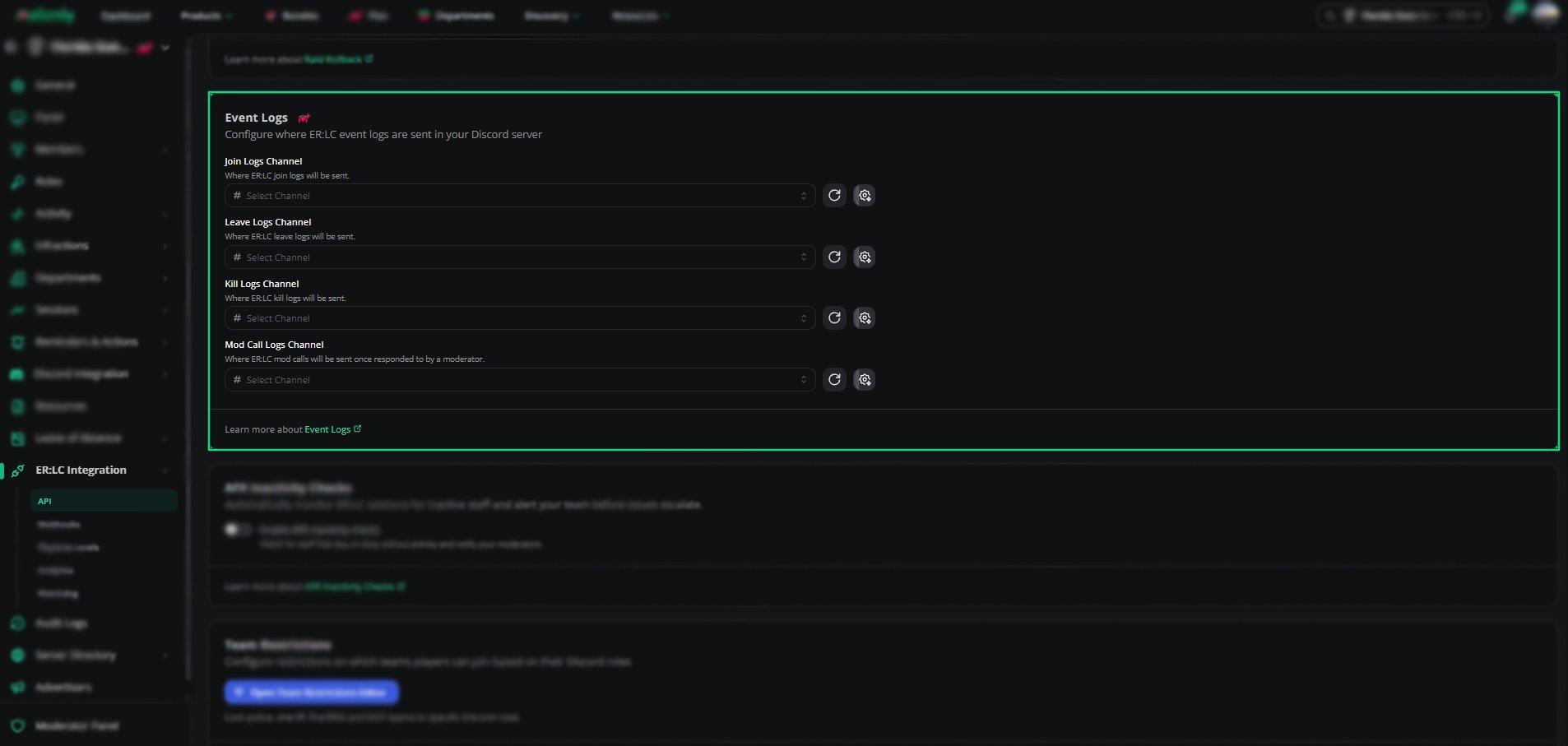
Find **Event Logs** on the **ER:LC Integration → API** page, below **Raid Rollback**. Pick a separate channel for each log type.
| Setting | Description |
| - | - |
| Join Logs Channel | Every player who joins your server |
| Leave Logs Channel | Every player who leaves your server |
| Kill Logs Channel | Which player killed which |
| Mod Call Logs Channel | Which staff member responded to each mod call. Mod calls are sent once a moderator responds. |
Melonly needs the View Channel and Send Messages permissions in each channel.
 ***
## Custom Messages
Click **Customize Discord Message** next to a channel to change the message Melonly sends for that log.
| Channel | Variables |
| - | - |
| Join Logs Channel | `{player}`, plus the time variables |
| Leave Logs Channel | `{player}`, plus the time variables |
| Kill Logs Channel | `{killer}`, `{killed}`, plus the time variables |
| Mod Call Logs Channel | `{moderator}`, `{caller}`, plus the time variables |
The time variables are `{time}`, `{timet}`, `{timeT}`, `{timed}`, `{timeD}`, `{timef}`, `{timeF}` and `{timeR}`. The editor lists every variable with an example.
***
Still have questions? Join our Discord server for support from the Melonly Team.
This documentation is built and hosted on [Mintlify](https://mintlify.com), a developer documentation platform.
***
## Custom Messages
Click **Customize Discord Message** next to a channel to change the message Melonly sends for that log.
| Channel | Variables |
| - | - |
| Join Logs Channel | `{player}`, plus the time variables |
| Leave Logs Channel | `{player}`, plus the time variables |
| Kill Logs Channel | `{killer}`, `{killed}`, plus the time variables |
| Mod Call Logs Channel | `{moderator}`, `{caller}`, plus the time variables |
The time variables are `{time}`, `{timet}`, `{timeT}`, `{timed}`, `{timeD}`, `{timef}`, `{timeF}` and `{timeR}`. The editor lists every variable with an example.
***
Still have questions? Join our Discord server for support from the Melonly Team.
This documentation is built and hosted on [Mintlify](https://mintlify.com), a developer documentation platform.