> ## Documentation Index
> Fetch the complete documentation index at: https://docs.melonly.com/llms.txt
> Use this file to discover all available pages before exploring further.
# Priority Requests
> Let players request priority scenes in ER:LC and manage approvals, cooldowns and presets.
***
## What are Priority Requests?
Priority Requests let players ask for a priority scene during ER:LC sessions. Staff approve or deny each request, and Melonly handles the cooldowns, limits and notifications.
***
## How to Use Priority Requests
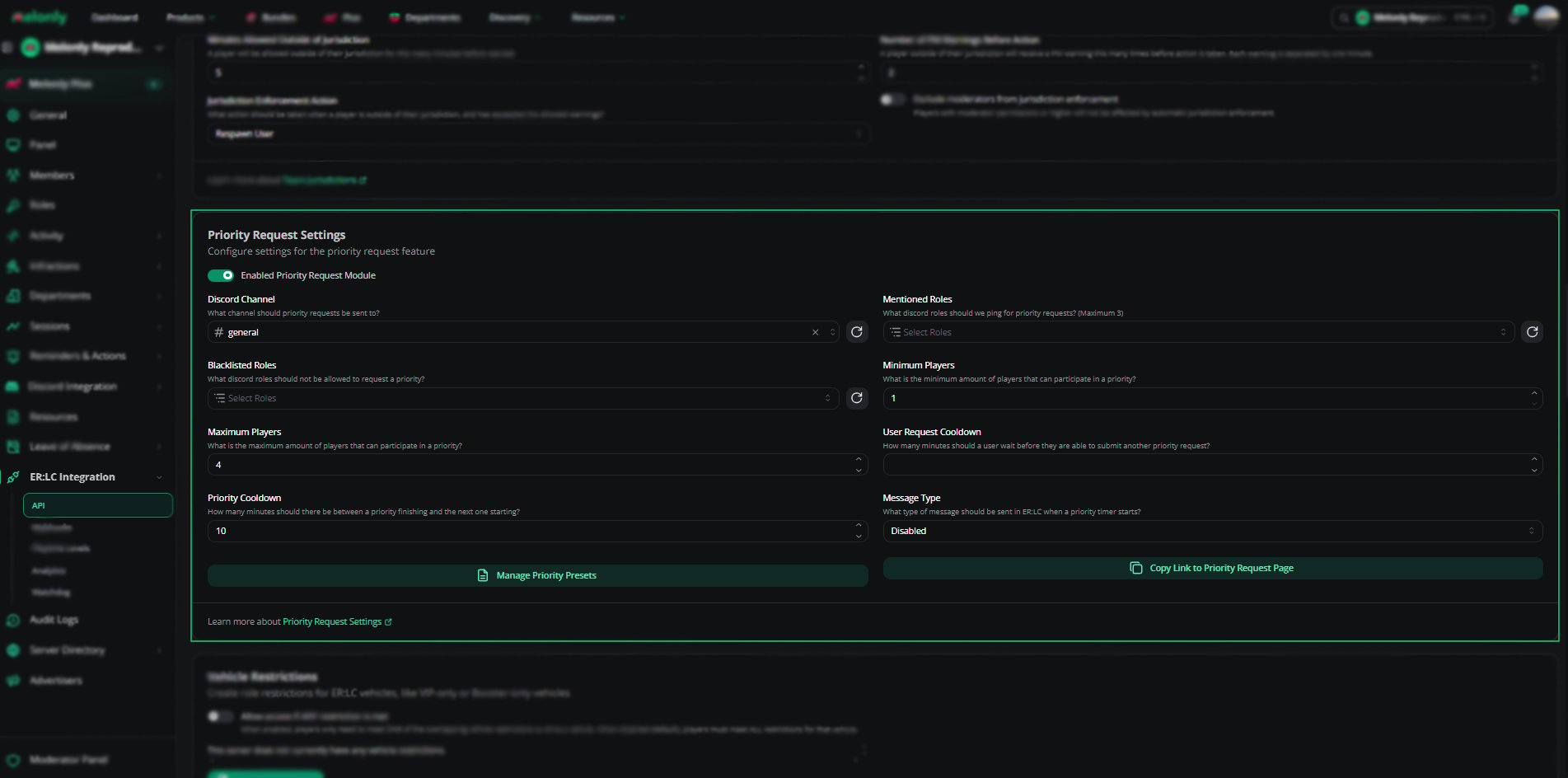
Find **Priority Request Settings** on the **ER:LC Integration → API** page, below **Team Jurisdictions**. Turn on the module, set the options below, then click **Copy Link to Priority Request Page** and share the link in your Discord server.
### Configuration Options
| Setting | Description |
| - | - |
| Enable Priority Request Module | Turns the feature on or off |
| Discord Channel | Where priority request notifications are sent |
| Blacklisted Roles | Up to 3 roles that can't submit requests |
| Minimum Players | Players needed before requests are allowed. 1 to 10, default 1. |
| Maximum Players | Most players allowed in a scene. 1 to 10, default 4. |
| Priority Cooldown | Wait between approved priority scenes. 5 to 1000 minutes. |
| User Request Cooldown | Wait before a player can submit another request. 0 to 1000 minutes. |
| Mentioned Roles | Up to 3 roles, including `@here`, pinged when a request is submitted. Pick a Discord Channel first. |
| Message Type | The in-game message sent when a priority timer starts: Disabled, Announcement or Hint |
| Message Text | The in-game message text, up to 1000 characters. Shown for Announcement or Hint. |
 ***
## Priority Presets
Presets are ready-made scene types players can pick instead of typing out their request.
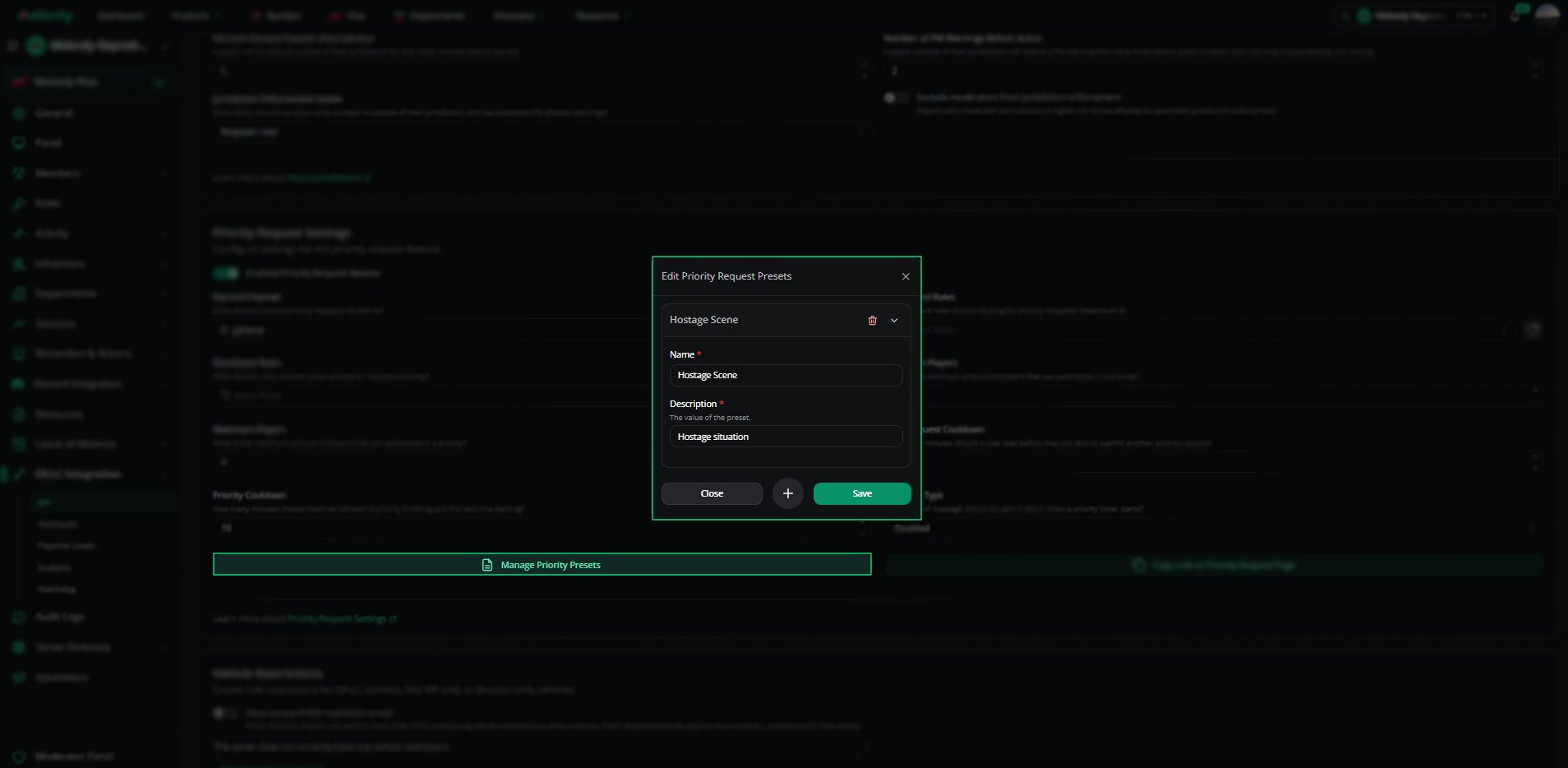
Click **Manage priority presets** to open the **Edit Priority Request Presets** editor.
Enter a name (up to 100 characters) and a description (up to 2000 characters), such as Hostage Scene or Bank Robbery.
Click **Save**. Players can now pick it when they submit a request.
You can also edit and delete presets from the same editor.
***
## Priority Presets
Presets are ready-made scene types players can pick instead of typing out their request.
Click **Manage priority presets** to open the **Edit Priority Request Presets** editor.
Enter a name (up to 100 characters) and a description (up to 2000 characters), such as Hostage Scene or Bank Robbery.
Click **Save**. Players can now pick it when they submit a request.
You can also edit and delete presets from the same editor.
 ***
## Managing Priority Requests
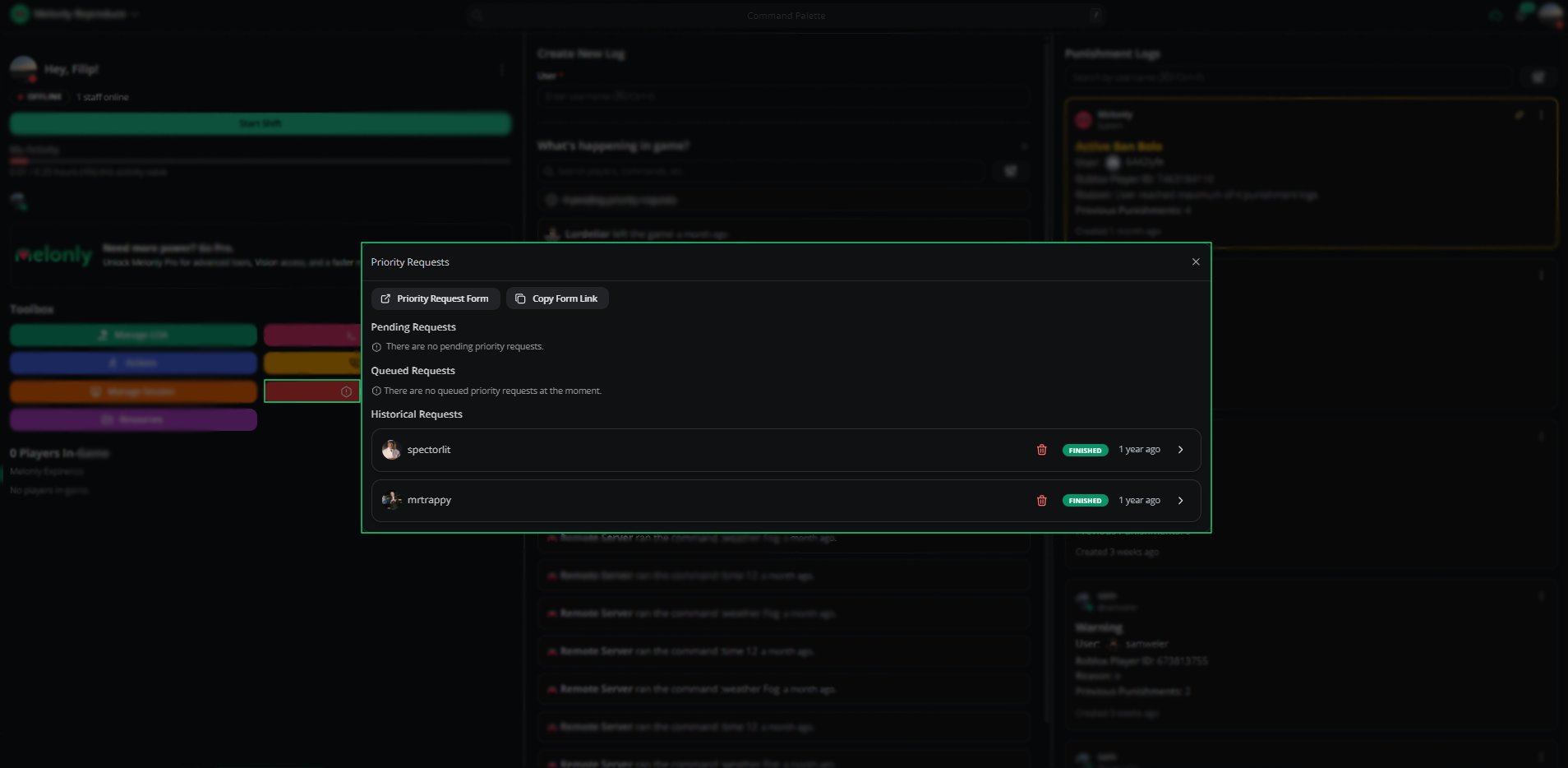
Staff review requests in the Mod Panel under **Toolbox → Priority Requests**.
| Tab | Description |
| - | - |
| Pending Requests | Requests waiting for approval, with the player, preset, description and time. Approve or deny them here. |
| Queued Requests | Approved requests waiting for the cooldown or the current scene to end |
| Historical Requests | Past approved and denied requests |
***
## Managing Priority Requests
Staff review requests in the Mod Panel under **Toolbox → Priority Requests**.
| Tab | Description |
| - | - |
| Pending Requests | Requests waiting for approval, with the player, preset, description and time. Approve or deny them here. |
| Queued Requests | Approved requests waiting for the cooldown or the current scene to end |
| Historical Requests | Past approved and denied requests |
 ***
## Example Use Cases
* Let players request scenes such as robberies or hostage situations
* Stop scene stacking with cooldowns
* Block certain roles from requesting priority
* Keep a record of every approved and denied scene
***
Still have questions? Join our Discord server for support from the Melonly Team.
This documentation is built and hosted on [Mintlify](https://mintlify.com), a developer documentation platform.
***
## Example Use Cases
* Let players request scenes such as robberies or hostage situations
* Stop scene stacking with cooldowns
* Block certain roles from requesting priority
* Keep a record of every approved and denied scene
***
Still have questions? Join our Discord server for support from the Melonly Team.
This documentation is built and hosted on [Mintlify](https://mintlify.com), a developer documentation platform.