> ## Documentation Index
> Fetch the complete documentation index at: https://docs.melonly.com/llms.txt
> Use this file to discover all available pages before exploring further.
# Shift Automation
> Start and end staff shifts automatically when they join or leave your ER:LC server.
***
## What is Shift Automation?
Shift Automation starts a staff member's shift when they join your ER:LC server and ends it when they leave. Nobody has to remember to clock in or out.
Requires [Melonly Plus](https://melonly.xyz/plus). Staff need a Roblox account [linked to Melonly](https://melonly.xyz/my/account).
***
## How to Use Shift Automation
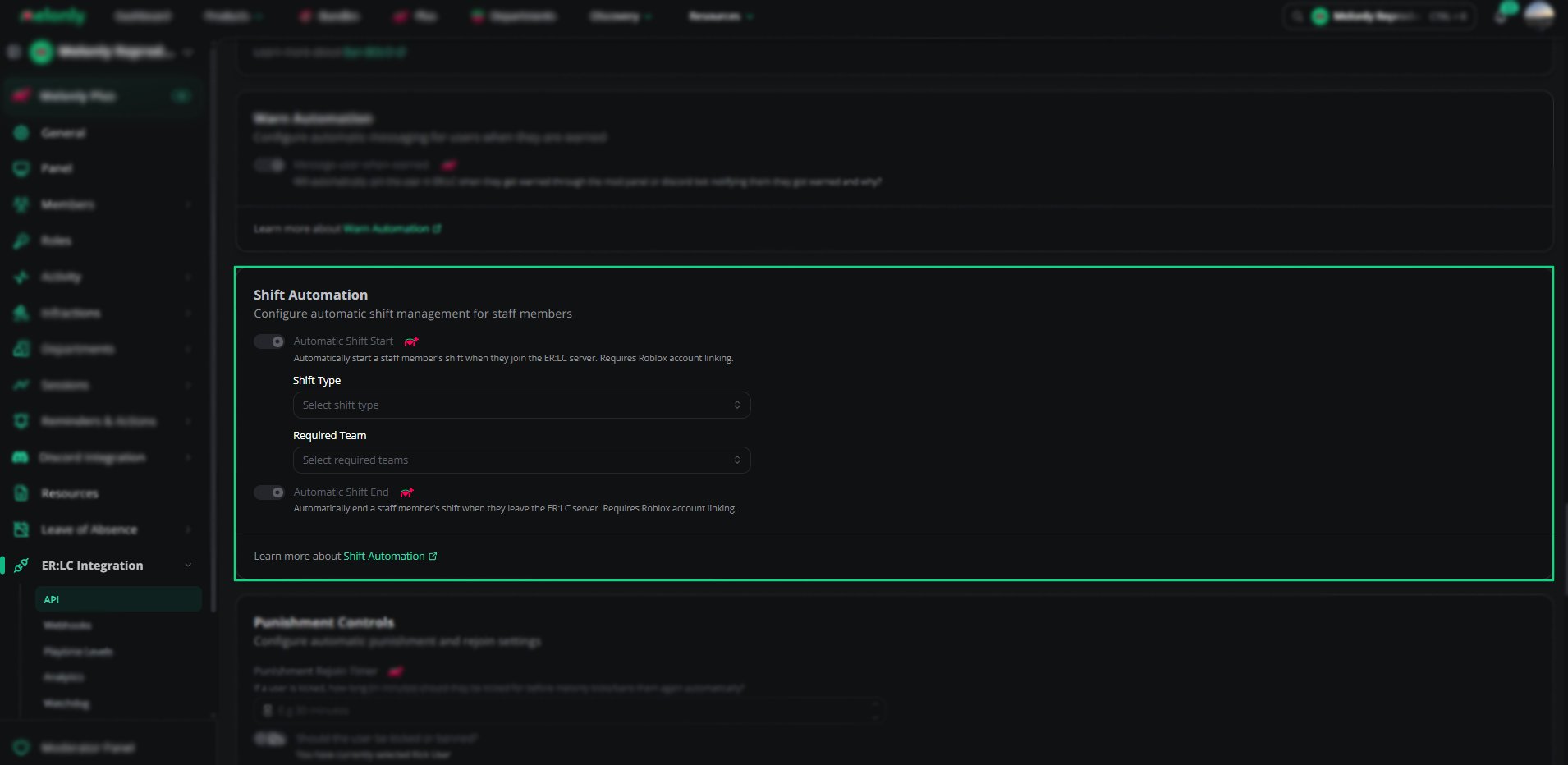
Find **Shift Automation** on the **ER:LC Integration → API** page, below **Warn Automation**.
### Configuration Options
| Setting | Description |
| - | - |
| Automatic Shift Start | Starts a shift when a staff member joins the ER:LC server |
| Automatic Shift End | Ends a shift when a staff member leaves the ER:LC server |
| Shift Type | The shift type Automatic Shift Start uses. Shown once Automatic Shift Start is on. |
| Required Team | The team a staff member must join for the shift to start: Police, Sheriff, Fire/EMS or DOT. You can pick more than one. |
If your server has no shift types yet, create one on the [Shifts](/Dashboard/activity/shifts) page first.
 ***
## Example Use Cases
* Track staff activity without manual clock-ins
* Only start shifts when staff join an approved team
* Stop staff from forgetting to end their shift
***
Still have questions? Join our Discord server for support from the Melonly Team.
This documentation is built and hosted on [Mintlify](https://mintlify.com), a developer documentation platform.
***
## Example Use Cases
* Track staff activity without manual clock-ins
* Only start shifts when staff join an approved team
* Stop staff from forgetting to end their shift
***
Still have questions? Join our Discord server for support from the Melonly Team.
This documentation is built and hosted on [Mintlify](https://mintlify.com), a developer documentation platform.