> ## Documentation Index
> Fetch the complete documentation index at: https://docs.melonly.com/llms.txt
> Use this file to discover all available pages before exploring further.
# Team Restrictions
> Control which ER:LC teams players can join with Discord, department and role requirements.
***
## What are Team Restrictions?
Team Restrictions control who can join each ER:LC team, such as Police, Sheriff, Fire/EMS or DOT. Players who don't meet the requirements get a PM and are kicked off the team.
Some options require [Melonly Plus](https://melonly.xyz/plus).
***
## How to Use Team Restrictions
Find **Team Restrictions** on the **ER:LC Integration → API** page, below **AFK Inactivity Checks**.
### Opening the Team Restrictions Editor
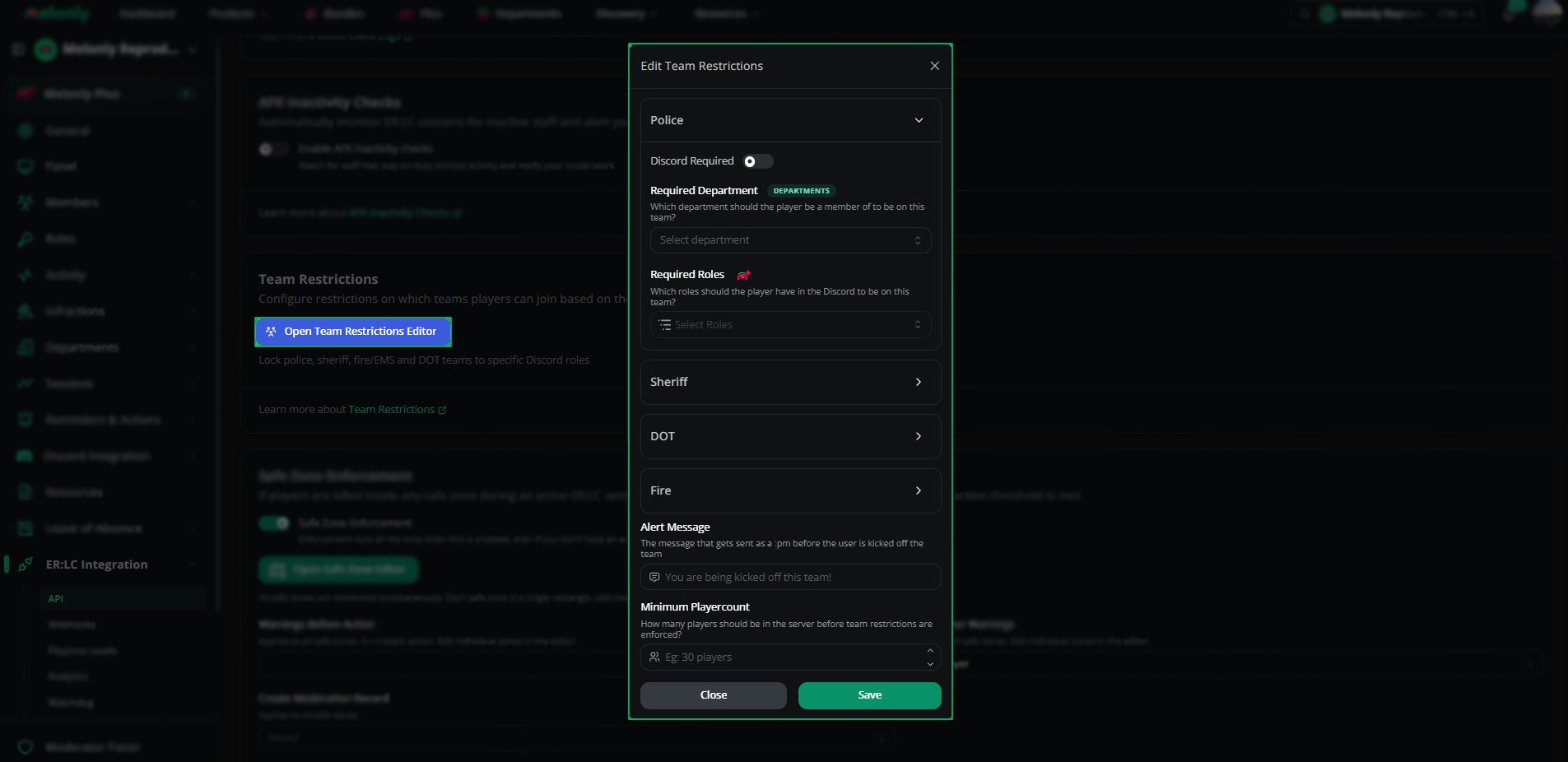
Click **Open team restrictions editor** to see every ER:LC team.
Choose the team you want to restrict. Each team has its own settings.
Set the options below, then click **Save**.
***
## Configuration Options
| Setting | Description |
| - | - |
| Discord Required | Players must have a linked Discord account and be in your Discord server to join the team |
| Required Department | Players must belong to this [department](/Dashboard/department). Locked until your server has a department or a free department slot. |
| Required Roles | Players must have one of these Discord roles. Requires Plus and only works when Discord Required is on. |
| Alert Message | The `:pm` sent before a player is kicked off the team, up to 300 characters. For example, "You are being kicked off this team!" |
| Minimum Playercount | Restrictions only apply once this many players are in the server. 0 to 50. |
Saving restrictions doesn't run them. Create a reminder on the [Reminders](/Dashboard/reminders-actions/reminders) page to run team restriction checks.
 ***
Still have questions? Join our Discord server for support from the Melonly Team.
This documentation is built and hosted on [Mintlify](https://mintlify.com), a developer documentation platform.
***
Still have questions? Join our Discord server for support from the Melonly Team.
This documentation is built and hosted on [Mintlify](https://mintlify.com), a developer documentation platform.