> ## Documentation Index
> Fetch the complete documentation index at: https://docs.melonly.com/llms.txt
> Use this file to discover all available pages before exploring further.
# Vehicle Restrictions
> Lock ER:LC vehicles and liveries behind Discord roles.
***
## What are Vehicle Restrictions?
Vehicle Restrictions lock specific ER:LC vehicles behind Discord roles. Players without the role are flagged in the panel or reminded in game, which is useful for VIP, Booster or department vehicles.
Free servers get up to 5 restrictions with 3 vehicles each. [Melonly Plus](https://melonly.xyz/plus) raises this to 15 restrictions with 30 vehicles each.
***
## How to Use Vehicle Restrictions
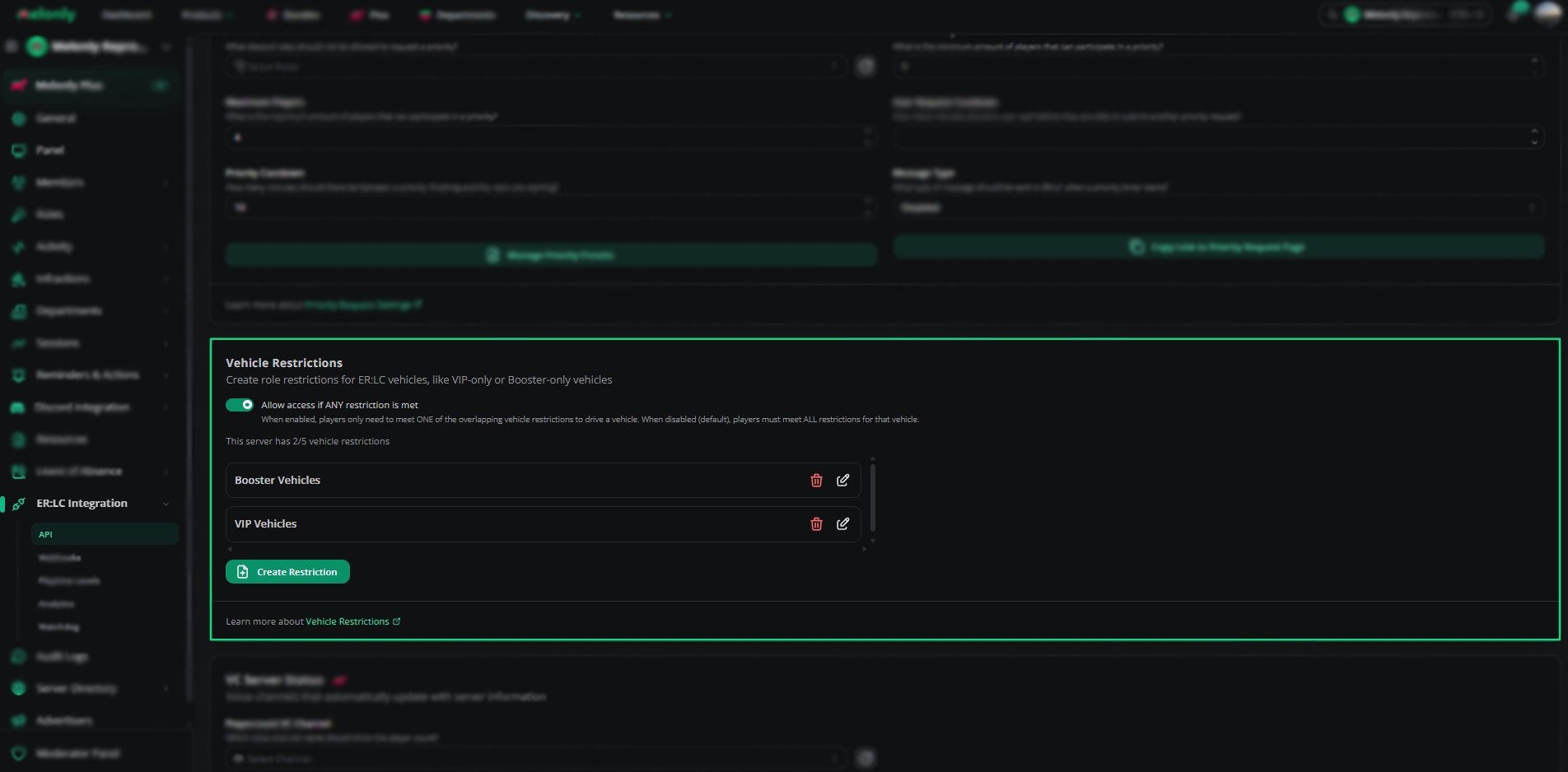
Find **Vehicle Restrictions** on the **ER:LC Integration → API** page, below **Priority Request Settings**.
### Configuration Options
| Setting | Description |
| - | - |
| Allow Access if ANY Restriction Is Met | When on, players only need to meet one of the restrictions that cover a vehicle. When off, they must meet all of them. |
| Create Restriction | Opens the Vehicle Restriction Editor to add a new restriction |
You can edit or delete existing restrictions at any time from the list.
Saving restrictions doesn't run them. Create a reminder on the [Reminders](/Dashboard/reminders-actions/reminders) page to run vehicle restriction checks.
 ***
## Using the Vehicle Restriction Editor
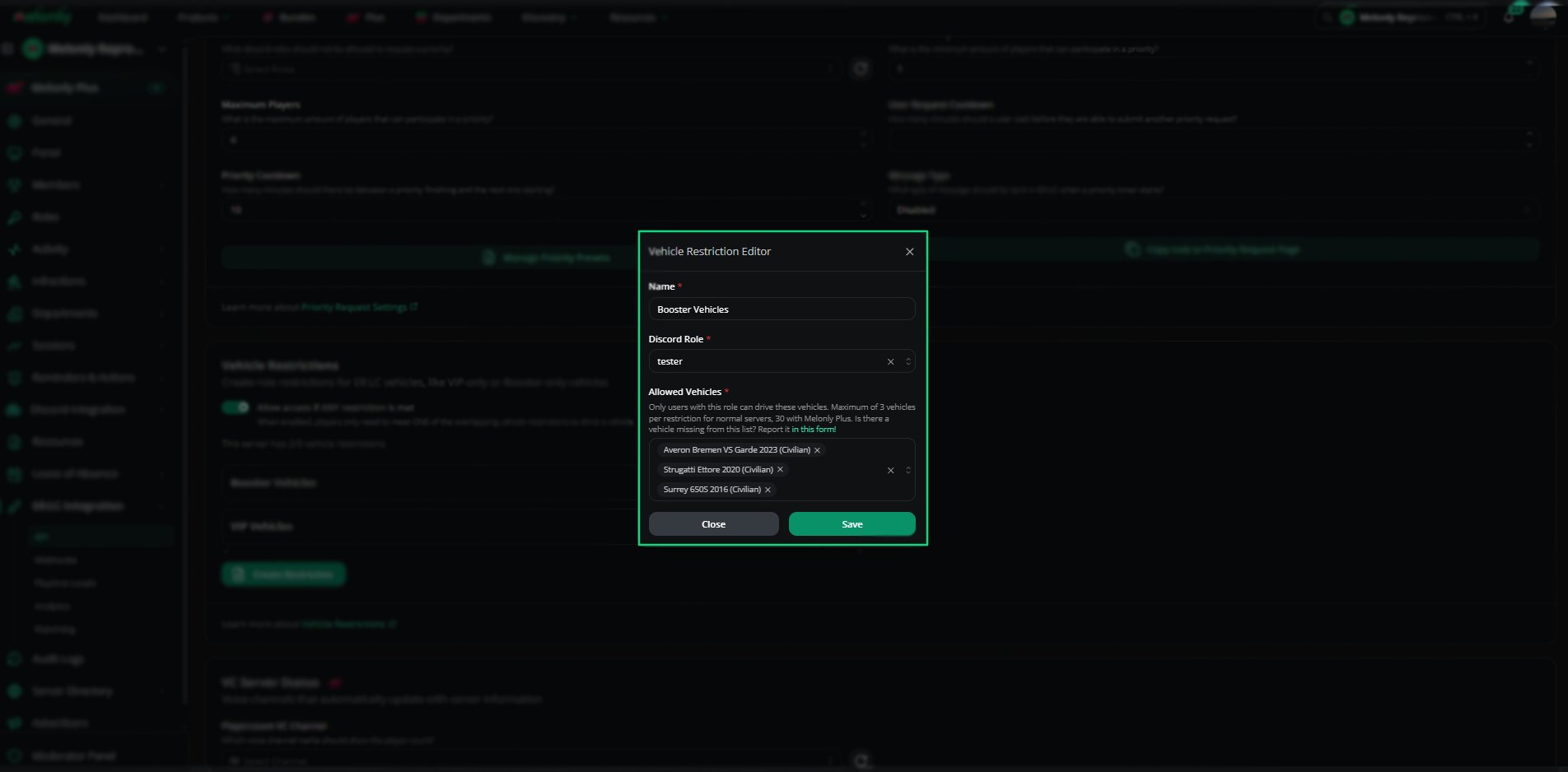
Click **Create restriction**, or edit an existing restriction, to open the editor.
| Setting | Description |
| - | - |
| Name | A clear name, such as VIP Vehicles or Booster Access |
| Discord Role | The role players need to drive these vehicles |
| Restriction Mode | Default applies to every selected vehicle. Specific Liveries only applies when the vehicle uses a livery you pick. |
| Allowed Vehicles | The vehicles that need the role. Up to 3, or 30 with Plus. |
| Allowed Liveries | Shown for Specific Liveries. Up to 10 liveries. Liveries only appear once they've been used in your server, and matching isn't case-sensitive. |
Click **Save** to add the restriction to your list.
***
## Using the Vehicle Restriction Editor
Click **Create restriction**, or edit an existing restriction, to open the editor.
| Setting | Description |
| - | - |
| Name | A clear name, such as VIP Vehicles or Booster Access |
| Discord Role | The role players need to drive these vehicles |
| Restriction Mode | Default applies to every selected vehicle. Specific Liveries only applies when the vehicle uses a livery you pick. |
| Allowed Vehicles | The vehicles that need the role. Up to 3, or 30 with Plus. |
| Allowed Liveries | Shown for Specific Liveries. Up to 10 liveries. Liveries only appear once they've been used in your server, and matching isn't case-sensitive. |
Click **Save** to add the restriction to your list.
 ***
## Example Use Cases
* Create VIP-only vehicles for supporters
* Restrict department vehicles to trained members
* Offer Booster-only vehicles
* Limit high-performance vehicles to trusted roles
***
Still have questions? Join our Discord server for support from the Melonly Team.
This documentation is built and hosted on [Mintlify](https://mintlify.com), a developer documentation platform.
***
## Example Use Cases
* Create VIP-only vehicles for supporters
* Restrict department vehicles to trained members
* Offer Booster-only vehicles
* Limit high-performance vehicles to trusted roles
***
Still have questions? Join our Discord server for support from the Melonly Team.
This documentation is built and hosted on [Mintlify](https://mintlify.com), a developer documentation platform.