> ## Documentation Index
> Fetch the complete documentation index at: https://docs.melonly.com/llms.txt
> Use this file to discover all available pages before exploring further.
# Settings
> Configure infractions, Discord roles, quotas, point stages, messages and appeal questions.
***
## What are Infraction Settings?
The **Settings** tab controls how infractions, appeals, quotas, Discord roles and automatic punishments work in your server. It's also where you write appeal questions and staff guidelines.
Who can open these settings depends on their Melonly role. See [Permissions](#permissions).
***
## Infraction Settings
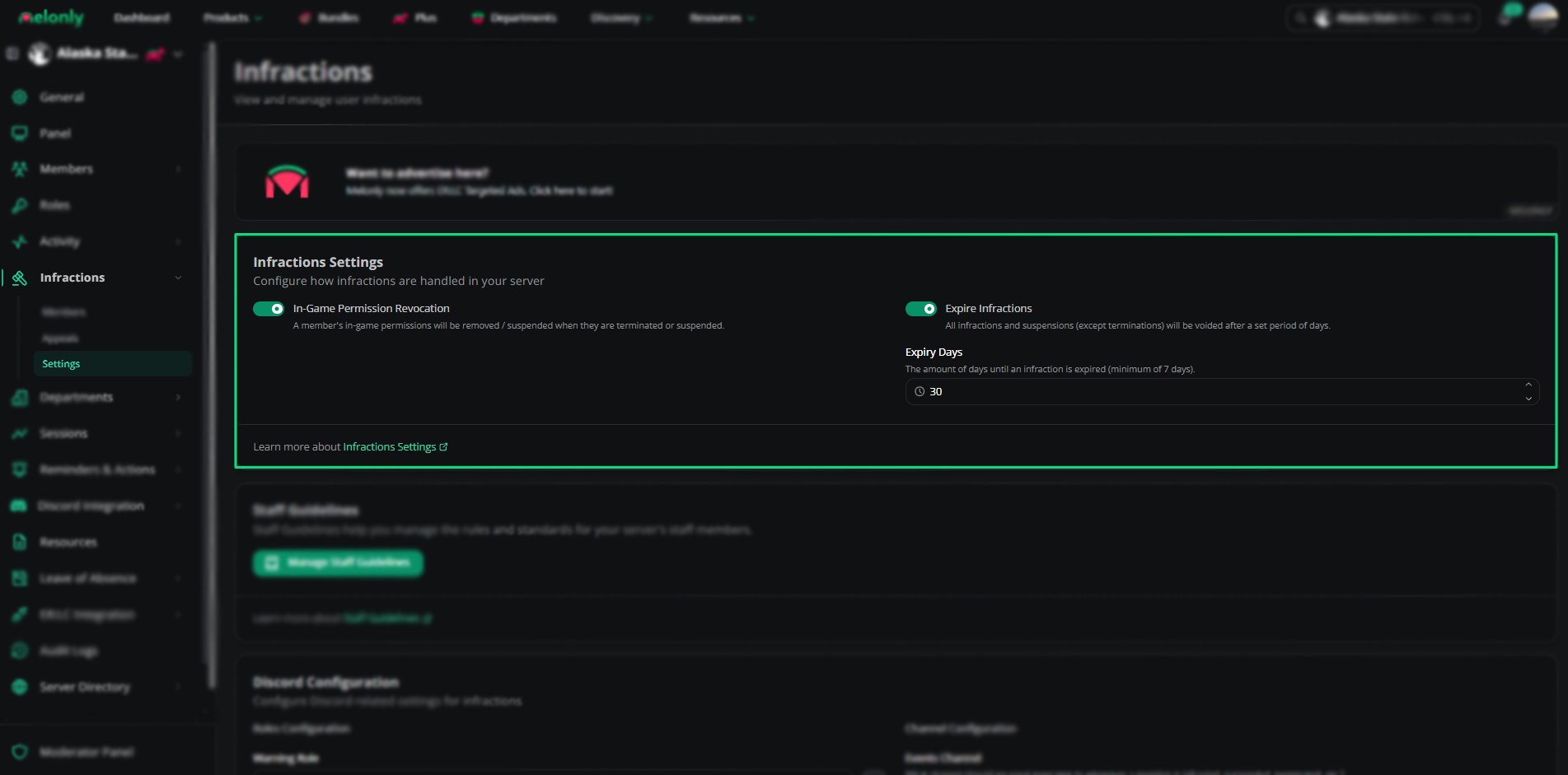 | Setting | Description |
| - | - |
| Expire Infractions | Voids infractions and suspensions after a set number of days. Terminations don't expire |
| Expiry Days | Days before an infraction expires, from 7 to 365. Shown when Expire Infractions is on |
| In-Game Permission Revocation | Removes or suspends a member's in-game permissions when they're suspended or terminated. Needs the [ER:LC integration](/Dashboard/erlcintegration/home) |
***
## Staff Guidelines
Staff guidelines set out what counts as an infraction. Each guideline has a name, a short description, a full description and a point value (0 by default).
| Setting | Description |
| - | - |
| Expire Infractions | Voids infractions and suspensions after a set number of days. Terminations don't expire |
| Expiry Days | Days before an infraction expires, from 7 to 365. Shown when Expire Infractions is on |
| In-Game Permission Revocation | Removes or suspends a member's in-game permissions when they're suspended or terminated. Needs the [ER:LC integration](/Dashboard/erlcintegration/home) |
***
## Staff Guidelines
Staff guidelines set out what counts as an infraction. Each guideline has a name, a short description, a full description and a point value (0 by default).
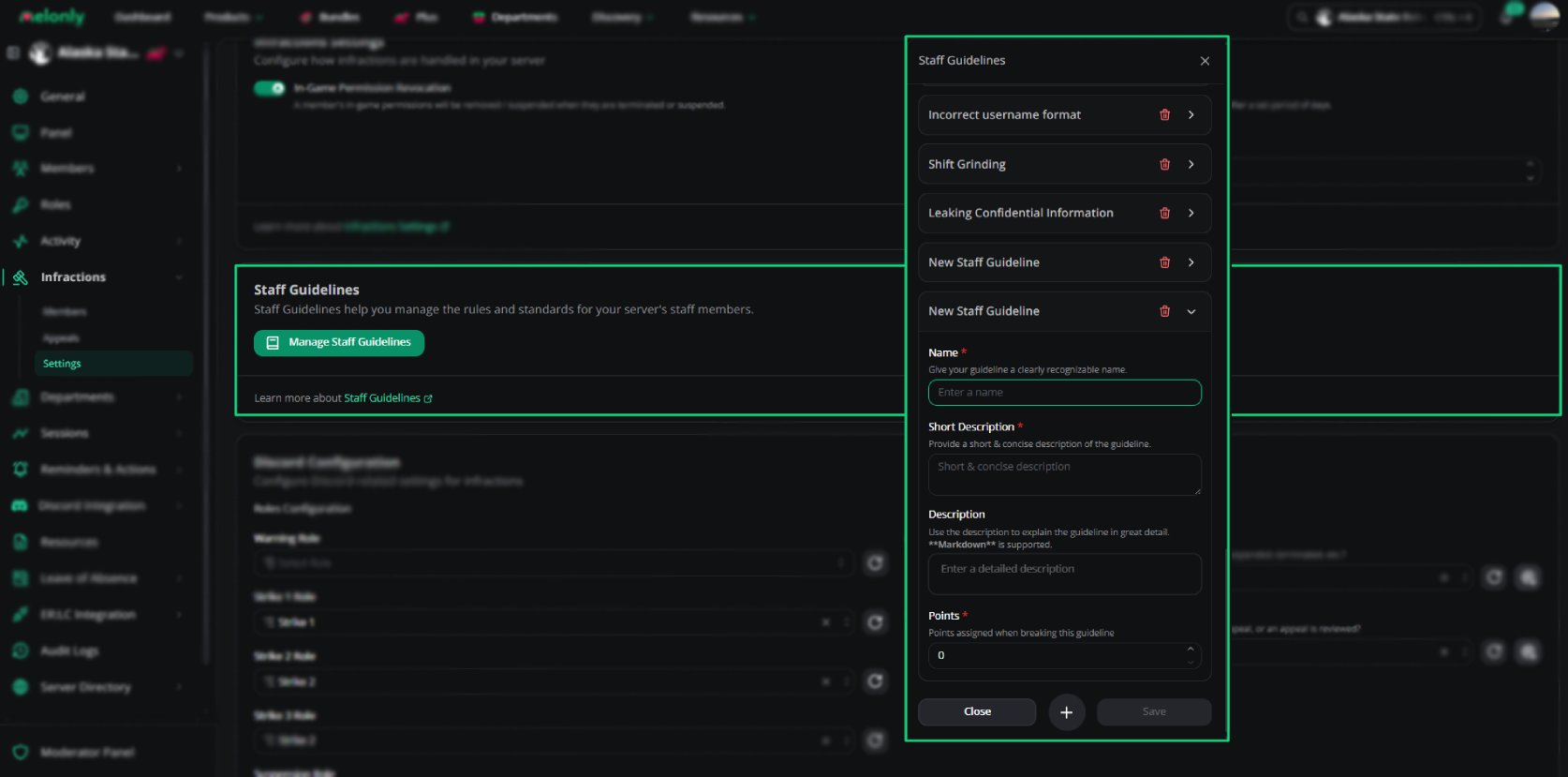 Go to the Infractions page and open the **Settings** tab.
Create or edit the guidelines that define punishable behavior.
***
## Discord Configuration
Go to the Infractions page and open the **Settings** tab.
Create or edit the guidelines that define punishable behavior.
***
## Discord Configuration
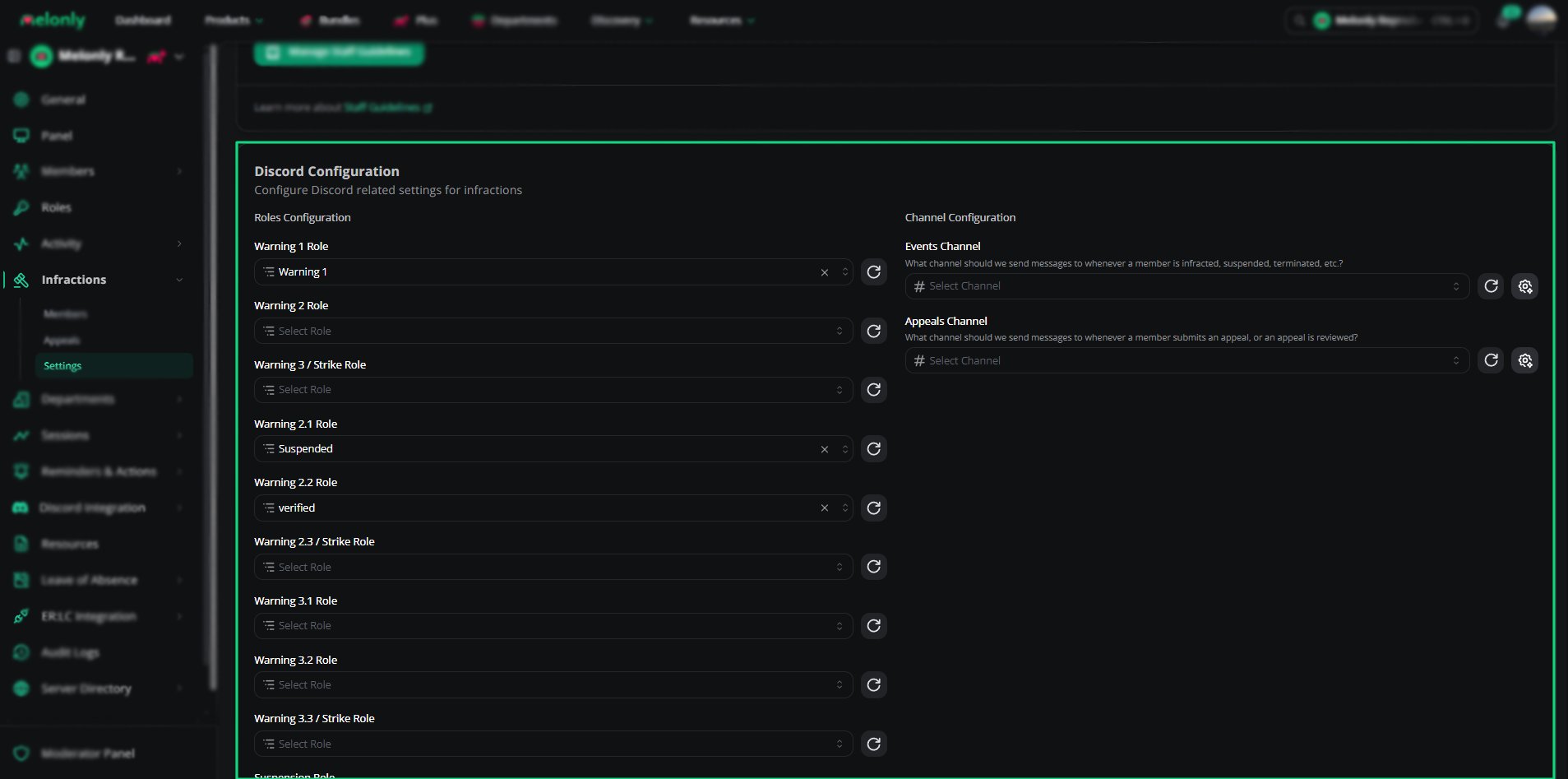 These settings need a linked Discord server.
| Setting | Description |
| - | - |
| Step Roles | One role per warning stage in your [points system](#points-system), shown as \[Stage Name] Role. Given when a member reaches that stage |
| Suspension Role | The role given to suspended members |
| Events Channel | Where infraction, suspension and termination messages are posted |
| Appeals Channel | Where appeal submissions and reviews are posted |
If you haven't set any roles, click **Create roles for me** and pick a role. Melonly creates the point roles underneath it.
Melonly's bot role must be above every step role and the suspension role, and it needs permission to send messages in the events channel.
With [Melonly Plus](https://melonly.xyz/plus), click the customize button next to **Events Channel** to edit the infraction, suspension and termination messages. The button next to **Appeals Channel** edits the appeal submitted, approved and denied messages.
***
## Quota Settings
These settings need a linked Discord server.
| Setting | Description |
| - | - |
| Step Roles | One role per warning stage in your [points system](#points-system), shown as \[Stage Name] Role. Given when a member reaches that stage |
| Suspension Role | The role given to suspended members |
| Events Channel | Where infraction, suspension and termination messages are posted |
| Appeals Channel | Where appeal submissions and reviews are posted |
If you haven't set any roles, click **Create roles for me** and pick a role. Melonly creates the point roles underneath it.
Melonly's bot role must be above every step role and the suspension role, and it needs permission to send messages in the events channel.
With [Melonly Plus](https://melonly.xyz/plus), click the customize button next to **Events Channel** to edit the infraction, suspension and termination messages. The button next to **Appeals Channel** edits the appeal submitted, approved and denied messages.
***
## Quota Settings
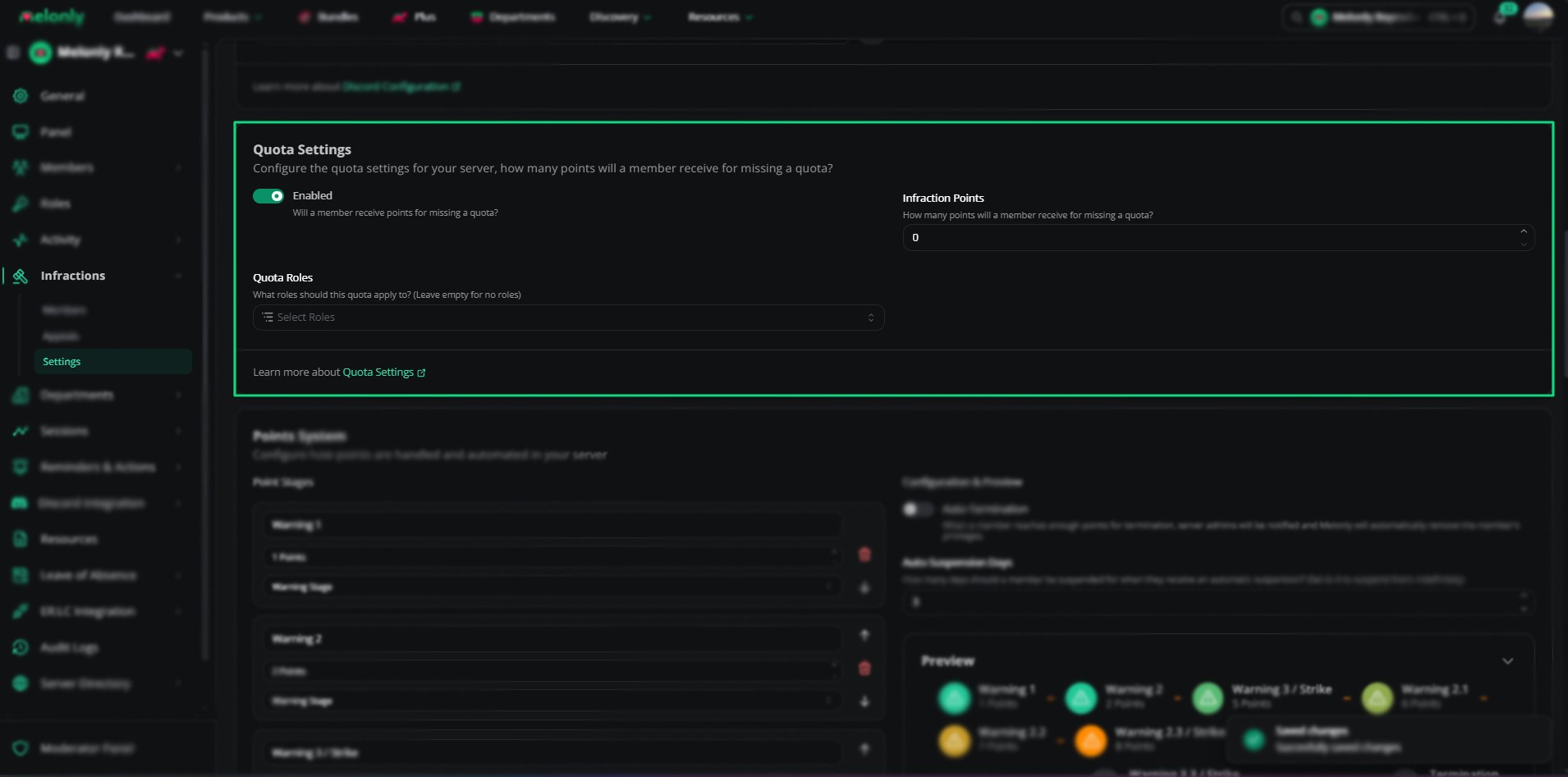 | Setting | Description |
| - | - |
| Enabled | Gives members points when they miss their activity quota |
| Infraction Points | Points given for a missed quota, from 0 to 1000 |
| Quota Roles | The Melonly roles the quota penalty applies to. Leave empty for none. Departments pick Quota Ranks instead |
### Scheduled Wave Ends
When a scheduled activity wave ends, Melonly issues quota infractions automatically. These options, shown once quota penalties are enabled, choose who is left out.
| Setting | Description |
| - | - |
| Exclude members on LOA | Skips members whose approved LOA overlaps the wave. On by default |
| Ignore members who joined mid-wave | Skips members who joined after the wave started. On by default |
| Adjust their quota proportionally | Shown when Ignore members who joined mid-wave is off. Lowers a new member's quota based on how much of the wave they were in. On by default |
***
## Points System
| Setting | Description |
| - | - |
| Enabled | Gives members points when they miss their activity quota |
| Infraction Points | Points given for a missed quota, from 0 to 1000 |
| Quota Roles | The Melonly roles the quota penalty applies to. Leave empty for none. Departments pick Quota Ranks instead |
### Scheduled Wave Ends
When a scheduled activity wave ends, Melonly issues quota infractions automatically. These options, shown once quota penalties are enabled, choose who is left out.
| Setting | Description |
| - | - |
| Exclude members on LOA | Skips members whose approved LOA overlaps the wave. On by default |
| Ignore members who joined mid-wave | Skips members who joined after the wave started. On by default |
| Adjust their quota proportionally | Shown when Ignore members who joined mid-wave is off. Lowers a new member's quota based on how much of the wave they were in. On by default |
***
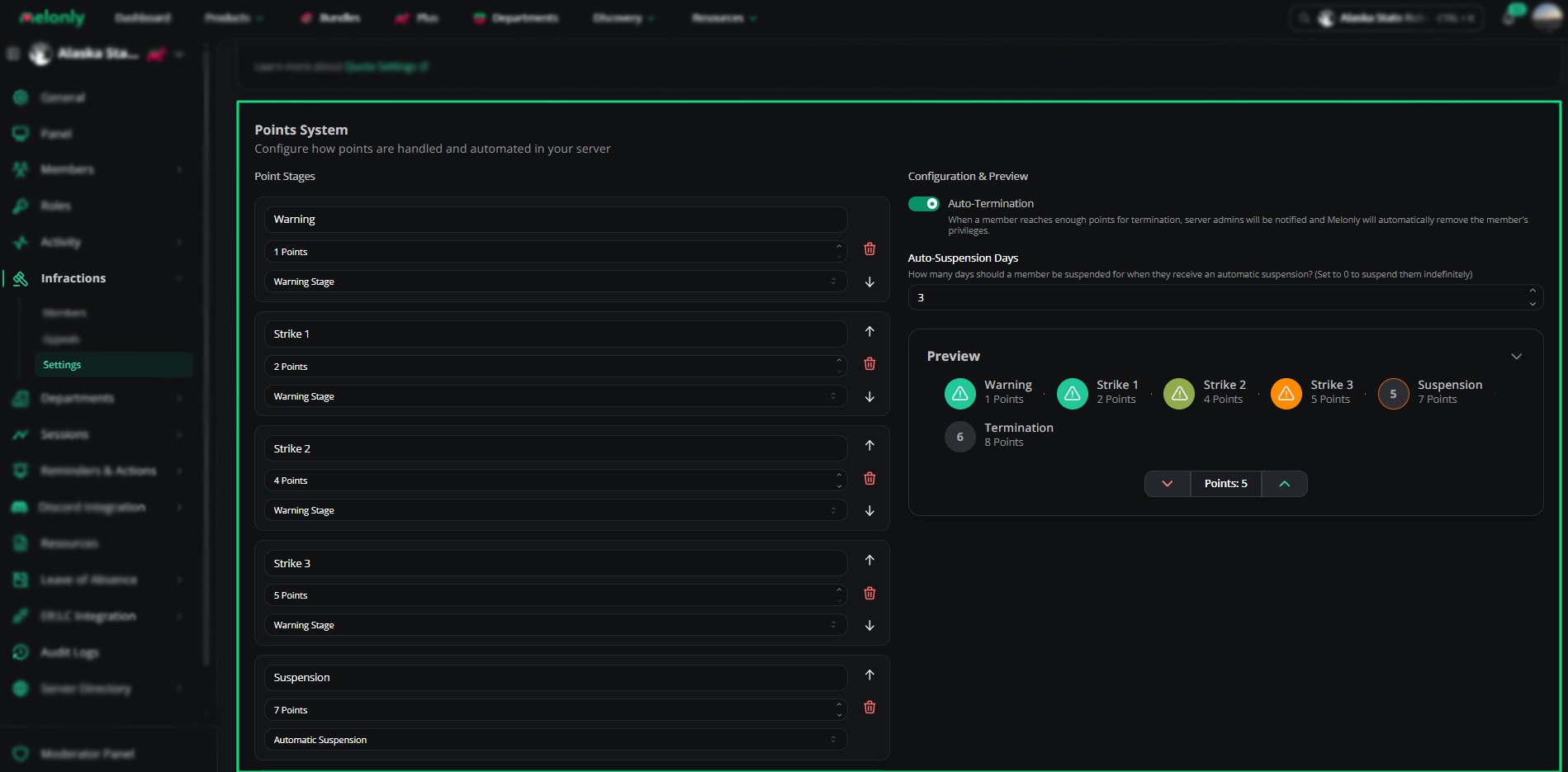
## Points System
 | Setting | Description |
| - | - |
| Create stage | Adds a stage with a name (up to 20 characters), a point threshold (up to 255) and a type: Warning Stage, Automatic Suspension or Automatic Termination. Only the last stage can be a termination |
| Auto-Termination | When a member reaches the termination threshold, server admins are notified and Melonly removes the member's privileges |
| Auto-Suspension Days | How many days an automatic suspension lasts. Set to 0 for no end date |
When you change point stages, members who now qualify for a suspension or termination aren't affected until their next infraction.
***
## Message Customization
| Setting | Description |
| - | - |
| Create stage | Adds a stage with a name (up to 20 characters), a point threshold (up to 255) and a type: Warning Stage, Automatic Suspension or Automatic Termination. Only the last stage can be a termination |
| Auto-Termination | When a member reaches the termination threshold, server admins are notified and Melonly removes the member's privileges |
| Auto-Suspension Days | How many days an automatic suspension lasts. Set to 0 for no end date |
When you change point stages, members who now qualify for a suspension or termination aren't affected until their next infraction.
***
## Message Customization
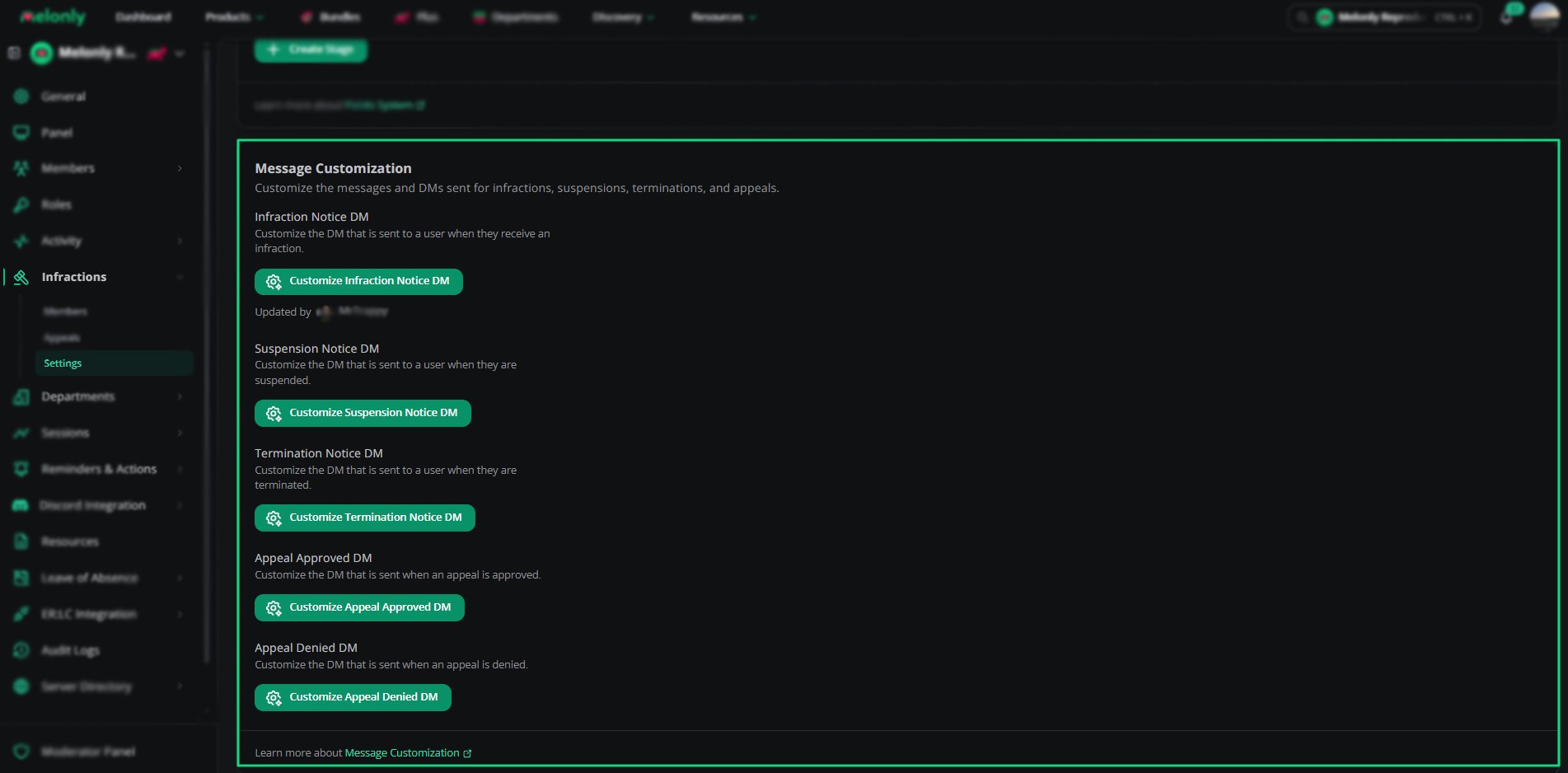 Custom messages need Plus. You can edit each one to match your server's tone.
| Message | Sent When |
| - | - |
| Infraction Voided Message | An infraction or termination is voided (posted in the events channel) |
| Infraction Notice DM | A member receives an infraction |
| Suspension Notice DM | A member is suspended |
| Termination Notice DM | A member is terminated |
| Appeal Approved DM | An appeal is approved |
| Appeal Denied DM | An appeal is denied |
***
## Appeals
Custom messages need Plus. You can edit each one to match your server's tone.
| Message | Sent When |
| - | - |
| Infraction Voided Message | An infraction or termination is voided (posted in the events channel) |
| Infraction Notice DM | A member receives an infraction |
| Suspension Notice DM | A member is suspended |
| Termination Notice DM | A member is terminated |
| Appeal Approved DM | An appeal is approved |
| Appeal Denied DM | An appeal is denied |
***
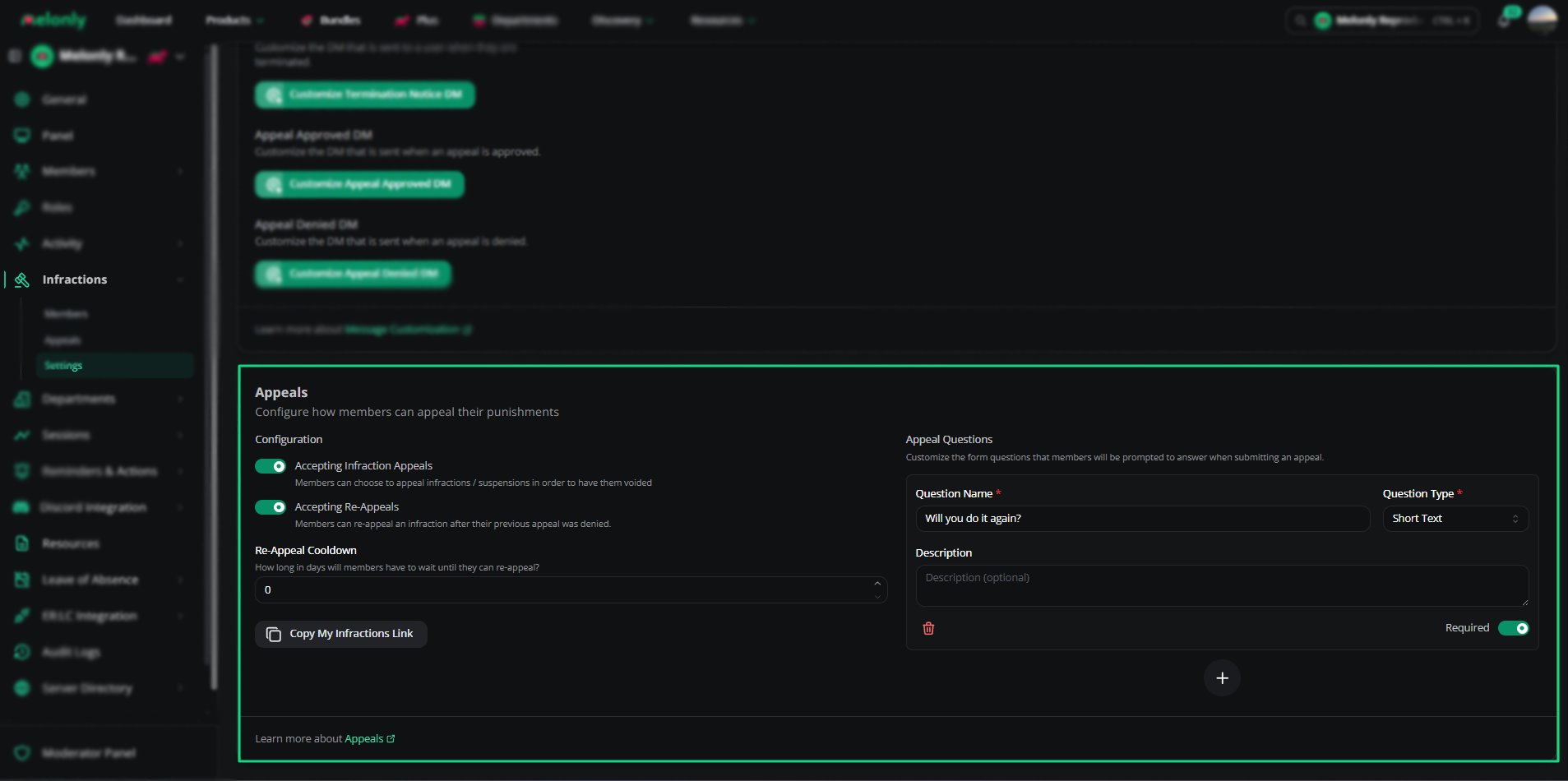
## Appeals
 | Setting | Description |
| - | - |
| Accepting Infraction Appeals | Lets members appeal infractions and suspensions to have them voided |
| Accepting Re-Appeals | Lets members appeal again after a denial. Needs Accepting Infraction Appeals |
| Re-Appeal Cooldown | Days a member must wait before appealing again, from 0 to 365. Needs Accepting Re-Appeals |
| Copy My Infractions Link | Copies the link members use to view and appeal their infractions |
***
## Appeal Questions
Appeal questions are what members answer when they appeal. They appear on every appeal form.
| Field | Description |
| - | - |
| Question Name | The question shown to the member |
| Question Type | Short Text, Long Text, Checkbox, Number, Date or Date Time |
| Description | An optional explanation of the question |
| Required | Whether the member must answer it |
Click **Create a new appeal question** to add one. New questions are required by default. Use the arrows to reorder them.
***
## Permissions
These permissions are set on Melonly roles, under the Infractions page permission. See [Roles](/Dashboard/roles#page-permissions).
| Permission | Description |
| - | - |
| Issue Infractions | Issue infractions, suspensions and terminations |
| Infractions Settings | Configure the infractions module |
***
Still have questions? Join our Discord server for support from the Melonly Team.
This documentation is built and hosted on [Mintlify](https://mintlify.com), a developer documentation platform.
| Setting | Description |
| - | - |
| Accepting Infraction Appeals | Lets members appeal infractions and suspensions to have them voided |
| Accepting Re-Appeals | Lets members appeal again after a denial. Needs Accepting Infraction Appeals |
| Re-Appeal Cooldown | Days a member must wait before appealing again, from 0 to 365. Needs Accepting Re-Appeals |
| Copy My Infractions Link | Copies the link members use to view and appeal their infractions |
***
## Appeal Questions
Appeal questions are what members answer when they appeal. They appear on every appeal form.
| Field | Description |
| - | - |
| Question Name | The question shown to the member |
| Question Type | Short Text, Long Text, Checkbox, Number, Date or Date Time |
| Description | An optional explanation of the question |
| Required | Whether the member must answer it |
Click **Create a new appeal question** to add one. New questions are required by default. Use the arrows to reorder them.
***
## Permissions
These permissions are set on Melonly roles, under the Infractions page permission. See [Roles](/Dashboard/roles#page-permissions).
| Permission | Description |
| - | - |
| Issue Infractions | Issue infractions, suspensions and terminations |
| Infractions Settings | Configure the infractions module |
***
Still have questions? Join our Discord server for support from the Melonly Team.
This documentation is built and hosted on [Mintlify](https://mintlify.com), a developer documentation platform.