> ## Documentation Index
> Fetch the complete documentation index at: https://docs.melonly.com/llms.txt
> Use this file to discover all available pages before exploring further.
# Settings
> Configure LOA requirements, duration rules and automatic messages.
***
## What are LOA Settings?
LOA settings control how leave of absence requests work in your server. You can require certain details, set duration limits and customize the messages Melonly sends.
***
## General Settings
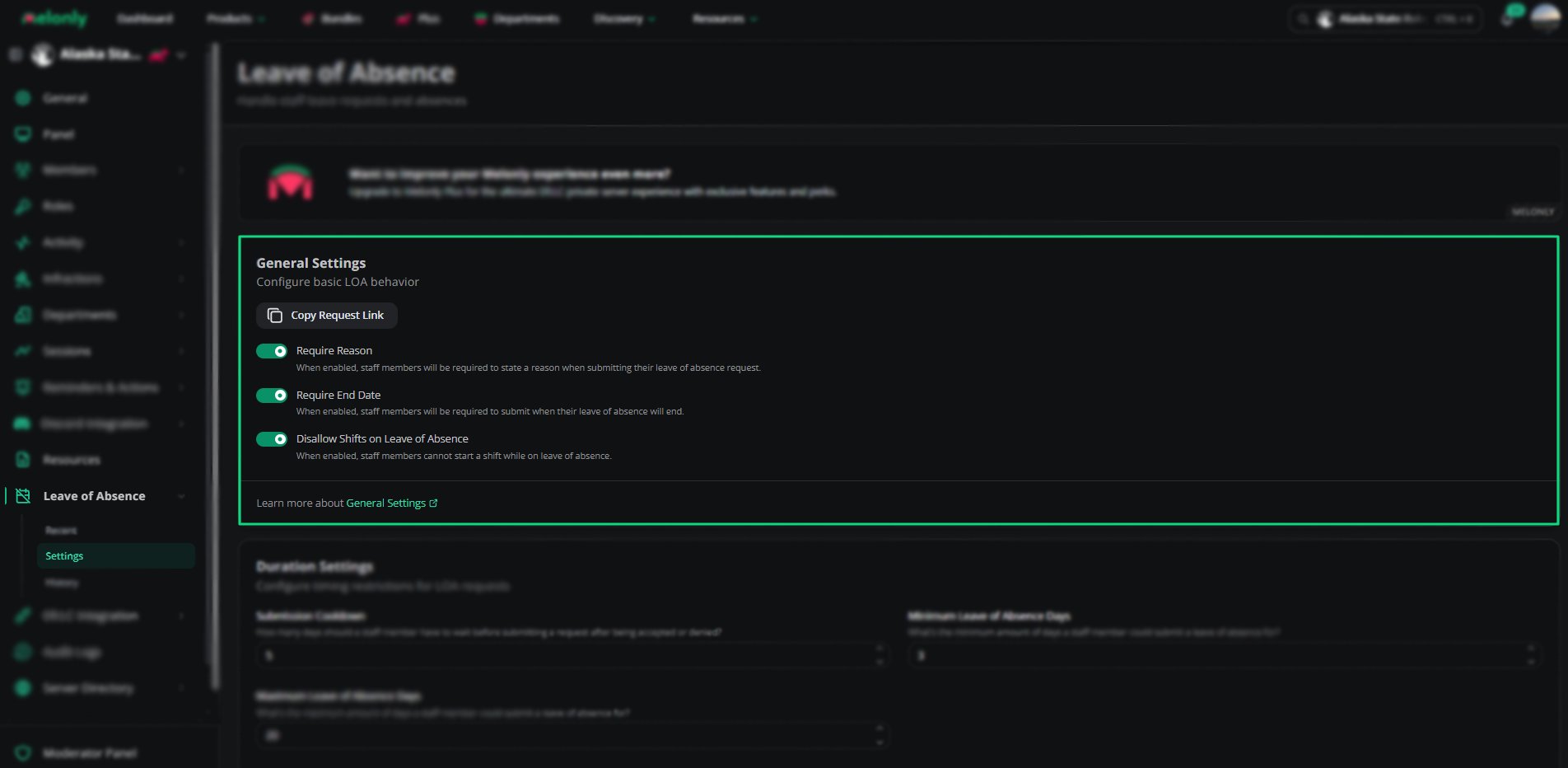 | Setting | Description |
| - | - |
| Require Reason | Staff must give a reason when they submit an LOA |
| Require Denial Reason | Reviewers must give a reason when they deny an LOA or extension request. Approval reasons are always optional |
| Require End Date | Staff must give an end date for their LOA |
| Disallow Shifts on Leave of Absence | Staff can't start a shift while on an active LOA |
Click **Copy Request Link** to copy the link staff use to request an LOA.
***
## Duration Settings
| Setting | Description |
| - | - |
| Require Reason | Staff must give a reason when they submit an LOA |
| Require Denial Reason | Reviewers must give a reason when they deny an LOA or extension request. Approval reasons are always optional |
| Require End Date | Staff must give an end date for their LOA |
| Disallow Shifts on Leave of Absence | Staff can't start a shift while on an active LOA |
Click **Copy Request Link** to copy the link staff use to request an LOA.
***
## Duration Settings
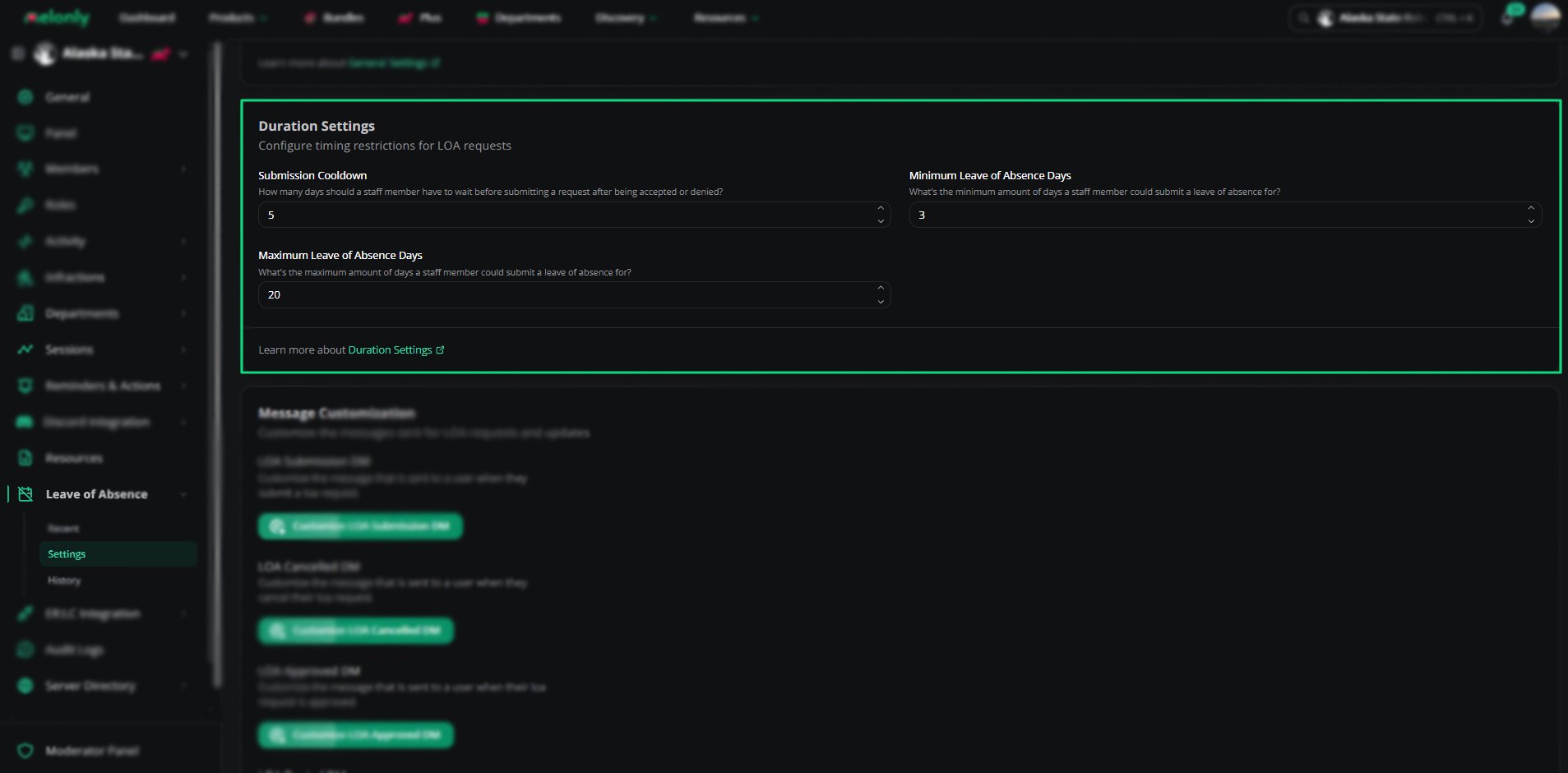 | Setting | Description |
| - | - |
| Submission Cooldown | Days staff must wait after an LOA is approved or denied before they can submit another |
| Minimum Leave of Absence Days | The fewest days an LOA can cover |
| Maximum Leave of Absence Days | The most days an LOA can cover |
Leave a field empty, or set it to 0, to remove that limit.
The On LOA role and LOA channel are set on the [Discord Integration](/Dashboard/discordintegration/home) page.
***
## Message Customization
| Setting | Description |
| - | - |
| Submission Cooldown | Days staff must wait after an LOA is approved or denied before they can submit another |
| Minimum Leave of Absence Days | The fewest days an LOA can cover |
| Maximum Leave of Absence Days | The most days an LOA can cover |
Leave a field empty, or set it to 0, to remove that limit.
The On LOA role and LOA channel are set on the [Discord Integration](/Dashboard/discordintegration/home) page.
***
## Message Customization
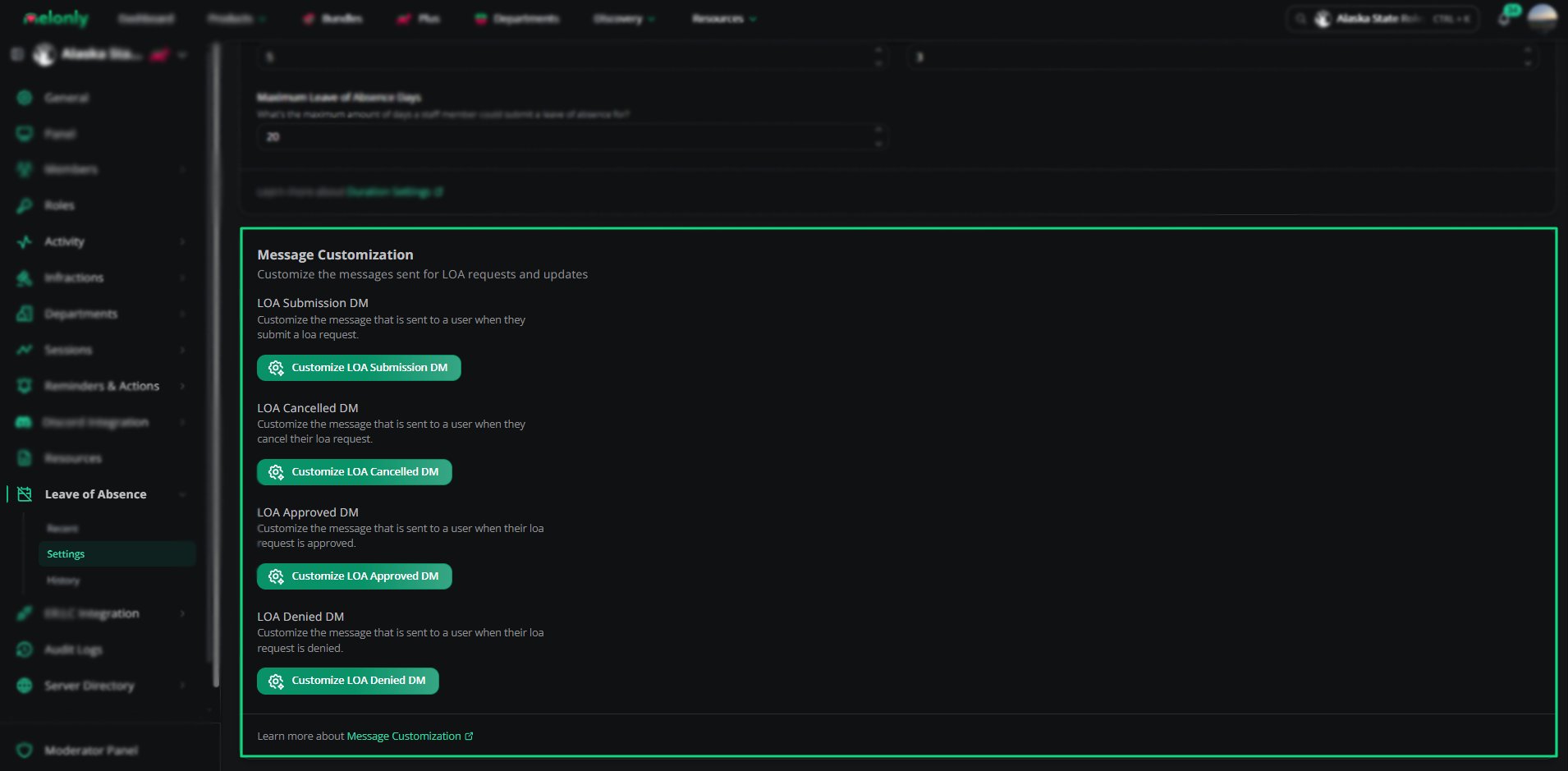 ### LOA Submission Mention Role
Choose the roles Melonly mentions when someone requests an LOA. This needs a linked Discord server.
### Custom DMs
Customize the DMs Melonly sends to staff during the LOA process. Custom DMs need [Melonly Plus](https://melonly.xyz/plus).
| Message | Sent When |
| - | - |
| LOA Submission DM | Staff submit an LOA request |
| LOA Cancelled DM | Staff cancel their LOA |
| LOA Approved DM | An LOA request is approved |
| LOA Denied DM | An LOA request is denied |
Each message supports variables.
| Variable | Description |
| - | - |
| `{reason}` | The reason the staff member gave. In the LOA Denied DM, this is the denial reason |
| `{loareason}` | The reason the staff member gave. Approved and Denied DMs only |
| `{reviewreason}` | The reason the reviewer gave for their decision. Approved and Denied DMs only |
| `{reviewer}` | The user who reviewed the LOA. Approved and Denied DMs only |
| `{approvereason}` | The reason the reviewer gave for approving. Approved DM only |
| `{denyreason}` | The reason the LOA was denied. Denied DM only |
| `{time}` | Short date and time |
| `{timet}` | Short time |
| `{timeT}` | Long time |
| `{timed}` | Short date |
| `{timeD}` | Long date |
| `{timef}` | Short date and time |
| `{timeF}` | Long date and time |
| `{timeR}` | Relative time |
***
Still have questions? Join our Discord server for support from the Melonly Team.
This documentation is built and hosted on [Mintlify](https://mintlify.com), a developer documentation platform.
### LOA Submission Mention Role
Choose the roles Melonly mentions when someone requests an LOA. This needs a linked Discord server.
### Custom DMs
Customize the DMs Melonly sends to staff during the LOA process. Custom DMs need [Melonly Plus](https://melonly.xyz/plus).
| Message | Sent When |
| - | - |
| LOA Submission DM | Staff submit an LOA request |
| LOA Cancelled DM | Staff cancel their LOA |
| LOA Approved DM | An LOA request is approved |
| LOA Denied DM | An LOA request is denied |
Each message supports variables.
| Variable | Description |
| - | - |
| `{reason}` | The reason the staff member gave. In the LOA Denied DM, this is the denial reason |
| `{loareason}` | The reason the staff member gave. Approved and Denied DMs only |
| `{reviewreason}` | The reason the reviewer gave for their decision. Approved and Denied DMs only |
| `{reviewer}` | The user who reviewed the LOA. Approved and Denied DMs only |
| `{approvereason}` | The reason the reviewer gave for approving. Approved DM only |
| `{denyreason}` | The reason the LOA was denied. Denied DM only |
| `{time}` | Short date and time |
| `{timet}` | Short time |
| `{timeT}` | Long time |
| `{timed}` | Short date |
| `{timeD}` | Long date |
| `{timef}` | Short date and time |
| `{timeF}` | Long date and time |
| `{timeR}` | Relative time |
***
Still have questions? Join our Discord server for support from the Melonly Team.
This documentation is built and hosted on [Mintlify](https://mintlify.com), a developer documentation platform.