> ## Documentation Index
> Fetch the complete documentation index at: https://docs.melonly.com/llms.txt
> Use this file to discover all available pages before exploring further.
# Actions
> Create and manage custom actions for your staff.
***
## What are Actions?
Actions are custom tasks your staff can run, such as a server check. When staff run an action, it's logged and they can answer form questions you set.
Actions keep tasks consistent and collect the information you need.
***
## Server Actions
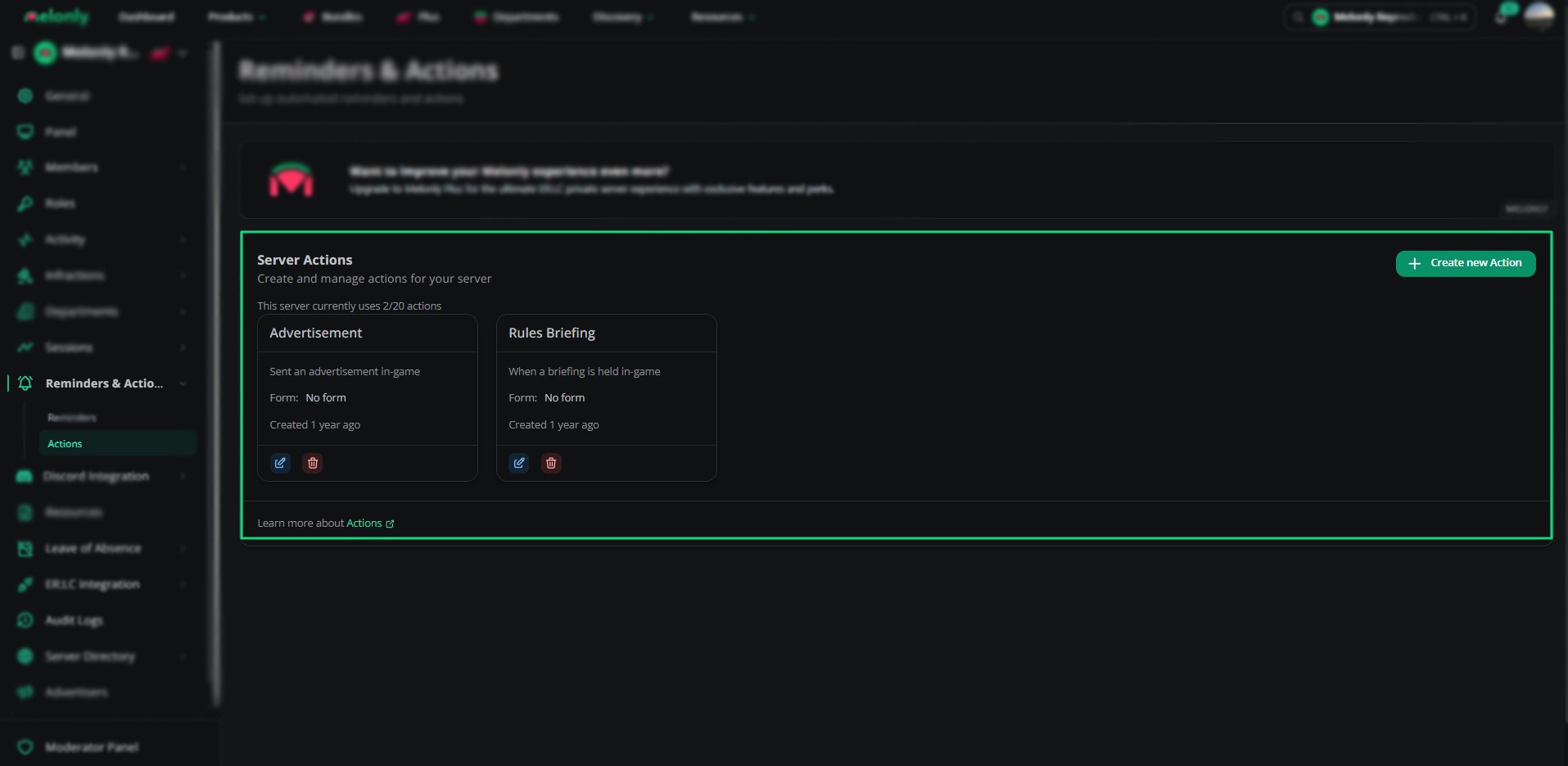 The **Actions** page lists all your actions. Each one shows its name, description, linked channel, number of form questions and creation date, with options to edit or delete it.
You can create up to 20 actions. You can also link an action to a [reminder](/Dashboard/reminders-actions/reminders).
***
## Creating an Action
The **Actions** page lists all your actions. Each one shows its name, description, linked channel, number of form questions and creation date, with options to edit or delete it.
You can create up to 20 actions. You can also link an action to a [reminder](/Dashboard/reminders-actions/reminders).
***
## Creating an Action
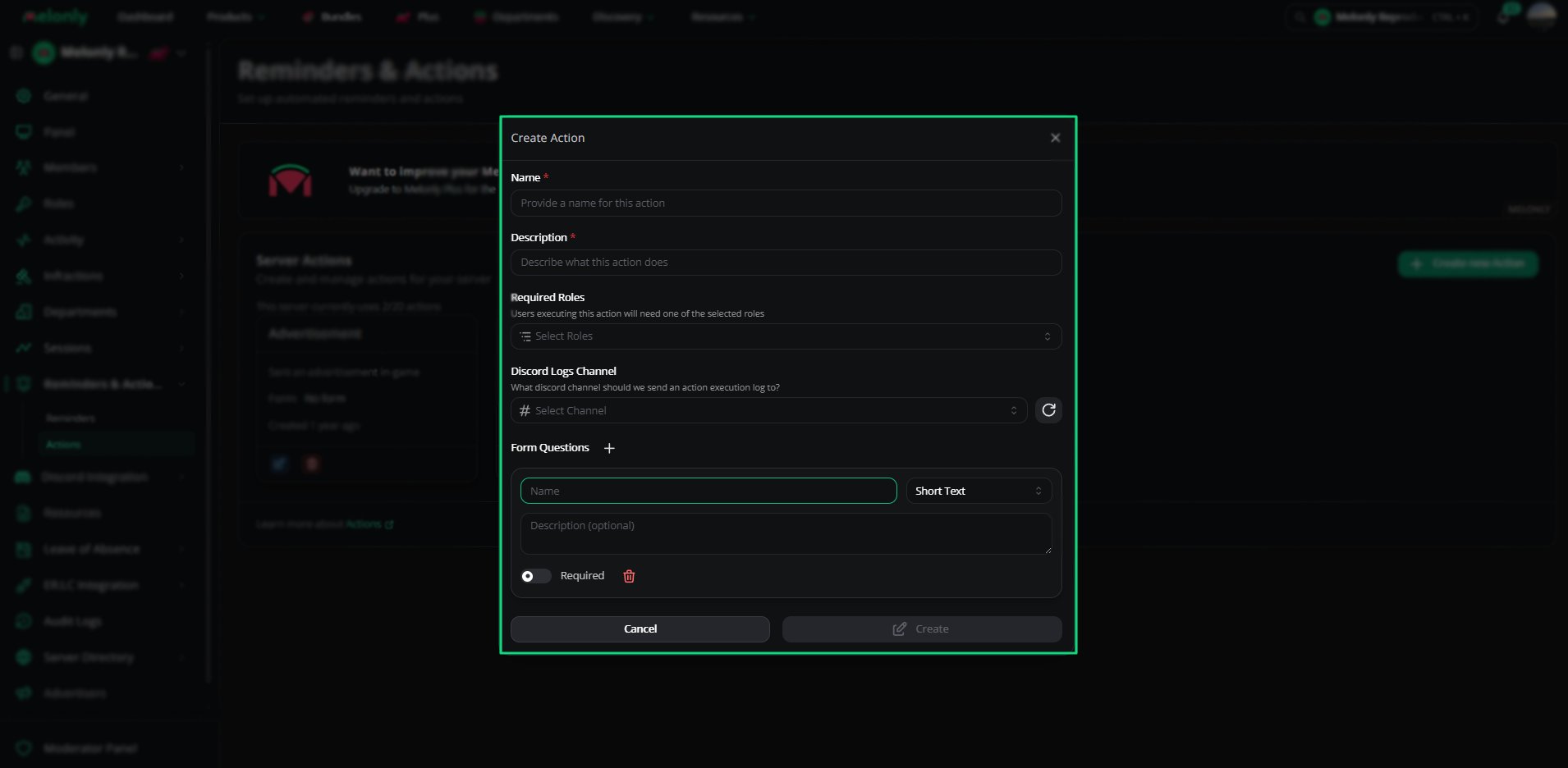 Give the action a clear name so staff know what it's for.
Describe what the action does and when to use it.
Choose which roles can run this action.
Pick the Discord channel action logs are sent to.
Add questions staff must answer when they run the action.
***
## Form Questions
Form questions collect information each time the action runs. Add as many as you need.
| Field | Description |
| - | - |
| Name | The question shown to staff |
| Description | An optional explanation of the question |
| Question Type | Short Text, Long Text, Boolean, Number, Date or Date Time |
| Required | Whether staff must answer it |
***
## Action Execution
When a staff member runs an action:
* They must have one of the required roles.
* They fill in the form, if it has questions.
* The action is logged in the channel you picked.
***
Still have questions? Join our Discord server for support from the Melonly Team.
This documentation is built and hosted on [Mintlify](https://mintlify.com), a developer documentation platform.
Give the action a clear name so staff know what it's for.
Describe what the action does and when to use it.
Choose which roles can run this action.
Pick the Discord channel action logs are sent to.
Add questions staff must answer when they run the action.
***
## Form Questions
Form questions collect information each time the action runs. Add as many as you need.
| Field | Description |
| - | - |
| Name | The question shown to staff |
| Description | An optional explanation of the question |
| Question Type | Short Text, Long Text, Boolean, Number, Date or Date Time |
| Required | Whether staff must answer it |
***
## Action Execution
When a staff member runs an action:
* They must have one of the required roles.
* They fill in the form, if it has questions.
* The action is logged in the channel you picked.
***
Still have questions? Join our Discord server for support from the Melonly Team.
This documentation is built and hosted on [Mintlify](https://mintlify.com), a developer documentation platform.