> ## Documentation Index
> Fetch the complete documentation index at: https://docs.melonly.com/llms.txt
> Use this file to discover all available pages before exploring further.
# Actions
> Learn how actions run tasks in workflows and see every available action.
***
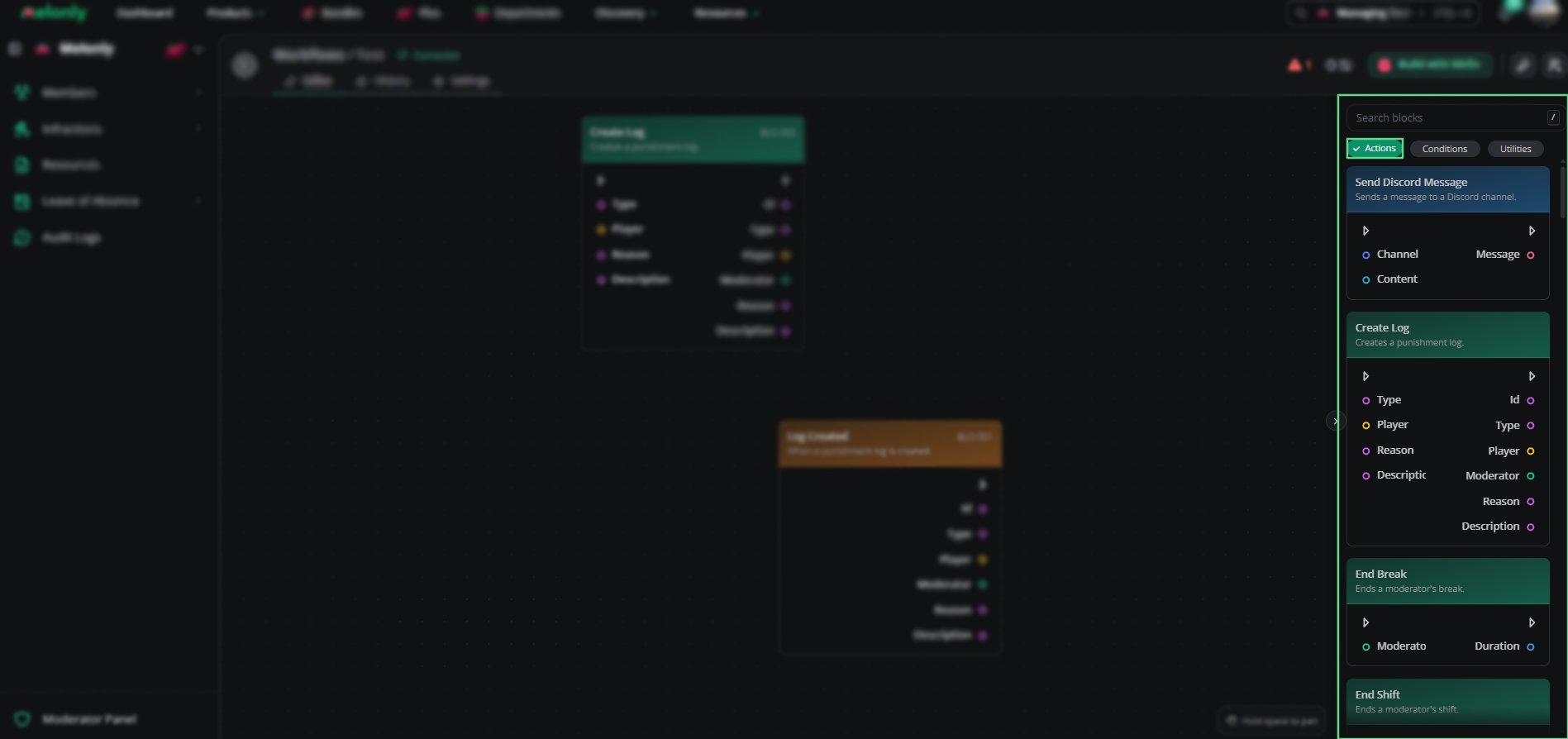
Actions are the blocks that do things in a workflow.\
Once a trigger starts a workflow, actions run step by step to send messages, create logs or work with other systems across Discord, ER:LC and Melonly.
***
## How Actions Work
An action runs when the workflow reaches it, for example:
* Sending a Discord message
* Creating a punishment log
* Kicking a player in-game
Actions run in the order you place them, and each action can use data from previous blocks.
***
## Actions
Each action performs one task and may need some setup before it can run.
| Action | Description |
| - | - |
| Send Discord Message | Sends a message to a Discord channel. |
| Add Discord Role | Adds a Discord role to a user. |
| Remove Discord Role | Removes a Discord role from a user. |
| Kick From Discord | Kicks a user from the Discord server. |
| Ban From Discord | Bans a user from the Discord server. |
| Respond to Slash Command | Replies to the slash command that started the workflow. |
See [Discord Actions](/Dashboard/resources/workflows/actions/discordactions) for each action's inputs and outputs.
| Action | Description |
| - | - |
| Refresh Player | Refreshes a player in-game. |
| Kick Player | Kicks a player from the game. |
| Ban Player | Bans a player from the game. |
| Unban Player | Unbans a player from the game. |
| Run Command | Runs an in-game command. |
| Kill Player | Kills a player in-game. |
| Send Hint | Sends a hint to a player in-game. |
| Send Message | Sends a message or announcement in-game. |
| Send Private Message | Sends a private message to a player in-game. |
| Heal Player | Heals a player in-game. |
| Jail Player | Jails a player in-game. |
| Make Player Wanted | Makes a player wanted in-game. |
| Make Player Unwanted | Makes a player unwanted in-game. |
| Start Fire | Starts a fire in-game. |
| Stop Fire | Stops all fires in-game. |
| Teleport Player | Teleports a player to another player in-game. |
| Shutdown | Shuts down the in-game server. |
| Stop Dumpster Fire | Stops the dumpster fire in-game. |
| Mod Player | Promotes a player to moderator in-game. |
| Unmod Player | Demotes a player from moderator in-game. |
| Admin Player | Promotes a player to administrator in-game. |
| Unadmin Player | Demotes a player from administrator in-game. |
| Respawn Player | Respawns a player in-game. |
| Add Helper | Promotes a player to helper in-game. |
| Remove Helper | Demotes a player from helper in-game. |
| Player Count | Retrieves the current player count of the server. |
| Team Counts | Retrieves the current team counts of the server. |
| Get Player from User | Gets the in-game Roblox player linked to a user. |
| Get User from Player | Gets the user linked to an in-game Roblox player. |
See [ER:LC Actions](/Dashboard/resources/workflows/actions/erlcactions) for each action's inputs and outputs.
| Action | Description |
| - | - |
| Create Log | Creates a punishment log. |
| End Break | Ends a moderator's break. |
| End Shift | Ends a moderator's shift. |
| End All Shifts | Ends all active shifts. |
| Session Start | Sends the session start-up message. |
| Session Vote | Starts an auto-starting session vote. |
| Session Shutdown | Sends the session shutdown message. |
| Session Boost | Sends the session boost message. |
| Add Melonly Role | Adds a Melonly role to a user. |
| Remove Melonly Role | Removes a Melonly role from a user. |
| Remove User From Server | Removes a user from the Melonly server. |
| Remove User From Department | Removes a user from the department. |
See [Melonly Actions](/Dashboard/resources/workflows/actions/melonlyactions) for each action's inputs and outputs.
| Action | Description |
| - | - |
| Delay | Waits for a specified duration before continuing. |
| Disable Workflow | Disables a workflow. |
| Enable Workflow | Enables a workflow. |
See [Utility Actions](/Dashboard/resources/workflows/actions/utilityactions) for each action's inputs and outputs.
***
 ***
## Working With Actions
Some actions are simple, like sending a message, while others work with several systems or need specific inputs.
When building workflows, keep in mind:
* Execution Order: Actions run in the order they are connected.
* Data Flow: Each action can use data from the trigger or earlier blocks.
### Example Workflow Flow
1. A player joins your ER:LC server and the trigger starts the workflow.
2. The workflow checks whether they have a Moderator role in Discord.
3. If they do, it gives the player in-game moderator permissions.
4. Finally, it logs the change in a management channel.
***
Still have questions? Join our Discord server for support from the Melonly Team.
This documentation is built and hosted on [Mintlify](https://mintlify.com), a developer documentation platform.
***
## Working With Actions
Some actions are simple, like sending a message, while others work with several systems or need specific inputs.
When building workflows, keep in mind:
* Execution Order: Actions run in the order they are connected.
* Data Flow: Each action can use data from the trigger or earlier blocks.
### Example Workflow Flow
1. A player joins your ER:LC server and the trigger starts the workflow.
2. The workflow checks whether they have a Moderator role in Discord.
3. If they do, it gives the player in-game moderator permissions.
4. Finally, it logs the change in a management channel.
***
Still have questions? Join our Discord server for support from the Melonly Team.
This documentation is built and hosted on [Mintlify](https://mintlify.com), a developer documentation platform.