> ## Documentation Index
> Fetch the complete documentation index at: https://docs.melonly.com/llms.txt
> Use this file to discover all available pages before exploring further.
# ER:LC Actions
> Learn what each ER:LC action block does, what it needs and what it outputs.
***
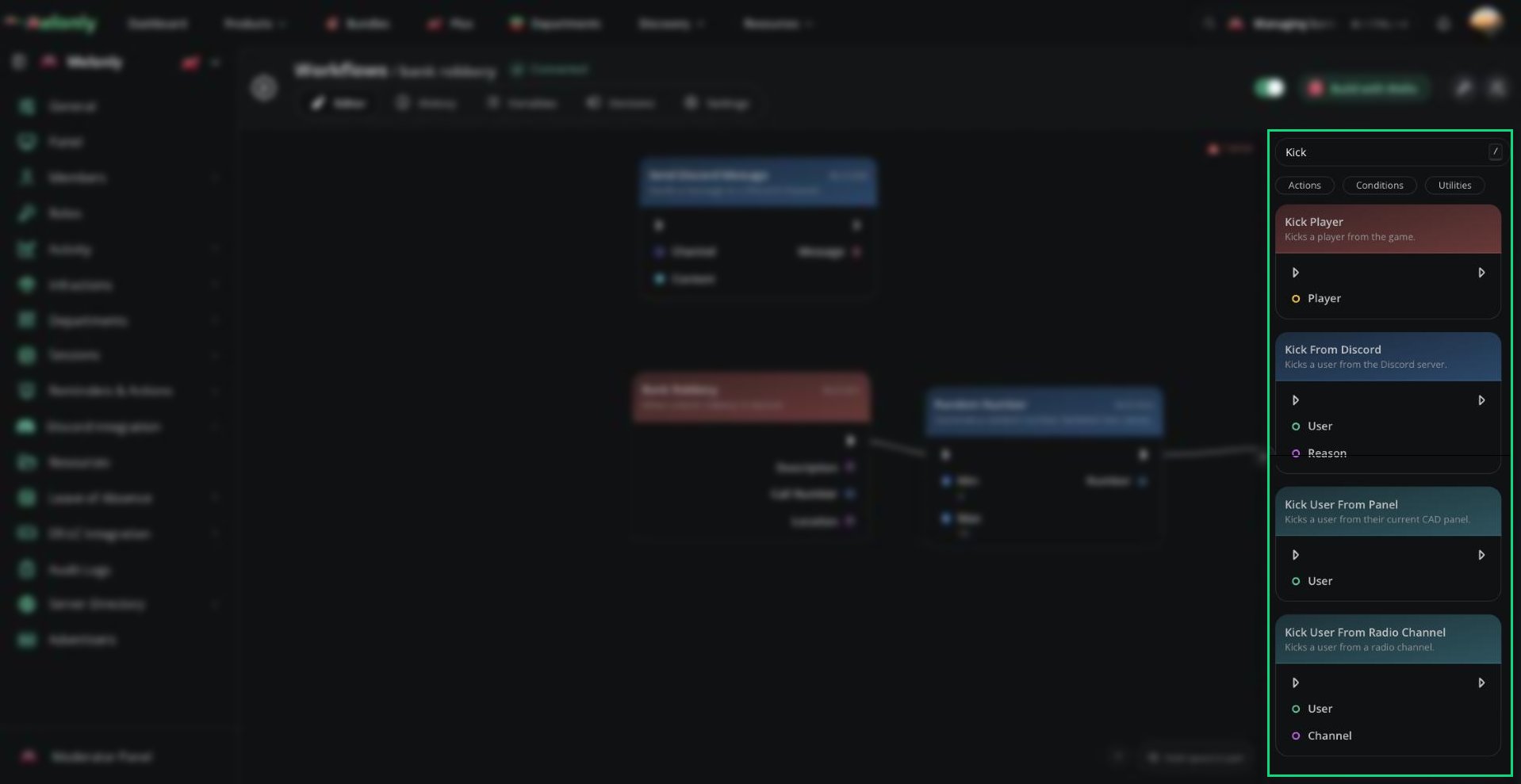
ER:LC Actions let workflows control or interact with your live ER:LC server.\
They can run commands, moderate players, send in-game messages, change player status, manage fires and read server counts.
 ***
## Blocks
ER:LC action blocks run through your connected ER:LC server. The server needs at least one player online before ER:LC actions and ER:LC data blocks can execute.
Most ER:LC actions also need a live player to target. If the selected player is not in the server when the workflow runs, actions such as kick, jail, heal, teleport or private message cannot affect them.
## Player Moderation
These blocks perform direct moderation actions on ER:LC players.
Refreshes a player in-game.
**Input**
* **Player**: The player who should be refreshed.
**Output**
* No direct output. The workflow continues after the player is refreshed.
**Use it when**
* A workflow needs to reload a player's character without removing them from the server.
* A staff action should reset a player after another action runs.
Kicks a player from the ER:LC server.
**Input**
* **Player**: The player who should be kicked.
**Output**
* No direct output. The workflow continues after the player is kicked.
**Use it when**
* A workflow needs to remove a player from the current session.
* A staff command or automation confirms that a kick should be applied.
Permanently bans a player from the ER:LC server.
**Input**
* **Player**: The player who should be banned.
**Output**
* No direct output. The workflow continues after the player is banned.
**Use it when**
* A workflow needs to permanently block a player from rejoining the ER:LC server.
* A serious moderation action should also apply an in-game ban.
Unbans a player from the ER:LC server.
**Input**
* **Player**: The player who should be unbanned.
**Output**
* No direct output. The workflow continues after the player is unbanned.
**Use it when**
* A workflow needs to reverse or expire an in-game ban.
* A moderation appeal or manual staff action restores access.
Kills a player in-game.
**Input**
* **Player**: The player who should be killed.
**Output**
* No direct output. The workflow continues after the action runs.
**Use it when**
* A workflow needs to punish, reset or stop a player during an active session.
Jails a player in-game.
**Input**
* **Player**: The player who should be jailed.
**Output**
* No direct output. The workflow continues after the player is jailed.
**Use it when**
* A workflow needs to place a player in jail after a staff command, condition or moderation event.
Respawns a player in-game.
**Input**
* **Player**: The player who should be respawned.
**Output**
* No direct output. The workflow continues after the player respawns.
**Use it when**
* A workflow needs to reset a player after another in-game action.
## Messages & Commands
These blocks communicate with the ER:LC server or run in-game commands.
Runs an in-game command.
**Input**
* **Command**: The command body that should be run in-game. Do not include the command prefix.
**Output**
* No direct output. The workflow continues after the command is sent.
**Use it when**
* A workflow needs to run an ER:LC command that is not covered by a dedicated action block.
* A server wants one workflow to trigger a custom in-game command.
**Notes**
* Enter the command body only. Do not include a prefix such as `;` or `:`.
Sends a global hint message in-game.
**Input**
* **Message**: The global hint text to send.
**Output**
* **Message**: The in-game hint message that was sent.
**Use it when**
* A workflow needs to show a short server-wide notice, warning or instruction.
Sends a global in-game message or announcement.
**Input**
* **Message**: The global message that should be sent.
**Output**
* **Message**: The in-game message that was sent.
**Use it when**
* A workflow needs to announce something to everyone in the ER:LC server.
* A session event should notify players in-game.
Sends a private in-game message to a player.
**Input**
* **Player**: The player who should receive the private message.
* **Message**: The message that should be sent to that player.
**Output**
* **Message**: The private in-game message that was sent.
**Use it when**
* A workflow needs to notify one player without sending a server-wide message.
* A staff action should explain what happened to the affected player.
## Player State
These blocks change a player's in-game status or position.
Heals a player in-game.
**Input**
* **Player**: The player who should be healed.
**Output**
* No direct output. The workflow continues after the player is healed.
**Use it when**
* A workflow needs to restore a player after an event, staff command or support action.
Makes a player wanted in-game.
**Input**
* **Player**: The player who should be marked wanted.
**Output**
* No direct output. The workflow continues after the player is marked wanted.
**Use it when**
* A workflow needs to apply wanted status after a rule, condition or command is triggered.
Removes a player's wanted status in-game.
**Input**
* **Player**: The player who should be made unwanted.
**Output**
* No direct output. The workflow continues after the wanted status is removed.
**Use it when**
* A workflow needs to clear wanted status after a staff action or condition passes.
Teleports a player to another player in-game.
**Input**
* **Player**: The player who should be teleported.
* **Target**: The player they should be teleported to.
**Output**
* No direct output. The workflow continues after the teleport runs.
**Use it when**
* A workflow needs to move one player to another player.
* A staff command needs to bring a player to a target location through another player.
## Server Control
These blocks affect the ER:LC server rather than one specific player.
Shuts down the in-game server.
**Input**
* No required input.
**Output**
* No direct output. The workflow continues after the shutdown action is sent.
**Use it when**
* A workflow needs to shut down the ER:LC server for a session ending, emergency or staff action.
Starts a fire in-game.
**Input**
* No required input.
**Output**
* No direct output. The workflow continues after the fire is started.
**Use it when**
* A workflow needs to create an in-game event or emergency scenario.
Stops all fires in-game.
**Input**
* No required input.
**Output**
* No direct output. The workflow continues after fires are stopped.
**Use it when**
* A workflow needs to clear active fires after an event, command or session change.
Stops the dumpster fire in-game.
**Input**
* No required input.
**Output**
* No direct output. The workflow continues after the dumpster fire is stopped.
**Use it when**
* A workflow needs to stop the dumpster fire without clearing every other fire.
## Permissions
These blocks change a player's in-game staff permission level.
Promotes a player to moderator in-game.
**Input**
* **Player**: The player who should receive moderator permissions.
**Output**
* No direct output. The workflow continues after the player is promoted.
Removes moderator permissions from a player in-game.
**Input**
* **Player**: The player who should lose moderator permissions.
**Output**
* No direct output. The workflow continues after the player is demoted.
Promotes a player to administrator in-game.
**Input**
* **Player**: The player who should receive administrator permissions.
**Output**
* No direct output. The workflow continues after the player is promoted.
Removes administrator permissions from a player in-game.
**Input**
* **Player**: The player who should lose administrator permissions.
**Output**
* No direct output. The workflow continues after the player is demoted.
Promotes a player to helper in-game.
**Input**
* **Player**: The player who should receive helper permissions.
**Output**
* No direct output. The workflow continues after the player is promoted.
Removes helper permissions from a player in-game.
**Input**
* **Player**: The player who should lose helper permissions.
**Output**
* No direct output. The workflow continues after the player is demoted.
### Notes
* Use permission actions carefully. They directly change a player's in-game staff powers.
* These actions are commonly paired with Discord or Melonly role checks.
* Make sure the workflow only runs for trusted staff or automated systems.
## Counts
These blocks read player count information from the active ER:LC server so later blocks can use it. They require an active server session with at least one player online.
Gets the current number of players in the ER:LC server.
**Input**
* No required input.
**Output**
* **Player Count**: The current player count of the server.
**Use it when**
* A workflow needs to check if the server is full, empty or above a certain player threshold.
Gets the current number of players on each ER:LC team.
**Input**
* No required input.
**Output**
* **Civilian Count**: The current number of players on the civilian team.
* **Police Count**: The current number of players on the police team.
* **Sheriff Count**: The current number of players on the sheriff team.
* **Fire Count**: The current number of players on the fire team.
* **DOT Count**: The current number of players on the DOT team.
* **Jail Count**: The current number of players on the jail team.
**Use it when**
* A workflow needs to make decisions based on team balance or team activity.
***
## Working With ER:LC Actions
ER:LC actions rely on your ER:LC integration being connected and able to reach the live server. ER:LC actions and ER:LC data blocks require at least one player to be in the server before they can execute.
When using ER:LC actions, keep in mind:
* Live Players: Player actions need the target player to be online in the ER:LC server when the workflow runs.
* Server State: ER:LC actions and count blocks need an active server session with at least one player online.
* Permissions: If a workflow can kick, ban, jail, run commands or change staff permissions, add permission checks so only the right users can trigger it.
* Data Flow: Use trigger inputs, command options or previous block outputs to choose the correct player, message or target.
### Example Workflow Flow
1. A staff member runs a custom slash command with a player and reason.
2. The workflow checks if the staff member has permission to use the command.
3. If allowed, the workflow sends the player a private in-game message.
4. The workflow kicks the player and creates a Melonly log.
***
Still have questions? Join our Discord server for support from the Melonly Team.
This documentation is built and hosted on [Mintlify](https://mintlify.com), a developer documentation platform.
***
## Blocks
ER:LC action blocks run through your connected ER:LC server. The server needs at least one player online before ER:LC actions and ER:LC data blocks can execute.
Most ER:LC actions also need a live player to target. If the selected player is not in the server when the workflow runs, actions such as kick, jail, heal, teleport or private message cannot affect them.
## Player Moderation
These blocks perform direct moderation actions on ER:LC players.
Refreshes a player in-game.
**Input**
* **Player**: The player who should be refreshed.
**Output**
* No direct output. The workflow continues after the player is refreshed.
**Use it when**
* A workflow needs to reload a player's character without removing them from the server.
* A staff action should reset a player after another action runs.
Kicks a player from the ER:LC server.
**Input**
* **Player**: The player who should be kicked.
**Output**
* No direct output. The workflow continues after the player is kicked.
**Use it when**
* A workflow needs to remove a player from the current session.
* A staff command or automation confirms that a kick should be applied.
Permanently bans a player from the ER:LC server.
**Input**
* **Player**: The player who should be banned.
**Output**
* No direct output. The workflow continues after the player is banned.
**Use it when**
* A workflow needs to permanently block a player from rejoining the ER:LC server.
* A serious moderation action should also apply an in-game ban.
Unbans a player from the ER:LC server.
**Input**
* **Player**: The player who should be unbanned.
**Output**
* No direct output. The workflow continues after the player is unbanned.
**Use it when**
* A workflow needs to reverse or expire an in-game ban.
* A moderation appeal or manual staff action restores access.
Kills a player in-game.
**Input**
* **Player**: The player who should be killed.
**Output**
* No direct output. The workflow continues after the action runs.
**Use it when**
* A workflow needs to punish, reset or stop a player during an active session.
Jails a player in-game.
**Input**
* **Player**: The player who should be jailed.
**Output**
* No direct output. The workflow continues after the player is jailed.
**Use it when**
* A workflow needs to place a player in jail after a staff command, condition or moderation event.
Respawns a player in-game.
**Input**
* **Player**: The player who should be respawned.
**Output**
* No direct output. The workflow continues after the player respawns.
**Use it when**
* A workflow needs to reset a player after another in-game action.
## Messages & Commands
These blocks communicate with the ER:LC server or run in-game commands.
Runs an in-game command.
**Input**
* **Command**: The command body that should be run in-game. Do not include the command prefix.
**Output**
* No direct output. The workflow continues after the command is sent.
**Use it when**
* A workflow needs to run an ER:LC command that is not covered by a dedicated action block.
* A server wants one workflow to trigger a custom in-game command.
**Notes**
* Enter the command body only. Do not include a prefix such as `;` or `:`.
Sends a global hint message in-game.
**Input**
* **Message**: The global hint text to send.
**Output**
* **Message**: The in-game hint message that was sent.
**Use it when**
* A workflow needs to show a short server-wide notice, warning or instruction.
Sends a global in-game message or announcement.
**Input**
* **Message**: The global message that should be sent.
**Output**
* **Message**: The in-game message that was sent.
**Use it when**
* A workflow needs to announce something to everyone in the ER:LC server.
* A session event should notify players in-game.
Sends a private in-game message to a player.
**Input**
* **Player**: The player who should receive the private message.
* **Message**: The message that should be sent to that player.
**Output**
* **Message**: The private in-game message that was sent.
**Use it when**
* A workflow needs to notify one player without sending a server-wide message.
* A staff action should explain what happened to the affected player.
## Player State
These blocks change a player's in-game status or position.
Heals a player in-game.
**Input**
* **Player**: The player who should be healed.
**Output**
* No direct output. The workflow continues after the player is healed.
**Use it when**
* A workflow needs to restore a player after an event, staff command or support action.
Makes a player wanted in-game.
**Input**
* **Player**: The player who should be marked wanted.
**Output**
* No direct output. The workflow continues after the player is marked wanted.
**Use it when**
* A workflow needs to apply wanted status after a rule, condition or command is triggered.
Removes a player's wanted status in-game.
**Input**
* **Player**: The player who should be made unwanted.
**Output**
* No direct output. The workflow continues after the wanted status is removed.
**Use it when**
* A workflow needs to clear wanted status after a staff action or condition passes.
Teleports a player to another player in-game.
**Input**
* **Player**: The player who should be teleported.
* **Target**: The player they should be teleported to.
**Output**
* No direct output. The workflow continues after the teleport runs.
**Use it when**
* A workflow needs to move one player to another player.
* A staff command needs to bring a player to a target location through another player.
## Server Control
These blocks affect the ER:LC server rather than one specific player.
Shuts down the in-game server.
**Input**
* No required input.
**Output**
* No direct output. The workflow continues after the shutdown action is sent.
**Use it when**
* A workflow needs to shut down the ER:LC server for a session ending, emergency or staff action.
Starts a fire in-game.
**Input**
* No required input.
**Output**
* No direct output. The workflow continues after the fire is started.
**Use it when**
* A workflow needs to create an in-game event or emergency scenario.
Stops all fires in-game.
**Input**
* No required input.
**Output**
* No direct output. The workflow continues after fires are stopped.
**Use it when**
* A workflow needs to clear active fires after an event, command or session change.
Stops the dumpster fire in-game.
**Input**
* No required input.
**Output**
* No direct output. The workflow continues after the dumpster fire is stopped.
**Use it when**
* A workflow needs to stop the dumpster fire without clearing every other fire.
## Permissions
These blocks change a player's in-game staff permission level.
Promotes a player to moderator in-game.
**Input**
* **Player**: The player who should receive moderator permissions.
**Output**
* No direct output. The workflow continues after the player is promoted.
Removes moderator permissions from a player in-game.
**Input**
* **Player**: The player who should lose moderator permissions.
**Output**
* No direct output. The workflow continues after the player is demoted.
Promotes a player to administrator in-game.
**Input**
* **Player**: The player who should receive administrator permissions.
**Output**
* No direct output. The workflow continues after the player is promoted.
Removes administrator permissions from a player in-game.
**Input**
* **Player**: The player who should lose administrator permissions.
**Output**
* No direct output. The workflow continues after the player is demoted.
Promotes a player to helper in-game.
**Input**
* **Player**: The player who should receive helper permissions.
**Output**
* No direct output. The workflow continues after the player is promoted.
Removes helper permissions from a player in-game.
**Input**
* **Player**: The player who should lose helper permissions.
**Output**
* No direct output. The workflow continues after the player is demoted.
### Notes
* Use permission actions carefully. They directly change a player's in-game staff powers.
* These actions are commonly paired with Discord or Melonly role checks.
* Make sure the workflow only runs for trusted staff or automated systems.
## Counts
These blocks read player count information from the active ER:LC server so later blocks can use it. They require an active server session with at least one player online.
Gets the current number of players in the ER:LC server.
**Input**
* No required input.
**Output**
* **Player Count**: The current player count of the server.
**Use it when**
* A workflow needs to check if the server is full, empty or above a certain player threshold.
Gets the current number of players on each ER:LC team.
**Input**
* No required input.
**Output**
* **Civilian Count**: The current number of players on the civilian team.
* **Police Count**: The current number of players on the police team.
* **Sheriff Count**: The current number of players on the sheriff team.
* **Fire Count**: The current number of players on the fire team.
* **DOT Count**: The current number of players on the DOT team.
* **Jail Count**: The current number of players on the jail team.
**Use it when**
* A workflow needs to make decisions based on team balance or team activity.
***
## Working With ER:LC Actions
ER:LC actions rely on your ER:LC integration being connected and able to reach the live server. ER:LC actions and ER:LC data blocks require at least one player to be in the server before they can execute.
When using ER:LC actions, keep in mind:
* Live Players: Player actions need the target player to be online in the ER:LC server when the workflow runs.
* Server State: ER:LC actions and count blocks need an active server session with at least one player online.
* Permissions: If a workflow can kick, ban, jail, run commands or change staff permissions, add permission checks so only the right users can trigger it.
* Data Flow: Use trigger inputs, command options or previous block outputs to choose the correct player, message or target.
### Example Workflow Flow
1. A staff member runs a custom slash command with a player and reason.
2. The workflow checks if the staff member has permission to use the command.
3. If allowed, the workflow sends the player a private in-game message.
4. The workflow kicks the player and creates a Melonly log.
***
Still have questions? Join our Discord server for support from the Melonly Team.
This documentation is built and hosted on [Mintlify](https://mintlify.com), a developer documentation platform.