> ## Documentation Index
> Fetch the complete documentation index at: https://docs.melonly.com/llms.txt
> Use this file to discover all available pages before exploring further.
# Conditions
> Learn how conditions control workflow logic and see every available condition.
***
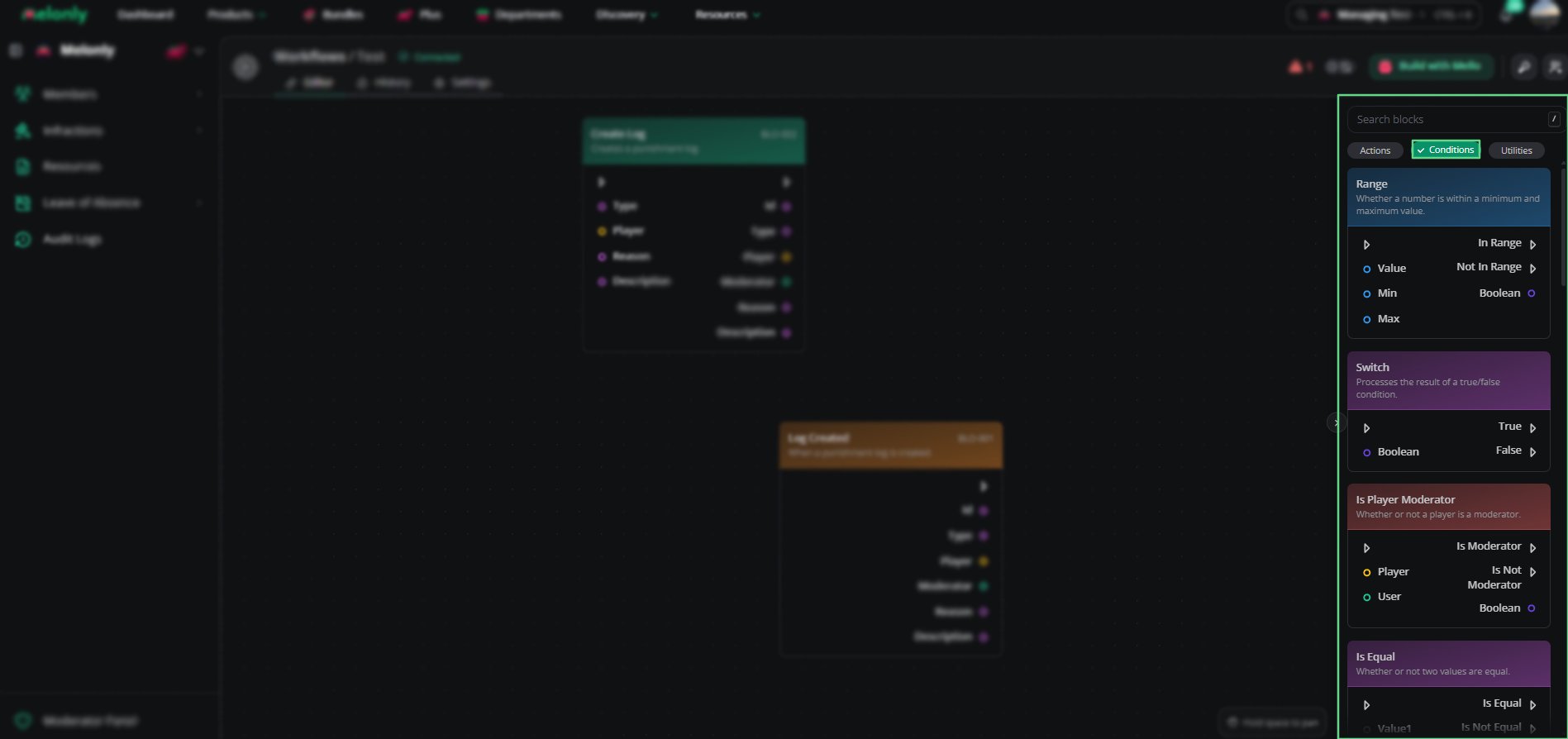
Conditions are logic blocks that decide whether a workflow continues or takes a different path.\
They compare values and check roles or permissions to decide whether an action should run.
***
## How Conditions Work
A condition checks whether something is true or false. If it passes, the workflow continues. If not, it stops or follows another path.
For example:
* Checking whether a player is a moderator before running an action
* Comparing two numbers to see which is greater
* Checking whether a user has a specific Discord or Melonly role
* Matching a session status before continuing
***
## Conditions
Each condition checks data and returns true or false.
| Condition | Description |
| - | - |
| Does User Have Discord Role | Checks if a user has a specific Discord role. |
| Has Discord Permission | Checks if a user has a specific Discord permission. |
See [Discord Conditions](/Dashboard/resources/workflows/conditions/discordconditions) for each condition's inputs and outputs.
| Condition | Description |
| - | - |
| Is Player Moderator | Checks if a player is a moderator in-game. |
| Does Player Have Permission | Checks if a player has a specific in-game permission. |
| Player On Team | Checks if a player is on a specific team. |
See [ER:LC Conditions](/Dashboard/resources/workflows/conditions/erlcconditions) for each condition's inputs and outputs.
| Condition | Description |
| - | - |
| Does User Have Melonly Role | Checks if a user has a specific Melonly role. |
| Has Melonly Permission | Checks if a user has a specific Melonly permission. |
| Session Status | Checks if the server matches a given session status. |
See [Melonly Conditions](/Dashboard/resources/workflows/conditions/melonlyconditions) for each condition's inputs and outputs.
| Condition | Description |
| - | - |
| Is Equal | Checks if two values are equal. |
| Contains | Checks if a collection contains a specific value. |
| And | Checks if both values are true. |
| Or | Checks if one of two values is true. |
| Switch | Processes the result of a true or false condition. |
| Range | Checks if a number is within a minimum and maximum value. |
| Greater Than | Checks if one number is greater than another. |
| Less Than | Checks if one number is less than another. |
| Greater Than Or Equal | Checks if one number is greater than or equal to another. |
| Less Than Or Equal | Checks if one number is less than or equal to another. |
See [Utility Conditions](/Dashboard/resources/workflows/conditions/utilityconditions) for each condition's inputs and outputs.
***
 ***
## Working With Conditions
Conditions control when actions run and how data moves through your workflow.
When designing workflows, keep in mind:
* Data Sources: Conditions can use data from triggers, actions or variables.
* Chaining: Combine several conditions to build more complex logic.
* Fallbacks: Use another path for when a condition fails.
* Testing: Test conditions to make sure they behave as expected.
### Example Workflow Flow
1. A player joins your ER:LC server and the trigger starts the workflow.
2. A condition checks whether the player is a moderator.
3. If true, the workflow sends a Discord message.
4. If false, it ends without running any actions.
***
Still have questions? Join our Discord server for support from the Melonly Team.
This documentation is built and hosted on [Mintlify](https://mintlify.com), a developer documentation platform.
***
## Working With Conditions
Conditions control when actions run and how data moves through your workflow.
When designing workflows, keep in mind:
* Data Sources: Conditions can use data from triggers, actions or variables.
* Chaining: Combine several conditions to build more complex logic.
* Fallbacks: Use another path for when a condition fails.
* Testing: Test conditions to make sure they behave as expected.
### Example Workflow Flow
1. A player joins your ER:LC server and the trigger starts the workflow.
2. A condition checks whether the player is a moderator.
3. If true, the workflow sends a Discord message.
4. If false, it ends without running any actions.
***
Still have questions? Join our Discord server for support from the Melonly Team.
This documentation is built and hosted on [Mintlify](https://mintlify.com), a developer documentation platform.