> ## Documentation Index
> Fetch the complete documentation index at: https://docs.melonly.com/llms.txt
> Use this file to discover all available pages before exploring further.
# Utility Conditions
> Learn how utility condition blocks compare values and return true or false.
***
Utility Conditions compare values and return true or false.\
Use them to check equality, ranges and logical combinations so actions only run when your criteria are met.
 ***
## Blocks
## Is Equal
The Is Equal block checks whether two values are equal.
### What Does It Do?
This block compares two values and returns true if they match, false if they do not.
**Input**
* **Value1**: The first value to compare.
* **Value2**: The second value to compare.
**Output**
* **Boolean**: True if both values are equal, false if not.
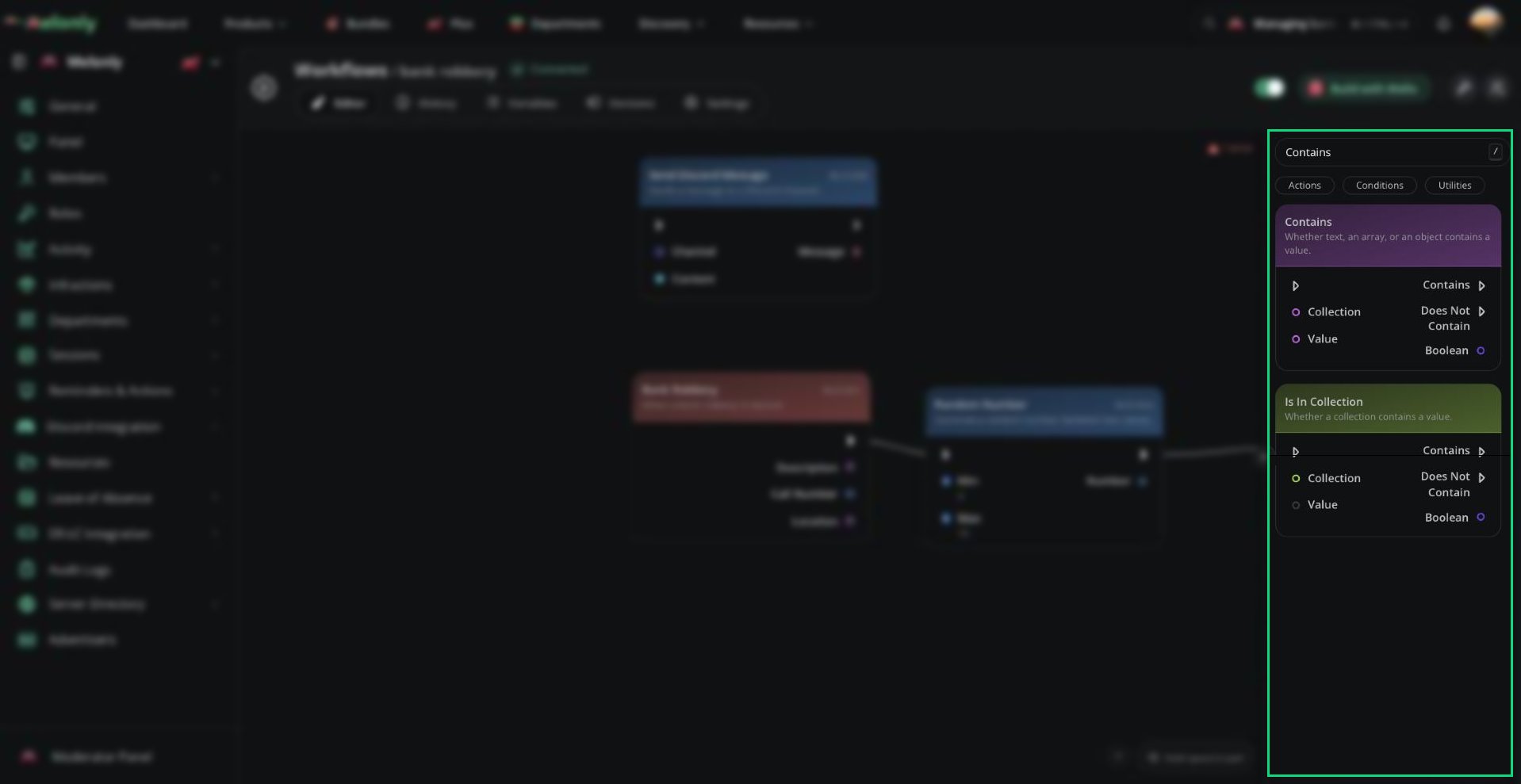
## Contains
The Contains block checks whether a collection contains a specific value.
### What Does It Do?
This block evaluates a collection and returns true if the specified value exists within it.
**Input**
* **Collection**: The array or object to check.
* **Value**: The value to search for.
**Output**
* **Boolean**: True if the collection contains the value, false if not.
## And
The And block checks if both values are true.
### What Does It Do?
This block returns true only if both connected boolean inputs are true.
**Input**
* **Value1**: The first boolean value.
* **Value2**: The second boolean value.
**Output**
* **Boolean**: True if both values are true, false if not.
## Or
The Or block checks if one of two values is true.
### What Does It Do?
This block returns true if either connected boolean input is true.
**Input**
* **Value1**: The first boolean value.
* **Value2**: The second boolean value.
**Output**
* **Boolean**: True if one value is true, false if both are false.
## Switch
The Switch block processes the result of a true or false condition.
### What Does It Do?
This block takes a boolean input and continues down the true path or the false path depending on its value.
**Input**
* **Boolean**: The condition to evaluate.
**Output**
* No direct output. The workflow continues down the true or false path.
## Range
The Range block checks whether a number is within a minimum and maximum value.
### What Does It Do?
This block evaluates a numeric value and returns true if it falls within the defined range.
**Input**
* **Value**: The number to check.
* **Min**: The minimum allowed value.
* **Max**: The maximum allowed value.
**Output**
* **Boolean**: True if the value is within range, false if not.
## Greater Than
The Greater Than block checks if one number is greater than another.
### What Does It Do?
This block compares two numeric values and returns true if the first is greater than the second.
**Input**
* **Value1**: The first number.
* **Value2**: The second number.
**Output**
* **Boolean**: True if Value1 is greater than Value2, false if not.
## Less Than
The Less Than block checks if one number is less than another.
### What Does It Do?
This block compares two numeric values and returns true if the first is less than the second.
**Input**
* **Value1**: The first number.
* **Value2**: The second number.
**Output**
* **Boolean**: True if Value1 is less than Value2, false if not.
## Greater Than Or Equal
The Greater Than Or Equal block checks if one number is greater than or equal to another.
### What Does It Do?
This block compares two numeric values and returns true if the first is greater than or equal to the second.
**Input**
* **Value1**: The first number.
* **Value2**: The second number.
**Output**
* **Boolean**: True if Value1 is greater than or equal to Value2, false if not.
## Less Than Or Equal
The Less Than Or Equal block checks if one number is less than or equal to another.
### What Does It Do?
This block compares two numeric values and returns true if the first is less than or equal to the second.
**Input**
* **Value1**: The first number.
* **Value2**: The second number.
**Output**
* **Boolean**: True if Value1 is less than or equal to Value2, false if not.
***
Still have questions? Join our Discord server for support from the Melonly Team.
This documentation is built and hosted on [Mintlify](https://mintlify.com), a developer documentation platform.
***
## Blocks
## Is Equal
The Is Equal block checks whether two values are equal.
### What Does It Do?
This block compares two values and returns true if they match, false if they do not.
**Input**
* **Value1**: The first value to compare.
* **Value2**: The second value to compare.
**Output**
* **Boolean**: True if both values are equal, false if not.
## Contains
The Contains block checks whether a collection contains a specific value.
### What Does It Do?
This block evaluates a collection and returns true if the specified value exists within it.
**Input**
* **Collection**: The array or object to check.
* **Value**: The value to search for.
**Output**
* **Boolean**: True if the collection contains the value, false if not.
## And
The And block checks if both values are true.
### What Does It Do?
This block returns true only if both connected boolean inputs are true.
**Input**
* **Value1**: The first boolean value.
* **Value2**: The second boolean value.
**Output**
* **Boolean**: True if both values are true, false if not.
## Or
The Or block checks if one of two values is true.
### What Does It Do?
This block returns true if either connected boolean input is true.
**Input**
* **Value1**: The first boolean value.
* **Value2**: The second boolean value.
**Output**
* **Boolean**: True if one value is true, false if both are false.
## Switch
The Switch block processes the result of a true or false condition.
### What Does It Do?
This block takes a boolean input and continues down the true path or the false path depending on its value.
**Input**
* **Boolean**: The condition to evaluate.
**Output**
* No direct output. The workflow continues down the true or false path.
## Range
The Range block checks whether a number is within a minimum and maximum value.
### What Does It Do?
This block evaluates a numeric value and returns true if it falls within the defined range.
**Input**
* **Value**: The number to check.
* **Min**: The minimum allowed value.
* **Max**: The maximum allowed value.
**Output**
* **Boolean**: True if the value is within range, false if not.
## Greater Than
The Greater Than block checks if one number is greater than another.
### What Does It Do?
This block compares two numeric values and returns true if the first is greater than the second.
**Input**
* **Value1**: The first number.
* **Value2**: The second number.
**Output**
* **Boolean**: True if Value1 is greater than Value2, false if not.
## Less Than
The Less Than block checks if one number is less than another.
### What Does It Do?
This block compares two numeric values and returns true if the first is less than the second.
**Input**
* **Value1**: The first number.
* **Value2**: The second number.
**Output**
* **Boolean**: True if Value1 is less than Value2, false if not.
## Greater Than Or Equal
The Greater Than Or Equal block checks if one number is greater than or equal to another.
### What Does It Do?
This block compares two numeric values and returns true if the first is greater than or equal to the second.
**Input**
* **Value1**: The first number.
* **Value2**: The second number.
**Output**
* **Boolean**: True if Value1 is greater than or equal to Value2, false if not.
## Less Than Or Equal
The Less Than Or Equal block checks if one number is less than or equal to another.
### What Does It Do?
This block compares two numeric values and returns true if the first is less than or equal to the second.
**Input**
* **Value1**: The first number.
* **Value2**: The second number.
**Output**
* **Boolean**: True if Value1 is less than or equal to Value2, false if not.
***
Still have questions? Join our Discord server for support from the Melonly Team.
This documentation is built and hosted on [Mintlify](https://mintlify.com), a developer documentation platform.