> ## Documentation Index
> Fetch the complete documentation index at: https://docs.melonly.com/llms.txt
> Use this file to discover all available pages before exploring further.
# Watchdog
> AI moderation built specifically for ER:LC private servers
Watchdog is a paid feature. Learn more on the [Watchdog page](https://melonly.xyz/watchdog).
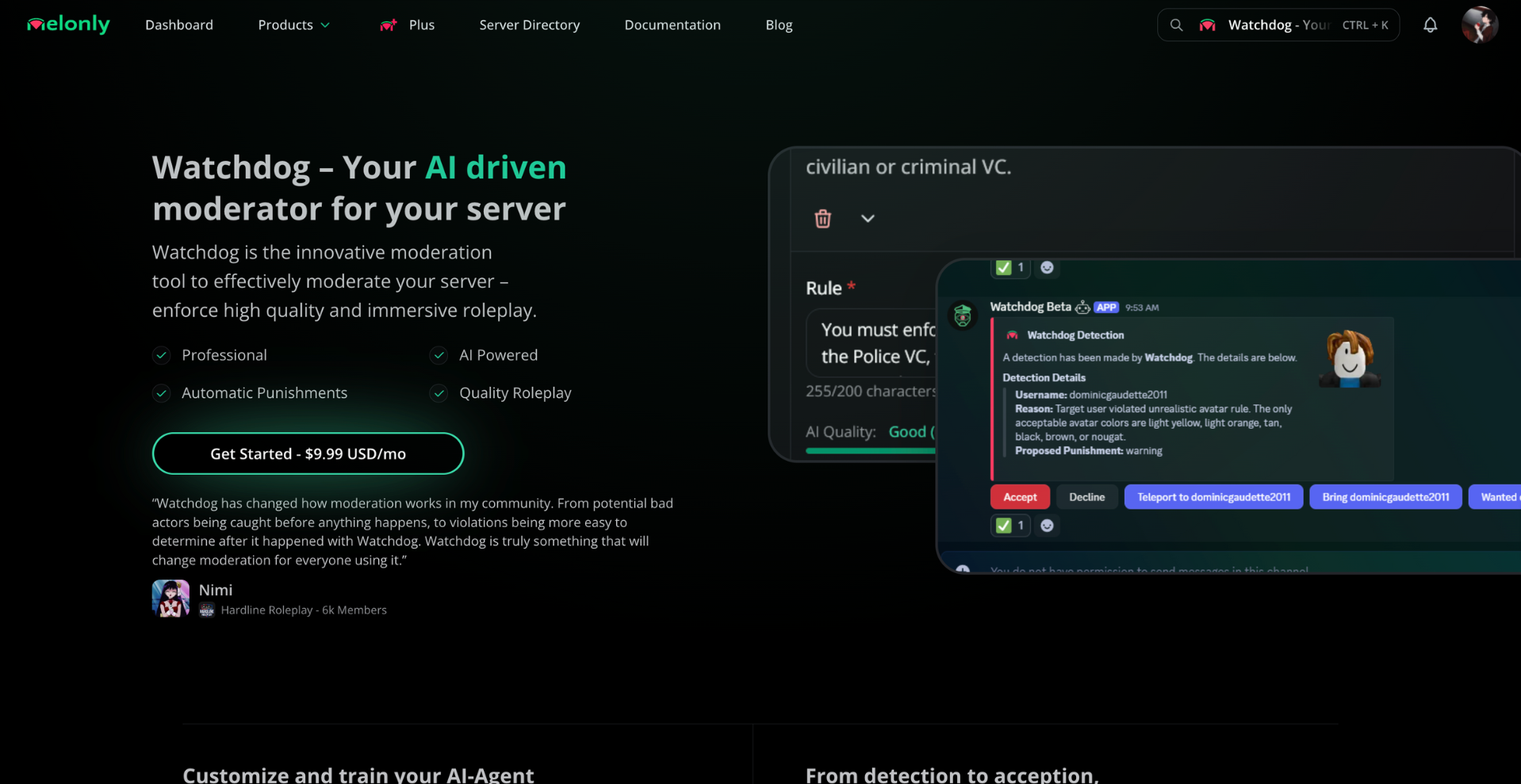
Watchdog is an AI moderator built for ER:LC. It reads in-game context and intent to catch disruptive behavior automatically.
Watchdog only acts on real, naturally-occurring behavior. It won't respond to staged or test scenarios. Detection can take 5–10 minutes depending on the situation.
## Watch the overview
***
## Enable Watchdog
Go to your [Melonly dashboard](https://melonly.xyz/dashboard) and select your server.
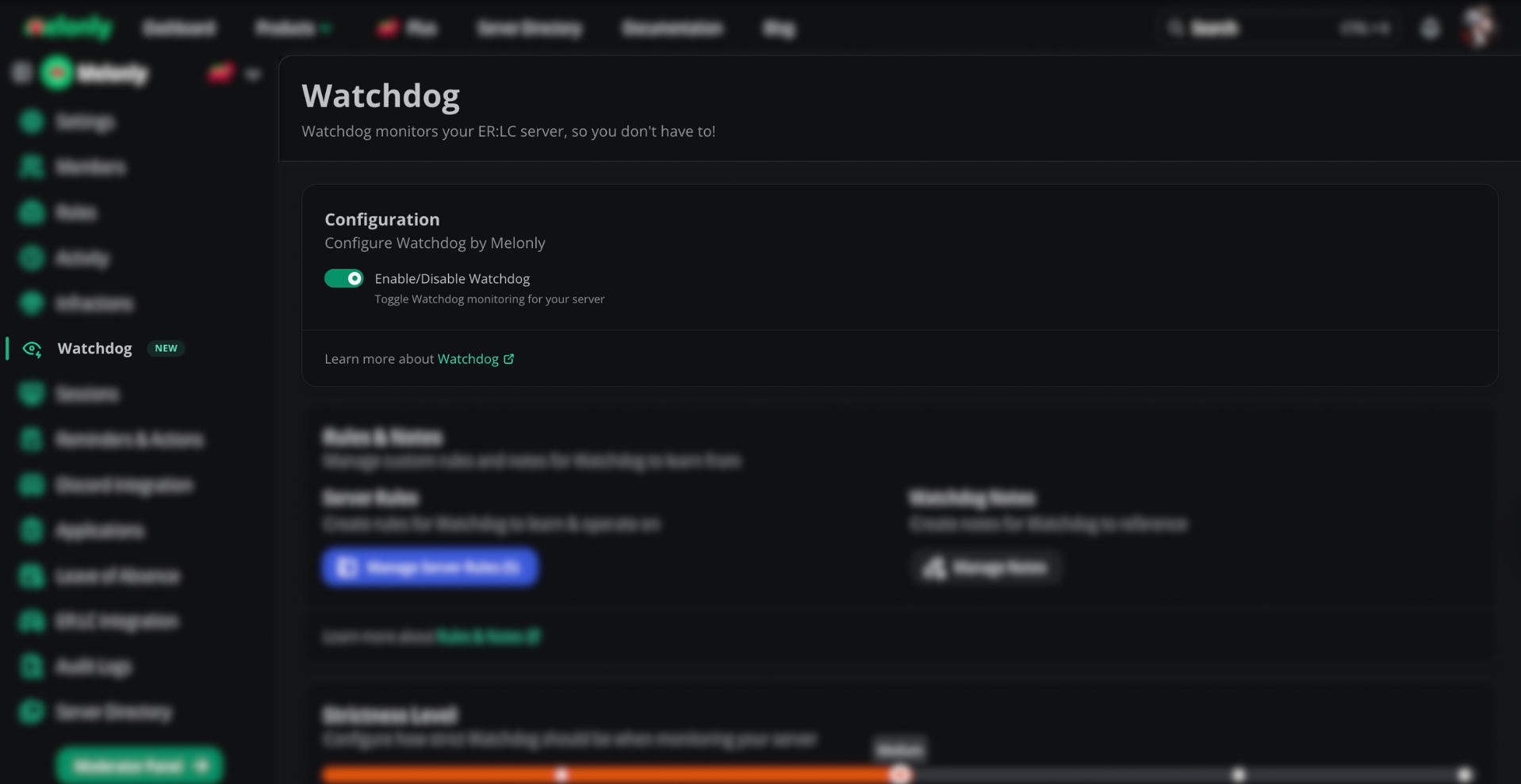
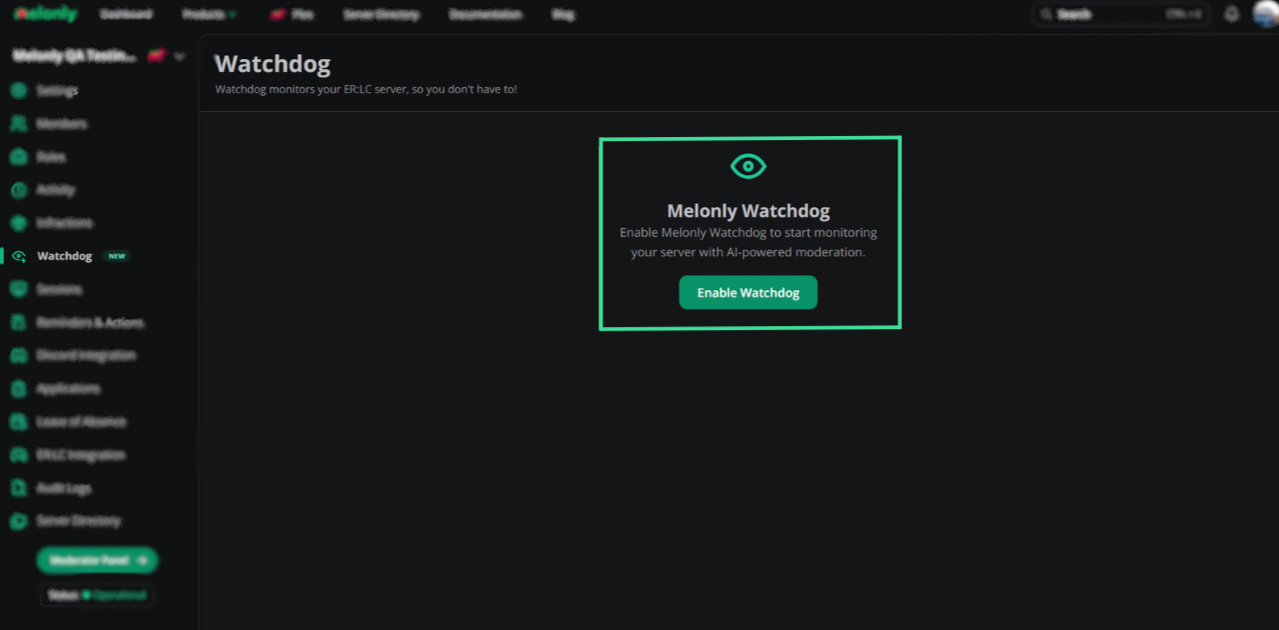
Find **Enable/Disable Watchdog** and turn it on. Watchdog starts working immediately.
You need a linked ER:LC server set as active first. Use **Invite Watchdog Discord bot** to add the Watchdog bot to your Discord server.
## Rules and notes
Rules and notes give Watchdog context about how your server should be moderated.
More than five rules can reduce Watchdog accuracy. Keep your rule list focused.
### Add a rule
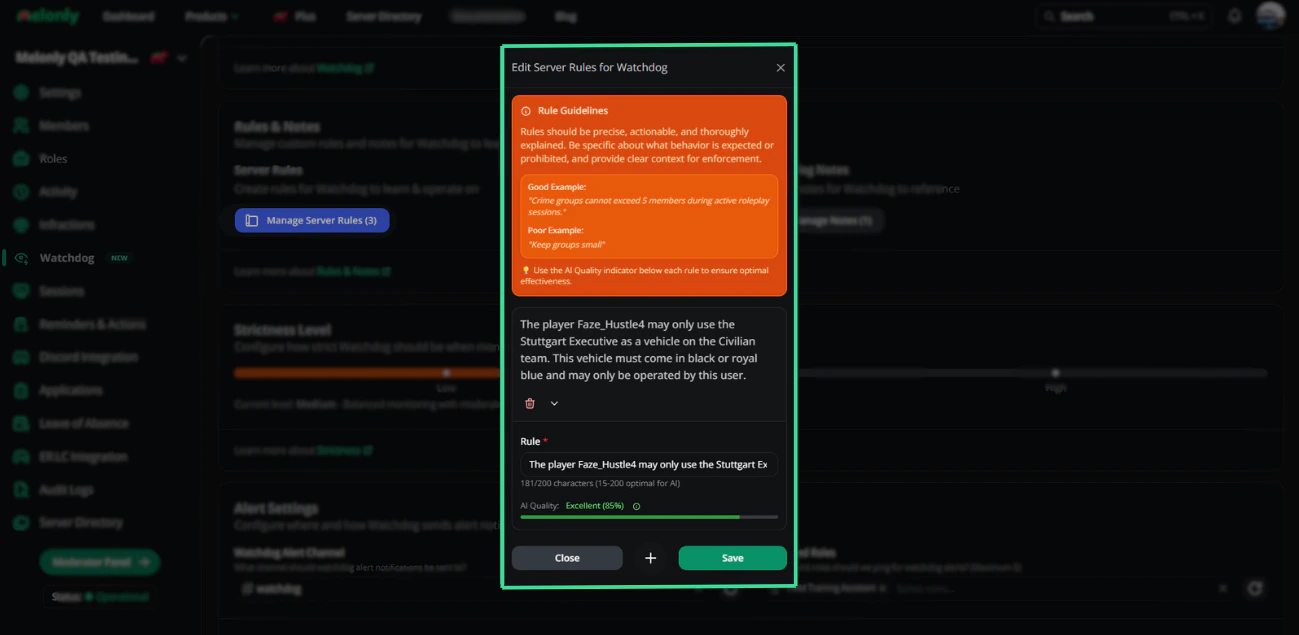
Open the **Rules & Notes** card, click **Manage server rules**, then **Add**. Type a single, specific rule (e.g. *"No headless head allowed"*).
Aim for 15 to 200 characters per rule. The AI quality indicator under each rule shows how clear it is.
Use **Quick Add Sample Rule** to start from a ready-made rule, such as Metagaming, NLR, RDM, or VC Only. Replace any placeholder in caps, like `(PUT_CAR_HERE)`, before saving.
### Add a note
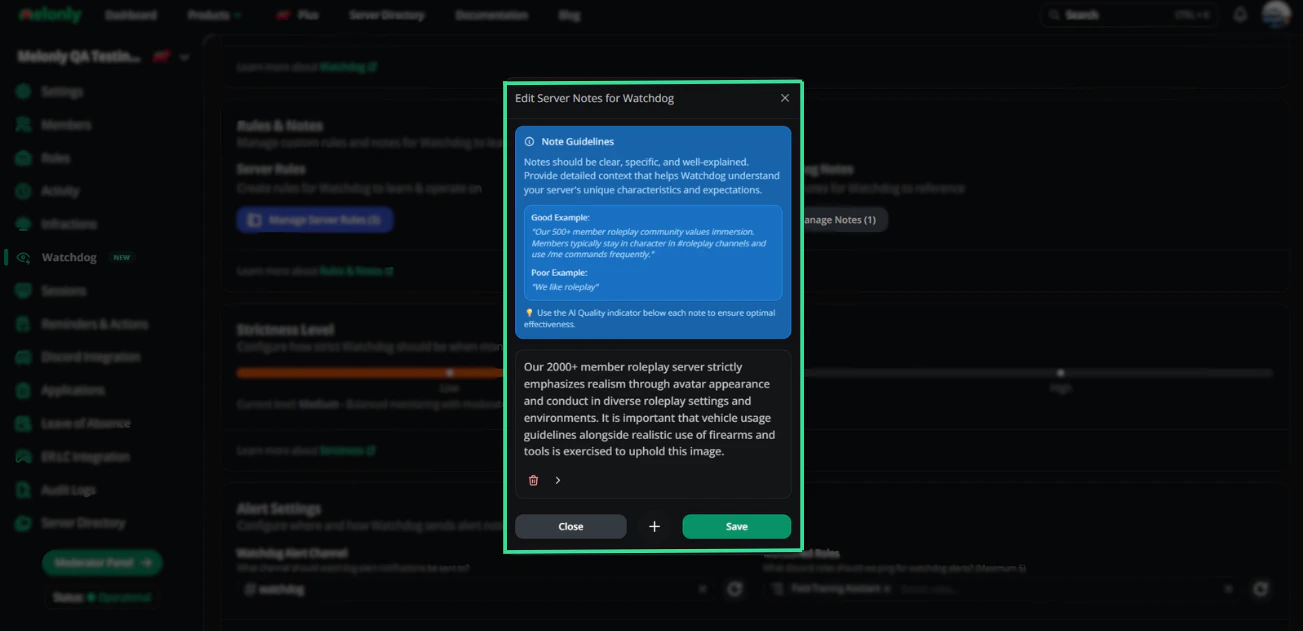
Click **Manage notes**, then **Add**. Notes describe the server's vibe (e.g. *"We are a VC-only server"*).
Aim for 20 to 300 characters per note.
## Strictness and alerts
### Strictness
Drag the slider in the **Strictness Level** card to your preferred enforcement level.
| Level | Description |
| - | - |
| **Low** | Fewer alerts, only serious violations detected. |
| **Medium** | Balanced monitoring with moderate sensitivity. This is the default. |
| **High** | Maximum sensitivity, frequent alert monitoring. |
### Alert channel and role
In **Alert Settings**, pick:
* **Watchdog Alert Channel**: where alerts are posted in Discord.
* **Mentioned Roles**: up to 5 roles (or `@here`) pinged on every alert. Select an alert channel first.
Still have questions? Join our [Discord server](https://melonly.xyz/discord) for support from the Melonly team.
This documentation is built and hosted on [Mintlify](https://mintlify.com), a developer documentation platform.
 ## Enable Watchdog
 ### Add a note
Click **Manage notes**, then **Add**. Notes describe the server's vibe (e.g. *"We are a VC-only server"*).
Aim for 20 to 300 characters per note.
### Add a note
Click **Manage notes**, then **Add**. Notes describe the server's vibe (e.g. *"We are a VC-only server"*).
Aim for 20 to 300 characters per note.
 ## Strictness and alerts
### Strictness
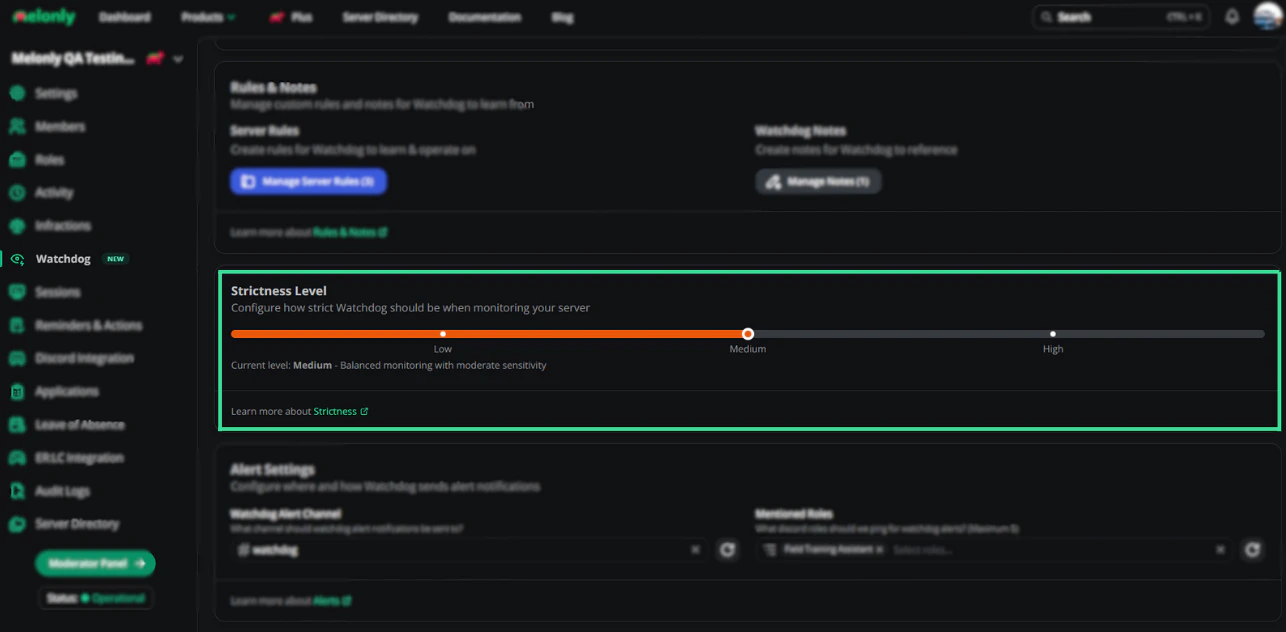
Drag the slider in the **Strictness Level** card to your preferred enforcement level.
| Level | Description |
| - | - |
| **Low** | Fewer alerts, only serious violations detected. |
| **Medium** | Balanced monitoring with moderate sensitivity. This is the default. |
| **High** | Maximum sensitivity, frequent alert monitoring. |
## Strictness and alerts
### Strictness
Drag the slider in the **Strictness Level** card to your preferred enforcement level.
| Level | Description |
| - | - |
| **Low** | Fewer alerts, only serious violations detected. |
| **Medium** | Balanced monitoring with moderate sensitivity. This is the default. |
| **High** | Maximum sensitivity, frequent alert monitoring. |
 ### Alert channel and role
In **Alert Settings**, pick:
* **Watchdog Alert Channel**: where alerts are posted in Discord.
* **Mentioned Roles**: up to 5 roles (or `@here`) pinged on every alert. Select an alert channel first.
### Alert channel and role
In **Alert Settings**, pick:
* **Watchdog Alert Channel**: where alerts are posted in Discord.
* **Mentioned Roles**: up to 5 roles (or `@here`) pinged on every alert. Select an alert channel first.