> ## Documentation Index
> Fetch the complete documentation index at: https://docs.melonly.com/llms.txt
> Use this file to discover all available pages before exploring further.
# Infractions
> Issue infractions, suspensions and terminations to department members, review appeals and configure your points system.
***
## What are Department Infractions?
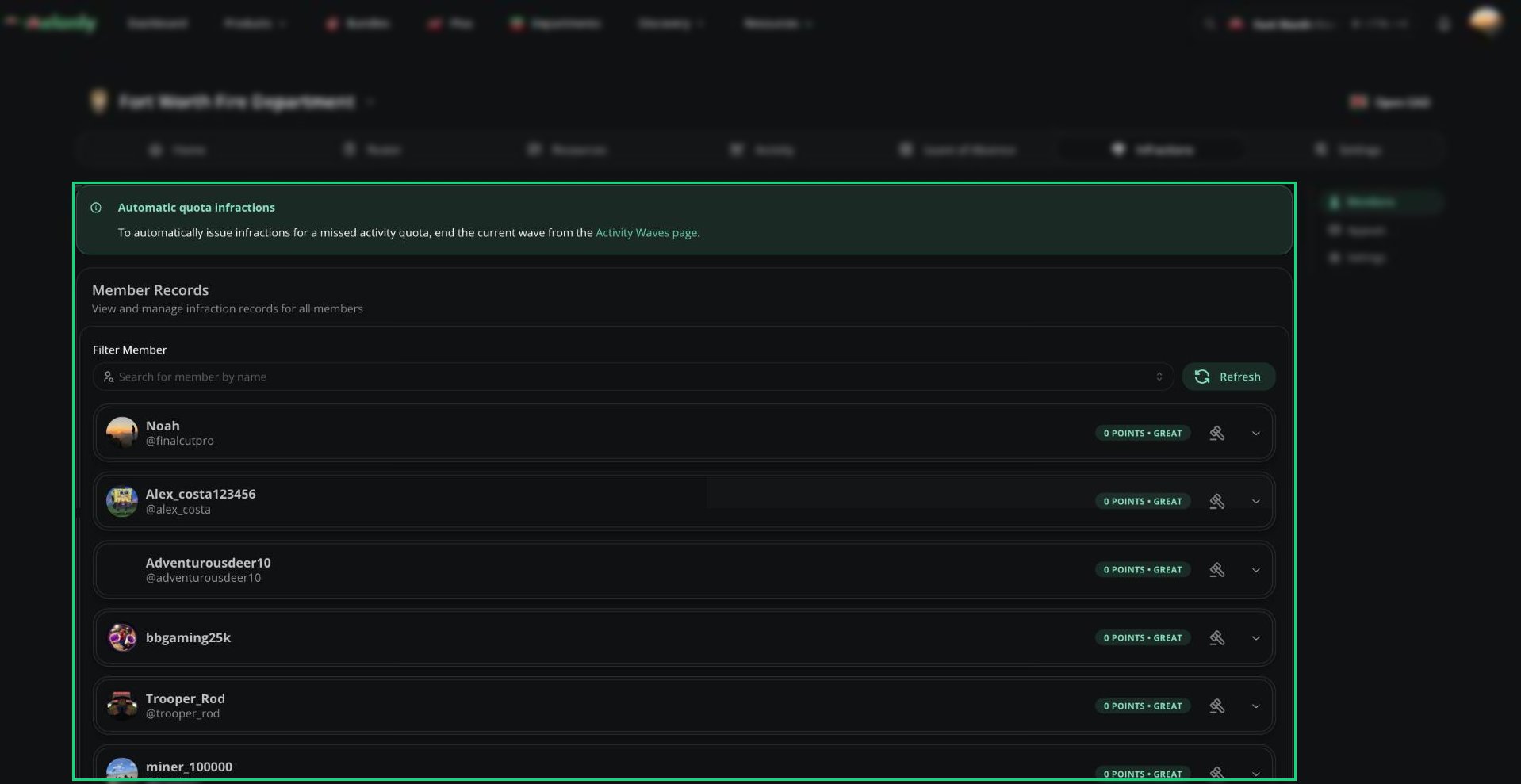
Infractions are your department's disciplinary system. You can warn, suspend and terminate members, and points add up over time to trigger automatic punishments. They work like [server infractions](/Dashboard/infractions/home), but each department has its own records and settings.
The Members and Appeals pages need Infractions Administrator or Issue Infractions. Settings needs Infractions Administrator. You can only punish members ranked below you.
 ***
## 🧭 Quick Navigation
Member records, punishing, suspending and terminating.
Review requests to void a punishment.
Guidelines, points, quota points, Discord and appeals.
***
## Members
Every member's disciplinary record, and where you issue infractions, suspensions and terminations. [Details](/Department/infraction/members).
***
## Appeals
Review member requests to void an infraction or suspension. [Details](/Department/infraction/appeals).
***
## Settings
All of these need Infractions Administrator. [Full details](/Department/infraction/settings).
### Infractions
Choose whether infractions expire, and after how many days. [More](/Department/infraction/settings#infractions).
### Department Guidelines
Your department's rules, each with a point value, used to fill in infractions. [More](/Department/infraction/settings#department-guidelines).
### Discord Configuration
Stage roles, the suspension role and channels for infraction and appeal messages. [More](/Department/infraction/settings#discord-configuration).
### Quota Settings
Give points to members who miss their activity quota when a wave ends. [More](/Department/infraction/settings#quota-settings).
### Points System
Warning, suspension and termination stages that trigger as points add up. [More](/Department/infraction/settings#points-system).
### Message Customization
Edit the DMs and messages sent for punishments and appeal decisions. [More](/Department/infraction/settings#message-customization).
### Appeals Configuration
Turn appeals and re-appeals on, set a cooldown and write appeal questions. [More](/Department/infraction/settings#appeals-configuration).
***
Still have questions? Join our Discord server for support from the Melonly Team.
This documentation is built and hosted on [Mintlify](https://mintlify.com), a developer documentation platform.
***
## 🧭 Quick Navigation
Member records, punishing, suspending and terminating.
Review requests to void a punishment.
Guidelines, points, quota points, Discord and appeals.
***
## Members
Every member's disciplinary record, and where you issue infractions, suspensions and terminations. [Details](/Department/infraction/members).
***
## Appeals
Review member requests to void an infraction or suspension. [Details](/Department/infraction/appeals).
***
## Settings
All of these need Infractions Administrator. [Full details](/Department/infraction/settings).
### Infractions
Choose whether infractions expire, and after how many days. [More](/Department/infraction/settings#infractions).
### Department Guidelines
Your department's rules, each with a point value, used to fill in infractions. [More](/Department/infraction/settings#department-guidelines).
### Discord Configuration
Stage roles, the suspension role and channels for infraction and appeal messages. [More](/Department/infraction/settings#discord-configuration).
### Quota Settings
Give points to members who miss their activity quota when a wave ends. [More](/Department/infraction/settings#quota-settings).
### Points System
Warning, suspension and termination stages that trigger as points add up. [More](/Department/infraction/settings#points-system).
### Message Customization
Edit the DMs and messages sent for punishments and appeal decisions. [More](/Department/infraction/settings#message-customization).
### Appeals Configuration
Turn appeals and re-appeals on, set a cooldown and write appeal questions. [More](/Department/infraction/settings#appeals-configuration).
***
Still have questions? Join our Discord server for support from the Melonly Team.
This documentation is built and hosted on [Mintlify](https://mintlify.com), a developer documentation platform.