> ## Documentation Index
> Fetch the complete documentation index at: https://docs.melonly.com/llms.txt
> Use this file to discover all available pages before exploring further.
# Playtime
> See how long you've played in each ER:LC server, your rank on the leaderboard and your progress to the next level.
***
## What is Playtime?
Playtime tracks how long players spend in a server's ER:LC game and ranks everyone on a leaderboard. Servers can add levels with perks and Discord roles that you unlock as you play.
Servers set this up in [Playtime Levels](/Dashboard/erlcintegration/playtimelevels/playtimelevels).
***
## Access Playtime
Go to [melonly.xyz/my/playtime](https://melonly.xyz/my/playtime), or click **Playtime** in your account sidebar.
You'll see the Melonly servers whose Discord you're in. Click one marked **View Playtime**. Servers marked Playtime Disabled don't track it.
If you're asked to authorize with Discord, do so. Melonly needs it to see which servers you're in.
***
## Your Stats
If you've played in the server, your stats show above the leaderboard.
| Stat | What it shows |
| - | - |
| Your Rank | Your position out of all players. |
| Your Playtime | Your total time, in days, hours and minutes, and your level. |
| Progress to Next Level | How close you are to the next level. Only shown if there's a level above yours. |
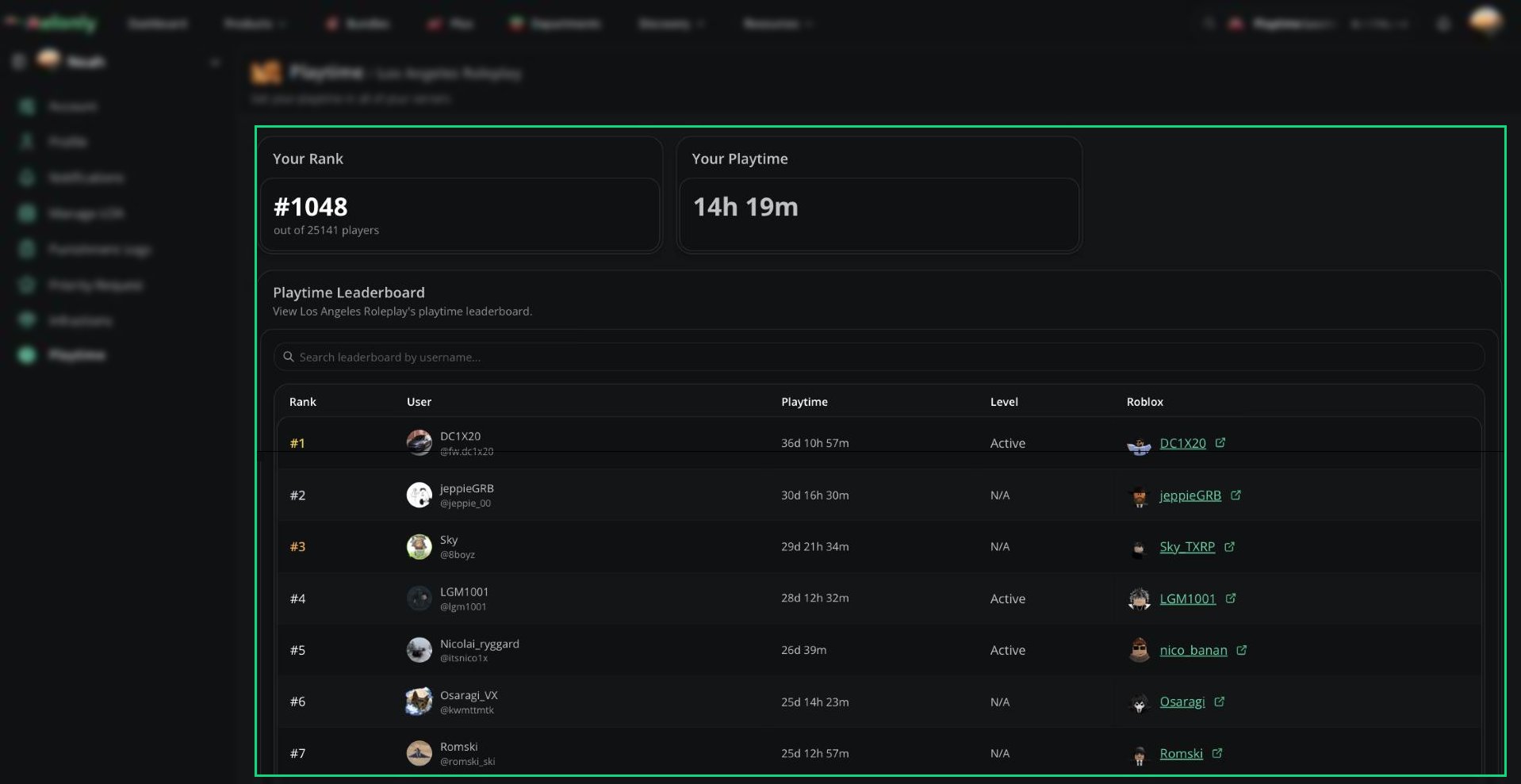 ***
## Leaderboard
| Column | What it shows |
| - | - |
| Rank | The player's position. The top 3 are highlighted. |
| User | Their name and username. |
| Playtime | Their total playtime. |
| Level | Their level, if the server uses levels. |
| Roblox | Their linked Roblox account, if they have one. |
The leaderboard shows 25 players at a time. Click **Load More** to see more. Use the search bar to find a player by username and see their rank.
***
## Levels and Perks
If a level has perks, its name is a button. Click it to see what that level unlocks.
***
Still have questions? Join our Discord server for support from the Melonly Team.
This documentation is built and hosted on [Mintlify](https://mintlify.com), a developer documentation platform.
***
## Leaderboard
| Column | What it shows |
| - | - |
| Rank | The player's position. The top 3 are highlighted. |
| User | Their name and username. |
| Playtime | Their total playtime. |
| Level | Their level, if the server uses levels. |
| Roblox | Their linked Roblox account, if they have one. |
The leaderboard shows 25 players at a time. Click **Load More** to see more. Use the search bar to find a player by username and see their rank.
***
## Levels and Perks
If a level has perks, its name is a button. Click it to see what that level unlocks.
***
Still have questions? Join our Discord server for support from the Melonly Team.
This documentation is built and hosted on [Mintlify](https://mintlify.com), a developer documentation platform.