> ## Documentation Index
> Fetch the complete documentation index at: https://docs.melonly.com/llms.txt
> Use this file to discover all available pages before exploring further.
# Melonly Plus
> Plans, the free trial and every feature and limit Melonly Plus adds to your server.
***
## What is Melonly Plus?
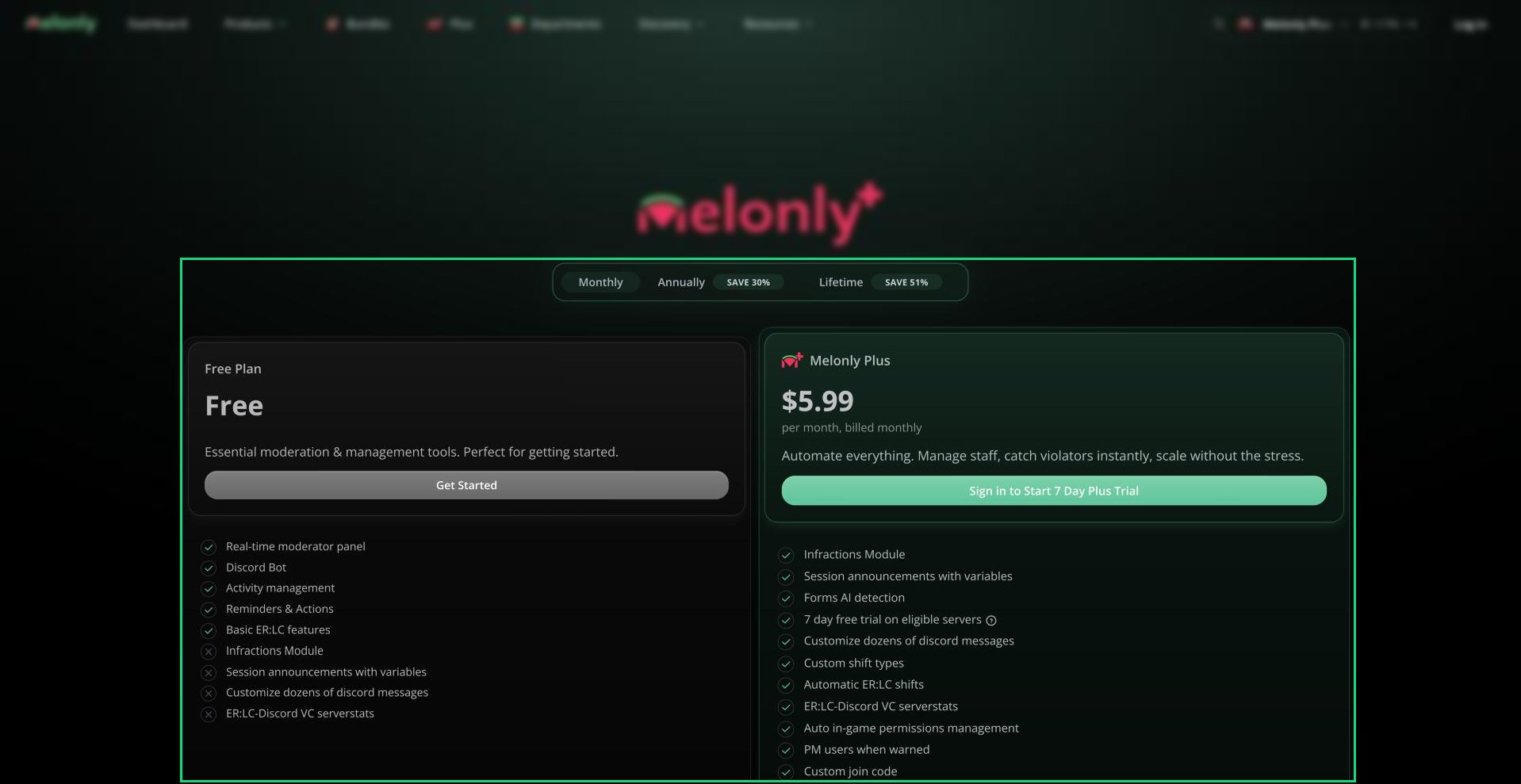
Melonly Plus is the premium upgrade for a server. It adds features like infractions, custom Discord messages, shift types and ER:LC automation, and raises limits such as roles, reminders and actions.
Each Plus subscription covers one server. Everyone in that server gets the features.
 ***
## Plans
| Plan | Price | Notes |
| - | - | - |
| Monthly | \$5.99 a month | Cancel any time. |
| Annually | \$49.99 a year | Saves 30% compared to monthly. |
| Lifetime | \$139.99 once | Pay once, keep Plus on one server for good. |
Prices are in US dollars and taxes may apply.
***
## Getting Plus
Go to [melonly.xyz/plus](https://melonly.xyz/plus), sign in and pick Monthly, Annually or Lifetime.
Click the button on the Melonly Plus card. If you can get a free trial, you choose between the trial and buying straight away.
Pay through Stripe. On monthly and annual plans you're offered a bundle first, which you can skip.
You're taken back to your dashboard. Pick the subscription and your server, then click **Activate server**. See [Activating a Subscription](/Guides/managingsubs/activating).
### Free Trial
You can try Plus free for 7 days on a server you administer. Each server can only have one Plus trial, and servers that already have Plus can't start one. The trial starts on the monthly plan through checkout.
### Import Discount
If you've moved to Melonly from another bot using the [import tool](/Guides/Miscellaneous/switch#import-your-data), you're asked at checkout whether to apply a 20% import discount.
***
## What Plus Adds
| Limit | Free | Plus |
| - | - | - |
| Roles | 10 | 20 |
| Reminders | 5 | 20 |
| Actions | 5 | 20 |
| Vehicle restrictions | 5 | 15 |
| Linked ER:LC servers | 2 | Unlimited |
| Document access logs | 30 days | 90 days |
| Feature | What it does |
| - | - |
| [Infractions](/Dashboard/infractions/home) | Track staff conduct with infractions, suspensions, terminations and appeals. |
| Promotions | Promote and demote members from the [Members](/Dashboard/members/membermanagement) page. |
| [Custom shift types](/Dashboard/activity/shifts) | Split shifts into types such as Support or Admin, each with its own report form. |
| [Punishment presets](/Dashboard/panel#punishment-presets) | Saved reasons moderators can apply in one click. |
| Advanced punishment logs | [Custom log types](/Dashboard/panel#custom-log-types) and separate channels for audit and punishment logs. |
| Dashboard role permissions | Choose exactly which parts of the dashboard each role can use. |
| [Custom join code](/Dashboard/settings#custom-join-code) | Set your own join code for the server. |
| Feature | What it does |
| - | - |
| ER:LC auto shifts | Start and end shifts when staff join or leave your ER:LC server. |
| Remove ER:LC permissions automatically | Take in-game permissions away when someone leaves your staff team. |
| ER:LC rejoin timer | Stop recently punished players rejoining for a set time. |
| PM users when warned | Send the player an in-game message when they're warned. |
| In-game PM for staff requests | Message off-duty staff in game when someone requests more staff. |
| ER:LC to Discord logging | Post ER:LC events to your Discord channels. |
| VC serverstats | Show your ER:LC server stats in Discord voice channel names. |
| Feature | What it does |
| - | - |
| Customize Discord messages | Change the text, colors and embeds of the messages Melonly sends. |
| Discord linked roles | Use Melonly roles as Discord linked roles. |
| Session announcements with variables | Fill session messages with live server details. |
| Application paste detection | Flag answers that were pasted in. |
| AI detection | Flag application answers that look AI-written. |
| Longer application comments | Comments of up to 1,000 characters. |
| Premium workflow blocks | Extra workflow blocks and higher workflow limits. |
| Priority suggestions and support | Your suggestions and support requests are looked at first. |
***
## Good to Know
* Plus is per server. To use it on two servers you need two subscriptions.
* You manage payments and cancel from the [billing portal](/Guides/managingsubs/billing).
* For 4 or more yearly or lifetime subscriptions, email [admin@melonly.xyz](mailto:admin@melonly.xyz) about a bulk discount.
***
Still have questions? Join our Discord server for support from the Melonly Team.
This documentation is built and hosted on [Mintlify](https://mintlify.com), a developer documentation platform.
***
## Plans
| Plan | Price | Notes |
| - | - | - |
| Monthly | \$5.99 a month | Cancel any time. |
| Annually | \$49.99 a year | Saves 30% compared to monthly. |
| Lifetime | \$139.99 once | Pay once, keep Plus on one server for good. |
Prices are in US dollars and taxes may apply.
***
## Getting Plus
Go to [melonly.xyz/plus](https://melonly.xyz/plus), sign in and pick Monthly, Annually or Lifetime.
Click the button on the Melonly Plus card. If you can get a free trial, you choose between the trial and buying straight away.
Pay through Stripe. On monthly and annual plans you're offered a bundle first, which you can skip.
You're taken back to your dashboard. Pick the subscription and your server, then click **Activate server**. See [Activating a Subscription](/Guides/managingsubs/activating).
### Free Trial
You can try Plus free for 7 days on a server you administer. Each server can only have one Plus trial, and servers that already have Plus can't start one. The trial starts on the monthly plan through checkout.
### Import Discount
If you've moved to Melonly from another bot using the [import tool](/Guides/Miscellaneous/switch#import-your-data), you're asked at checkout whether to apply a 20% import discount.
***
## What Plus Adds
| Limit | Free | Plus |
| - | - | - |
| Roles | 10 | 20 |
| Reminders | 5 | 20 |
| Actions | 5 | 20 |
| Vehicle restrictions | 5 | 15 |
| Linked ER:LC servers | 2 | Unlimited |
| Document access logs | 30 days | 90 days |
| Feature | What it does |
| - | - |
| [Infractions](/Dashboard/infractions/home) | Track staff conduct with infractions, suspensions, terminations and appeals. |
| Promotions | Promote and demote members from the [Members](/Dashboard/members/membermanagement) page. |
| [Custom shift types](/Dashboard/activity/shifts) | Split shifts into types such as Support or Admin, each with its own report form. |
| [Punishment presets](/Dashboard/panel#punishment-presets) | Saved reasons moderators can apply in one click. |
| Advanced punishment logs | [Custom log types](/Dashboard/panel#custom-log-types) and separate channels for audit and punishment logs. |
| Dashboard role permissions | Choose exactly which parts of the dashboard each role can use. |
| [Custom join code](/Dashboard/settings#custom-join-code) | Set your own join code for the server. |
| Feature | What it does |
| - | - |
| ER:LC auto shifts | Start and end shifts when staff join or leave your ER:LC server. |
| Remove ER:LC permissions automatically | Take in-game permissions away when someone leaves your staff team. |
| ER:LC rejoin timer | Stop recently punished players rejoining for a set time. |
| PM users when warned | Send the player an in-game message when they're warned. |
| In-game PM for staff requests | Message off-duty staff in game when someone requests more staff. |
| ER:LC to Discord logging | Post ER:LC events to your Discord channels. |
| VC serverstats | Show your ER:LC server stats in Discord voice channel names. |
| Feature | What it does |
| - | - |
| Customize Discord messages | Change the text, colors and embeds of the messages Melonly sends. |
| Discord linked roles | Use Melonly roles as Discord linked roles. |
| Session announcements with variables | Fill session messages with live server details. |
| Application paste detection | Flag answers that were pasted in. |
| AI detection | Flag application answers that look AI-written. |
| Longer application comments | Comments of up to 1,000 characters. |
| Premium workflow blocks | Extra workflow blocks and higher workflow limits. |
| Priority suggestions and support | Your suggestions and support requests are looked at first. |
***
## Good to Know
* Plus is per server. To use it on two servers you need two subscriptions.
* You manage payments and cancel from the [billing portal](/Guides/managingsubs/billing).
* For 4 or more yearly or lifetime subscriptions, email [admin@melonly.xyz](mailto:admin@melonly.xyz) about a bulk discount.
***
Still have questions? Join our Discord server for support from the Melonly Team.
This documentation is built and hosted on [Mintlify](https://mintlify.com), a developer documentation platform.