> ## Documentation Index
> Fetch the complete documentation index at: https://docs.melonly.com/llms.txt
> Use this file to discover all available pages before exploring further.
# Your Profile
> Set up your public Melonly profile: handle, bio, tags, roles, social links, color, images and server experience.
***
## What is Your Profile?
Your profile is your public page on Melonly. It shows who you are, what you do in the ER:LC community and where you've been staff, so server owners can find you in the [Profile Directory](/Discovery/profilediscovery).
Edit it on [melonly.xyz/my/profile](https://melonly.xyz/my/profile). If you don't have one yet, the page walks you through creating it. Each card has its own save bar.
***
## 🧭 Quick Navigation
Add the servers you've been staff in and get them verified.
What visitors see, badges, sharing and reviews.
***
## Profile Overview
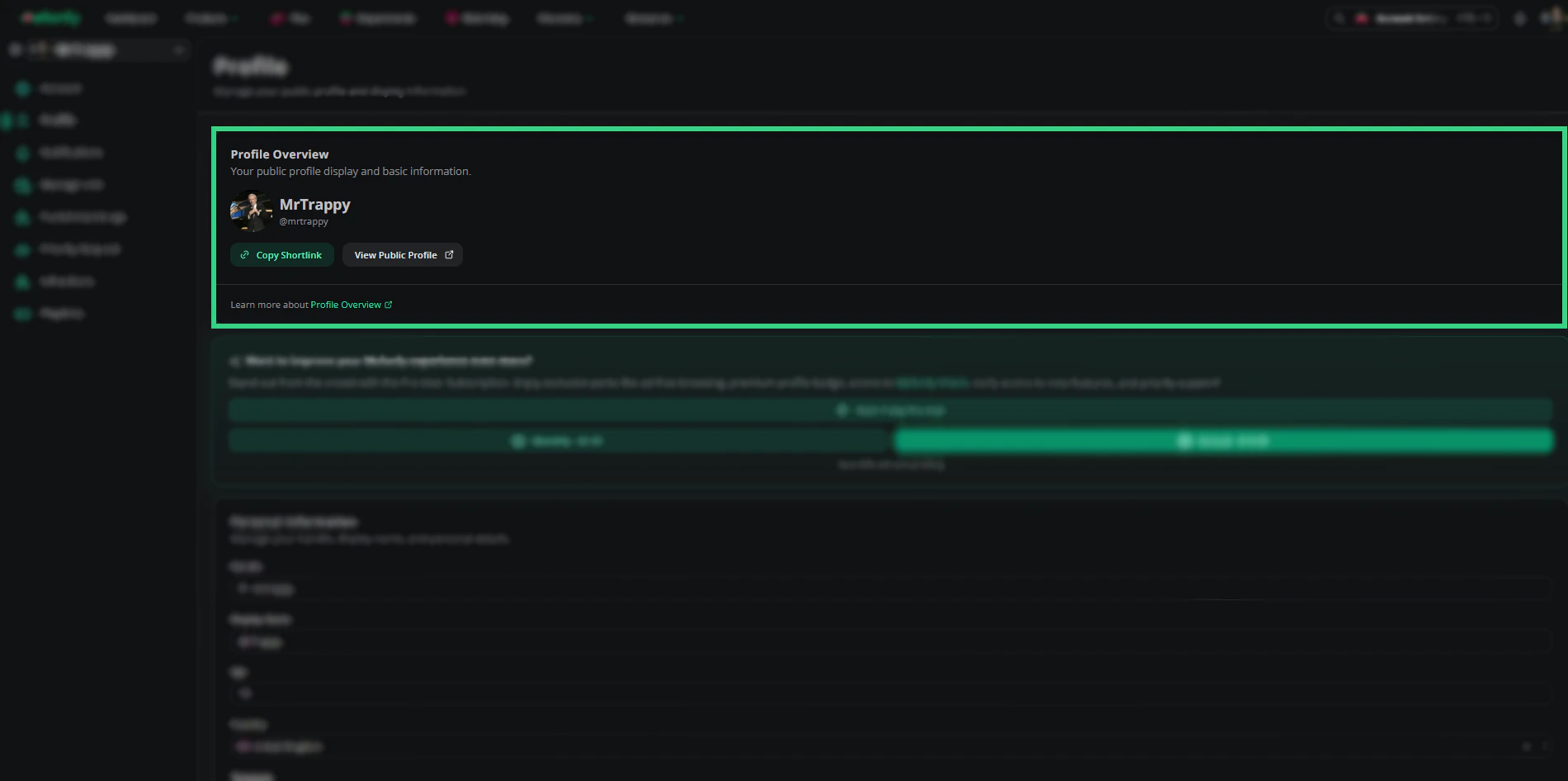 | Button | What it does |
| - | - |
| Copy Shortlink | Copies your short profile link, `melon.ly/@yourhandle`. |
| View Public Profile | Opens your public profile in a new tab. |
If you haven't linked Roblox, a banner offers to link it so your Roblox account shows on your profile. Below that is the [Melonly Pro](https://melonly.xyz/pro) card, where you can start a 7-day trial (one per account) or subscribe.
***
## Personal Information
| Button | What it does |
| - | - |
| Copy Shortlink | Copies your short profile link, `melon.ly/@yourhandle`. |
| View Public Profile | Opens your public profile in a new tab. |
If you haven't linked Roblox, a banner offers to link it so your Roblox account shows on your profile. Below that is the [Melonly Pro](https://melonly.xyz/pro) card, where you can start a 7-day trial (one per account) or subscribe.
***
## Personal Information
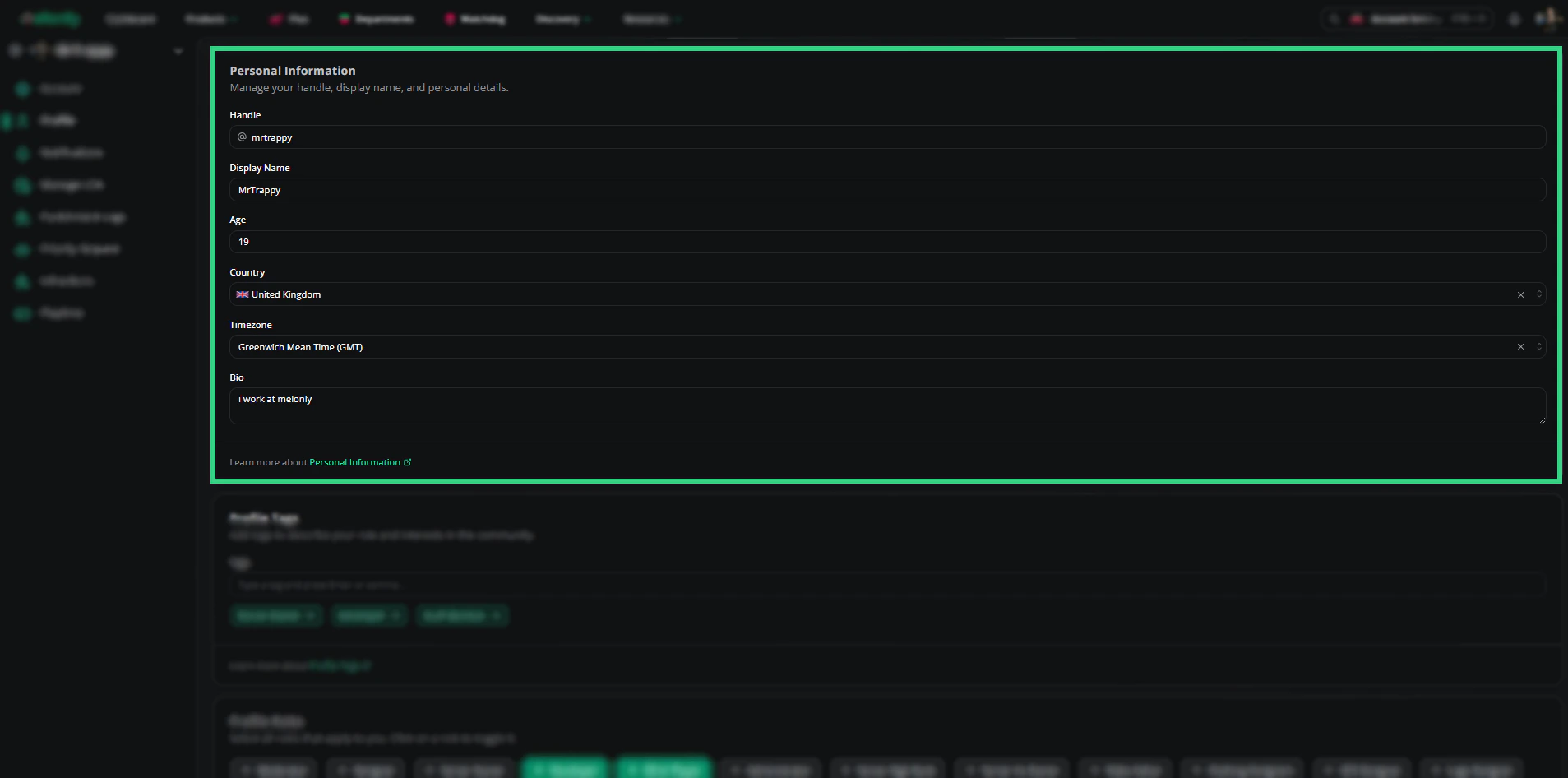 | Field | Description |
| - | - |
| Handle | Your unique @name and profile link. Up to 20 lowercase letters, numbers, underscores or dots. |
| Display Name | The name shown on your profile. Up to 30 letters, numbers, underscores or dots. |
| Age | Optional, 13 to 120. Shown as self-reported. |
| Country | Optional, shown with its flag. |
| Timezone | Optional. Visitors see your local time. |
| Bio | A short description of yourself, up to 2000 characters. |
***
## Tags
Tags describe what you do, like Server Owner or Developer. Type a tag and press Enter or comma to add it, or pick a suggestion. Click a tag to remove it.
| Field | Description |
| - | - |
| Handle | Your unique @name and profile link. Up to 20 lowercase letters, numbers, underscores or dots. |
| Display Name | The name shown on your profile. Up to 30 letters, numbers, underscores or dots. |
| Age | Optional, 13 to 120. Shown as self-reported. |
| Country | Optional, shown with its flag. |
| Timezone | Optional. Visitors see your local time. |
| Bio | A short description of yourself, up to 2000 characters. |
***
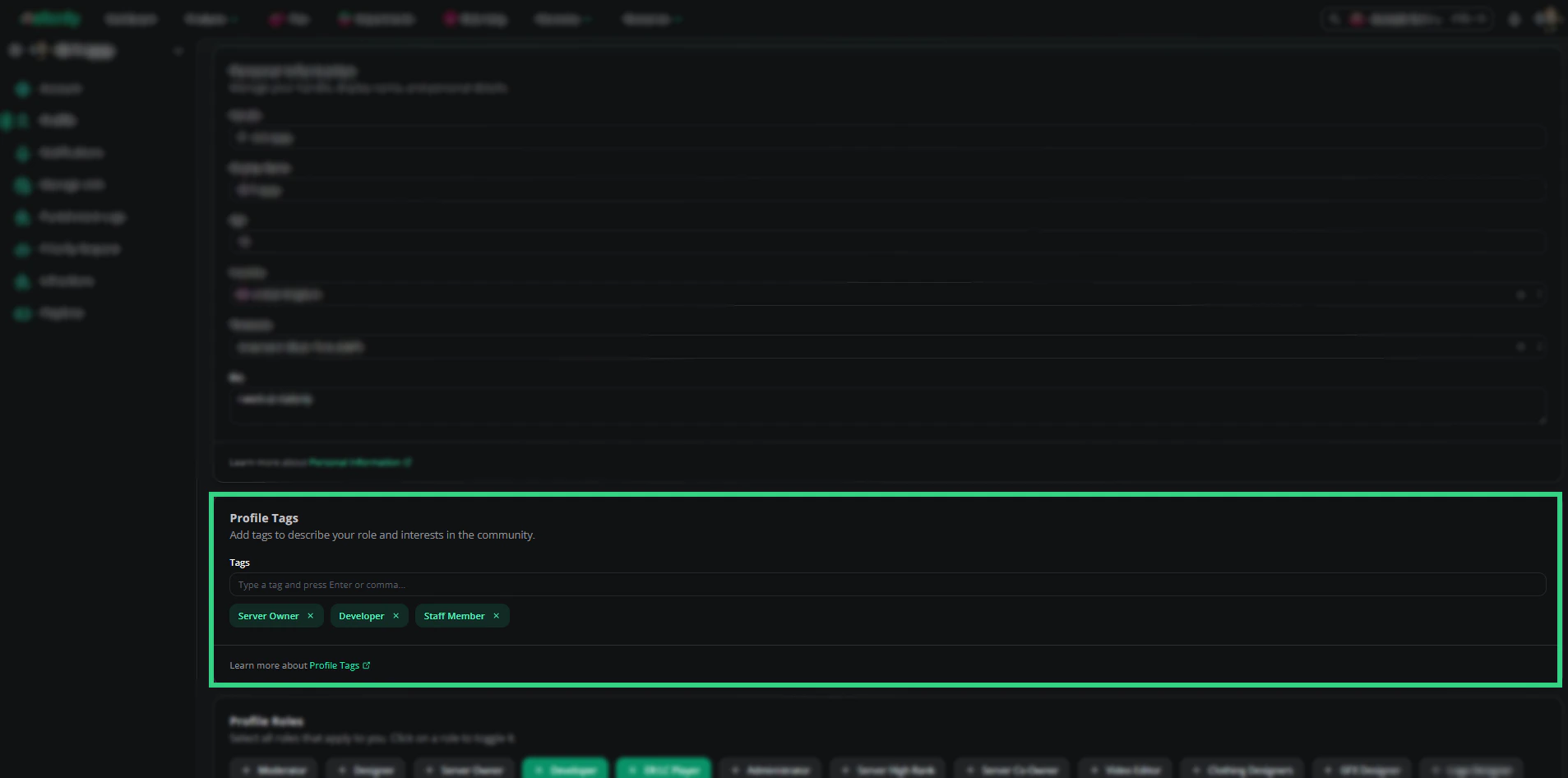
## Tags
Tags describe what you do, like Server Owner or Developer. Type a tag and press Enter or comma to add it, or pick a suggestion. Click a tag to remove it.
 ***
## Roles
Click a role to turn it on or off. Your roles show on your profile and can be used to filter the Profile Directory.
***
## Roles
Click a role to turn it on or off. Your roles show on your profile and can be used to filter the Profile Directory.
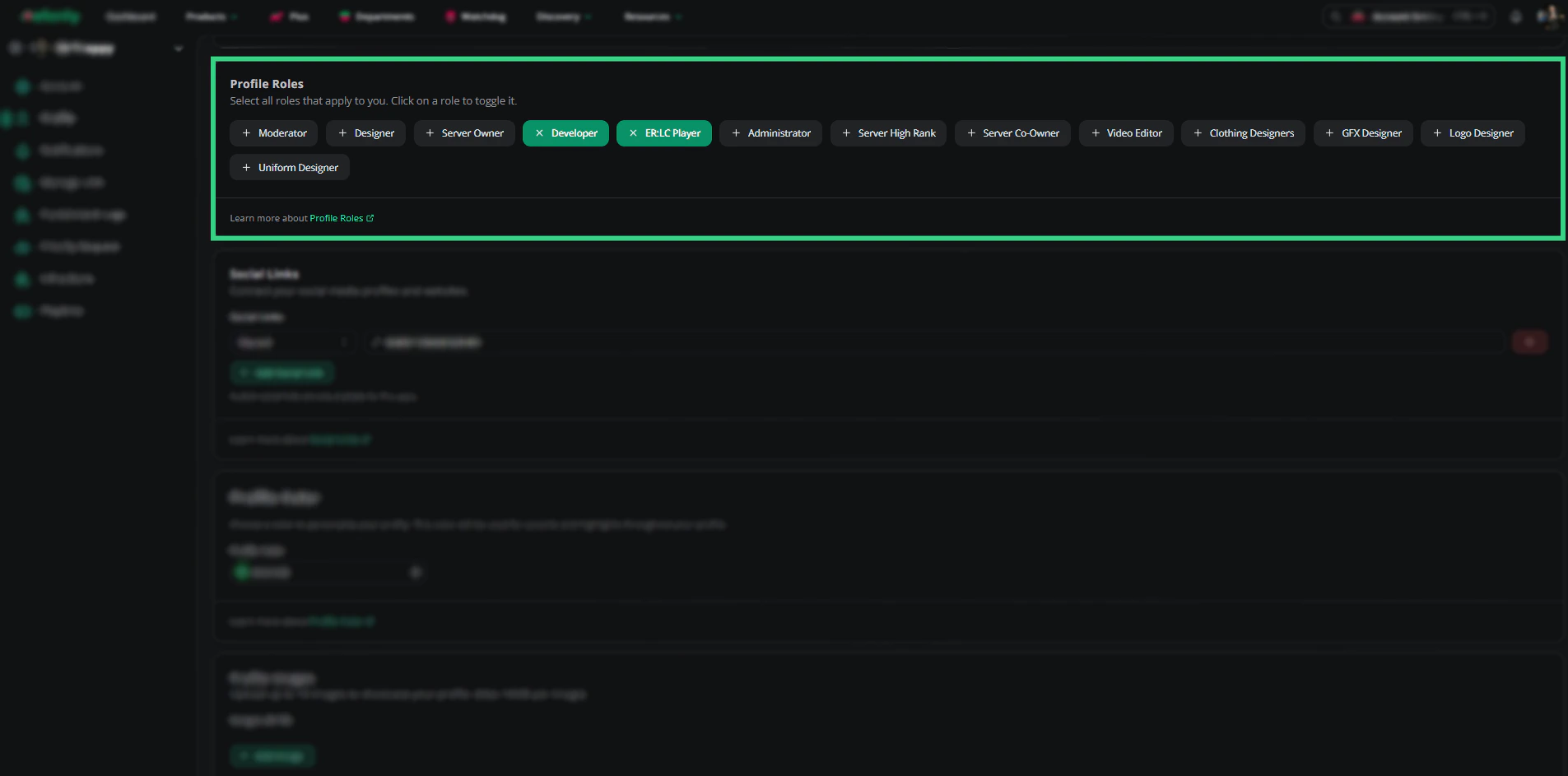 Moderator, Designer, Server Owner, Developer, ER:LC Player, Administrator, Server High Rank, Server Co-Owner, Video Editor, Clothing Designers, GFX Designer, Logo Designer and Uniform Designer.
***
## Social Links
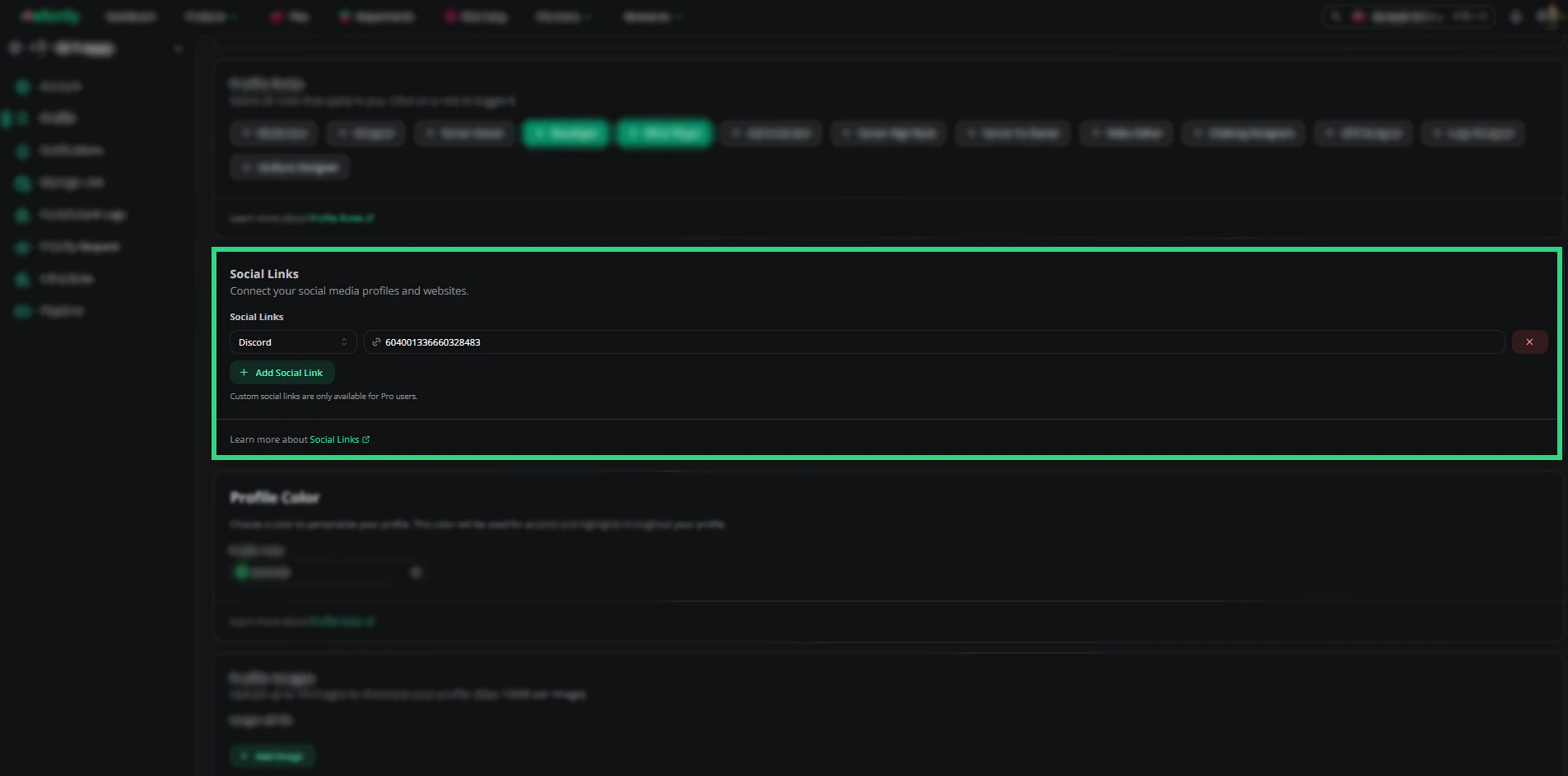
Click **Add social link**, pick a platform and enter your details. You can add up to 2 links per platform.
Moderator, Designer, Server Owner, Developer, ER:LC Player, Administrator, Server High Rank, Server Co-Owner, Video Editor, Clothing Designers, GFX Designer, Logo Designer and Uniform Designer.
***
## Social Links
Click **Add social link**, pick a platform and enter your details. You can add up to 2 links per platform.
 | Platform | What to enter |
| - | - |
| YouTube, TikTok, X (Twitter) | Your username or handle. |
| Discord | Your Discord ID. |
| Roblox Group | The group ID. |
| Website | A URL. |
| Custom | A URL and your own label. Pro only. |
***
## Profile Color
Pick an accent color for your profile, from the swatches or any hex color. It tints your public profile's borders, badges and glow. Click **Reset to default** to go back to green.
| Platform | What to enter |
| - | - |
| YouTube, TikTok, X (Twitter) | Your username or handle. |
| Discord | Your Discord ID. |
| Roblox Group | The group ID. |
| Website | A URL. |
| Custom | A URL and your own label. Pro only. |
***
## Profile Color
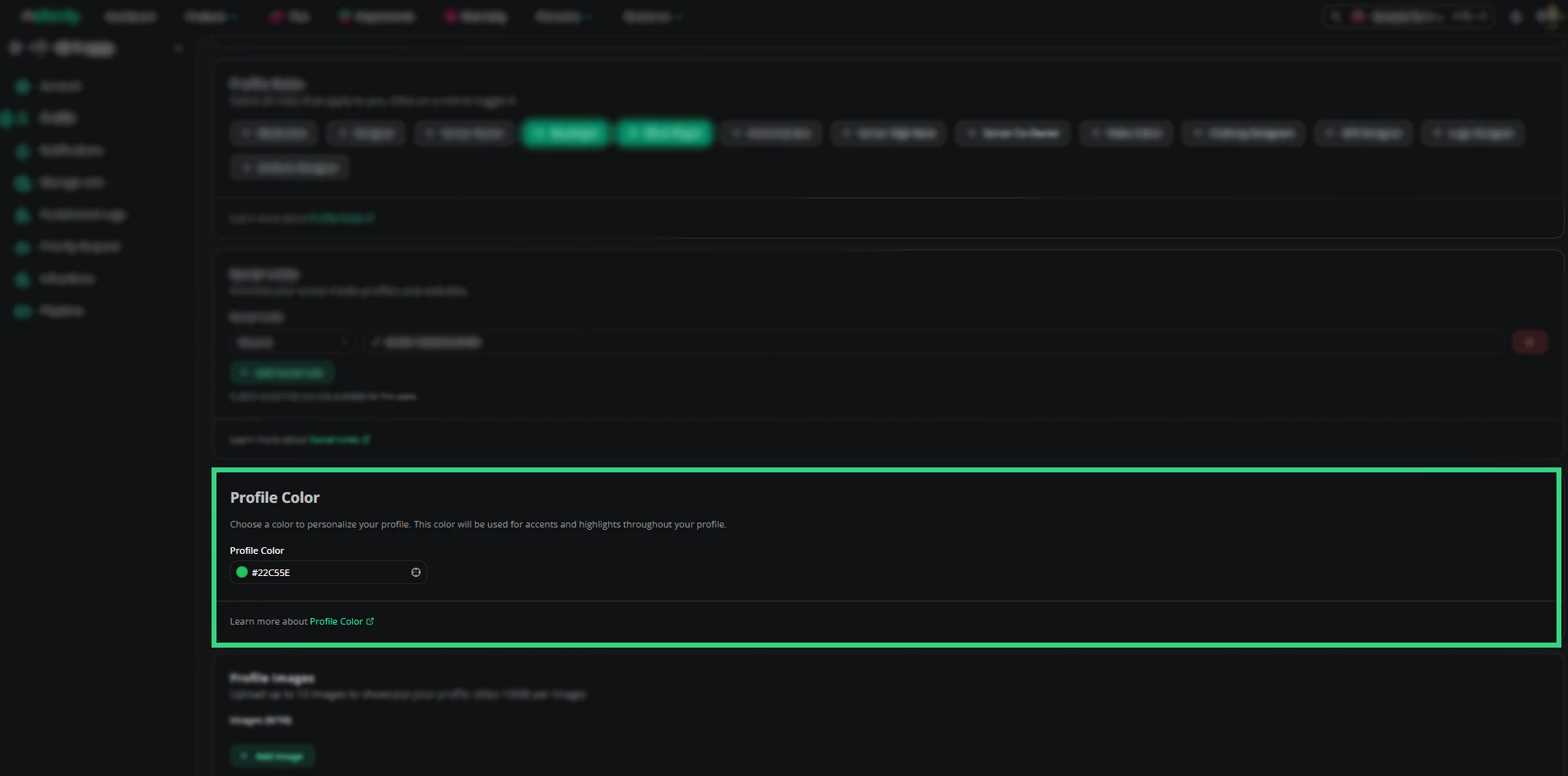
Pick an accent color for your profile, from the swatches or any hex color. It tints your public profile's borders, badges and glow. Click **Reset to default** to go back to green.
 ***
## Profile Images
Upload up to 10 images (PNG, JPEG, GIF or WebP, up to 10MB each) to show in your profile's gallery. Click **Add Image** to upload, or the X on an image to remove it.
***
## Profile Images
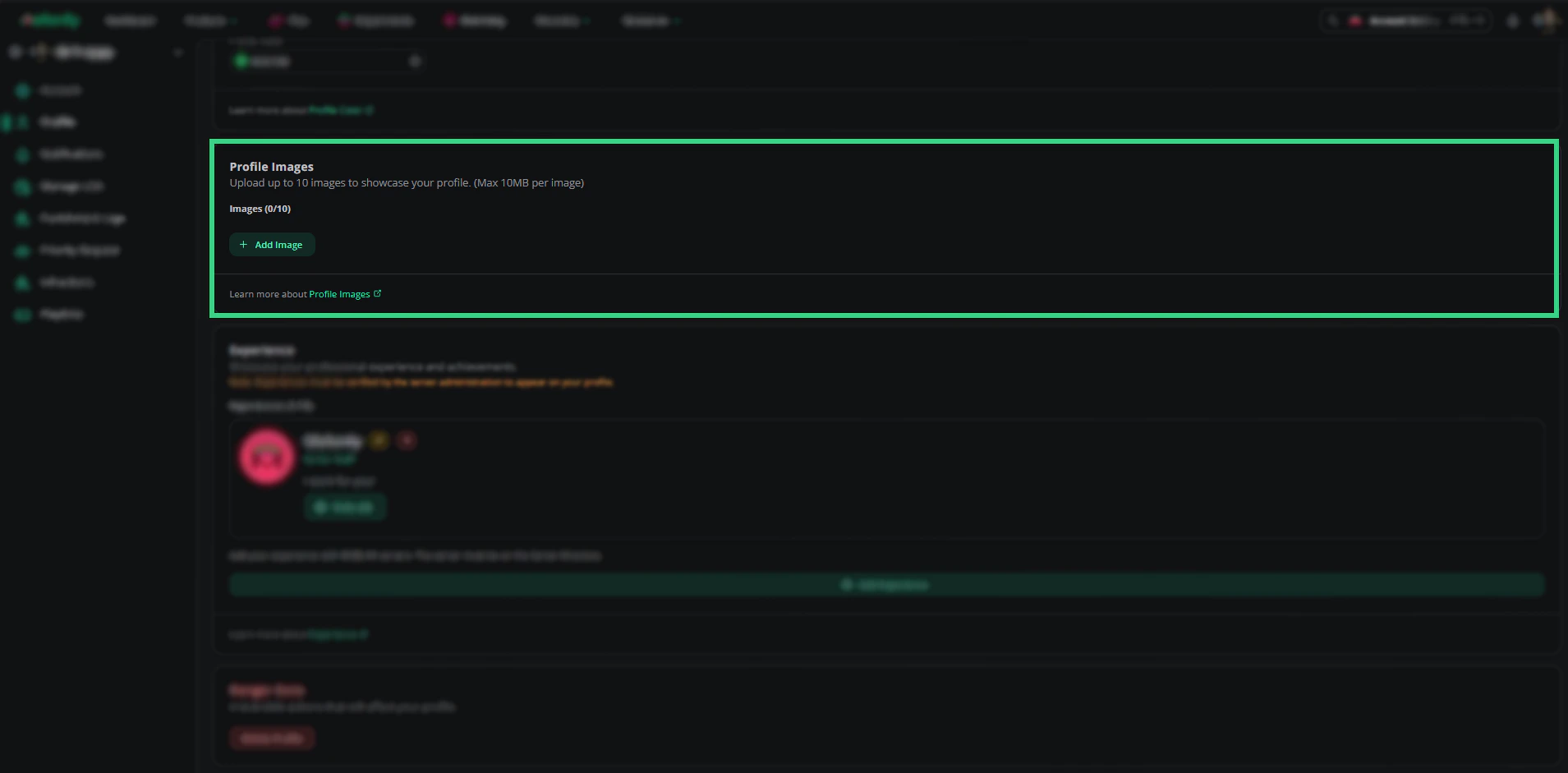
Upload up to 10 images (PNG, JPEG, GIF or WebP, up to 10MB each) to show in your profile's gallery. Click **Add Image** to upload, or the X on an image to remove it.
 ***
## Experience
List up to 15 servers you've been staff in, with your rank and duties. Server admins verify each one before it shows on your profile. See [Experience](/Guides/profile/experience).
### Add an Experience Entry
Click **Add experience**, find the server, then enter your rank and duties. See [Adding Experience](/Guides/profile/experience#adding-experience).
***
## Danger Zone
Click **Delete profile** to permanently delete your profile and everything on it. This can't be undone. You can create a new profile afterwards.
***
Still have questions? Join our Discord server for support from the Melonly Team.
This documentation is built and hosted on [Mintlify](https://mintlify.com), a developer documentation platform.
***
## Experience
List up to 15 servers you've been staff in, with your rank and duties. Server admins verify each one before it shows on your profile. See [Experience](/Guides/profile/experience).
### Add an Experience Entry
Click **Add experience**, find the server, then enter your rank and duties. See [Adding Experience](/Guides/profile/experience#adding-experience).
***
## Danger Zone
Click **Delete profile** to permanently delete your profile and everything on it. This can't be undone. You can create a new profile afterwards.
***
Still have questions? Join our Discord server for support from the Melonly Team.
This documentation is built and hosted on [Mintlify](https://mintlify.com), a developer documentation platform.