> ## Documentation Index
> Fetch the complete documentation index at: https://docs.melonly.com/llms.txt
> Use this file to discover all available pages before exploring further.
# ER:LC Tools
> Watch your private server live, manage players and run commands from the Mod Panel.
***
## What are the ER:LC Tools?
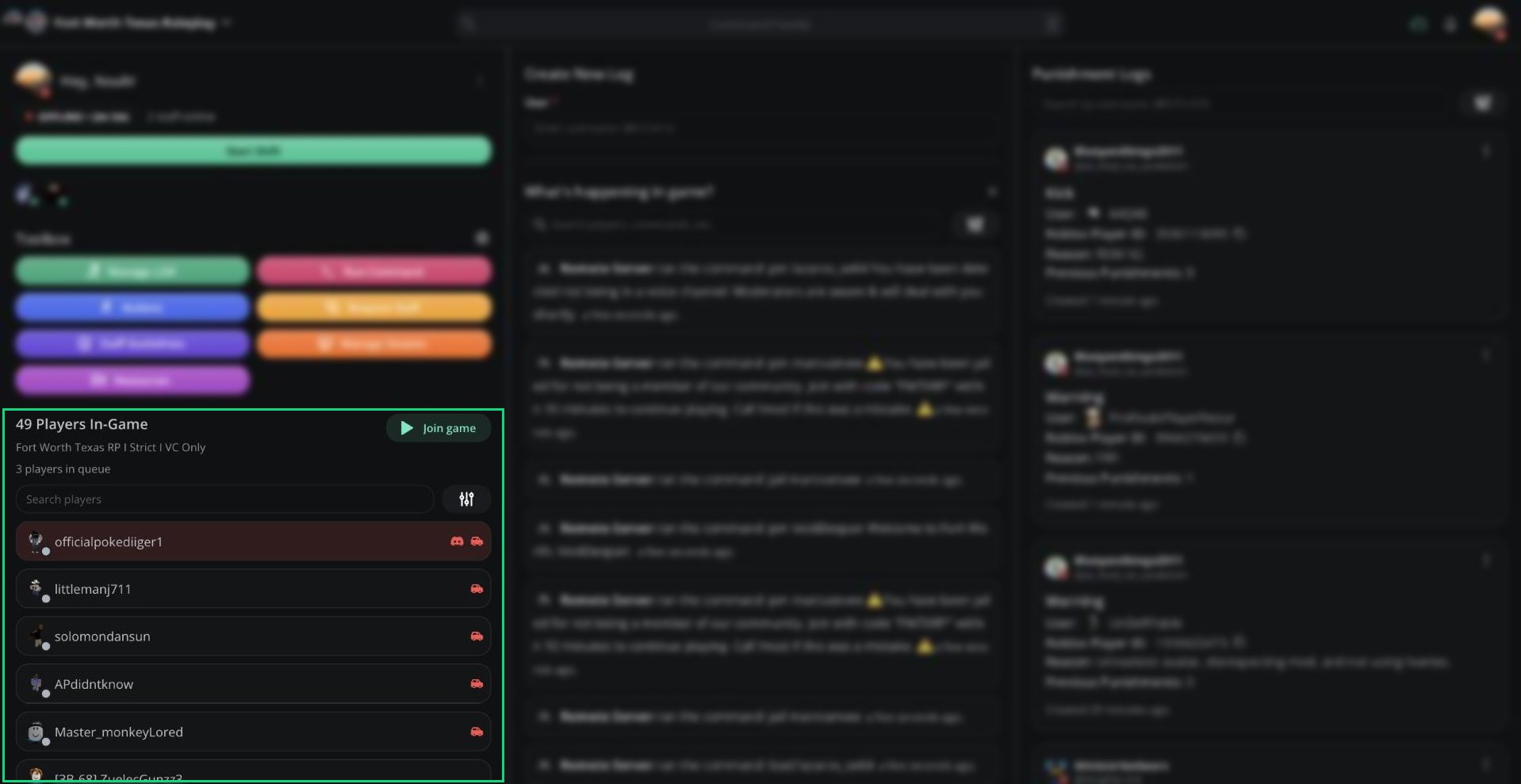
When your server is connected to ER:LC, the Mod Panel becomes a live view of your private server. You can see who's in-game and follow every kill, join, command and mod call. You can also run commands without opening Roblox.
These tools require the [ER:LC integration](/Dashboard/erlcintegration/home). Without it, the Players list, game feed and Run Command are hidden.
 ***
## 🧭 Quick Navigation
The player list, queue, alerts and kick or ban.
The live game feed, rejoin timers and Watchdog verdicts.
Remote commands and who can run them.
***
## What's Included
| Tool | Where | What it does |
| - | - | - |
| Players In-Game | Left column | Every player in your server, with alerts for rule breaks |
| What's happening in game? | Middle column | A live feed of kills, joins, commands and mod calls |
| Run Command | Toolbox | Send ER:LC commands to your server |
| Player info | Click any player | Their profile, location, vehicle and quick actions |
***
## Permissions
Your in-game powers on the panel come from three role permissions, set in [Roles](/Dashboard/roles).
| Permission | Allows |
| - | - |
| ER:LC mod | Mod-level commands, such as kick, teleport and message |
| ER:LC admin | Everything above, plus admin commands such as ban and weather |
| ER:LC Co-Owner | Everything, including giving and removing in-game admin |
Server owners and Administrators can use everything.
***
Still have questions? Join our Discord server for support from the Melonly Team.
This documentation is built and hosted on [Mintlify](https://mintlify.com), a developer documentation platform.
***
## 🧭 Quick Navigation
The player list, queue, alerts and kick or ban.
The live game feed, rejoin timers and Watchdog verdicts.
Remote commands and who can run them.
***
## What's Included
| Tool | Where | What it does |
| - | - | - |
| Players In-Game | Left column | Every player in your server, with alerts for rule breaks |
| What's happening in game? | Middle column | A live feed of kills, joins, commands and mod calls |
| Run Command | Toolbox | Send ER:LC commands to your server |
| Player info | Click any player | Their profile, location, vehicle and quick actions |
***
## Permissions
Your in-game powers on the panel come from three role permissions, set in [Roles](/Dashboard/roles).
| Permission | Allows |
| - | - |
| ER:LC mod | Mod-level commands, such as kick, teleport and message |
| ER:LC admin | Everything above, plus admin commands such as ban and weather |
| ER:LC Co-Owner | Everything, including giving and removing in-game admin |
Server owners and Administrators can use everything.
***
Still have questions? Join our Discord server for support from the Melonly Team.
This documentation is built and hosted on [Mintlify](https://mintlify.com), a developer documentation platform.