> ## Documentation Index
> Fetch the complete documentation index at: https://docs.melonly.com/llms.txt
> Use this file to discover all available pages before exploring further.
# Team Kicks
> Remove a player from Police, Sheriff, Fire or DOT in your ER:LC server for a set time, from the Mod Panel, in game or automatically.
***
## What is a Team Kick?
A team kick removes a player from the emergency team they're on (Police, Sheriff, Fire or DOT) for a set time. Melonly moves them to Civilian and keeps them off that team until the team kick runs out.
Civilian and Jail players can't be team kicked.
Team kicks require the ER:LC mod permission, the same as kicking a player. ER:LC admins, co-owners and administrators can use them too.
***
## Team Kicking from the Mod Panel
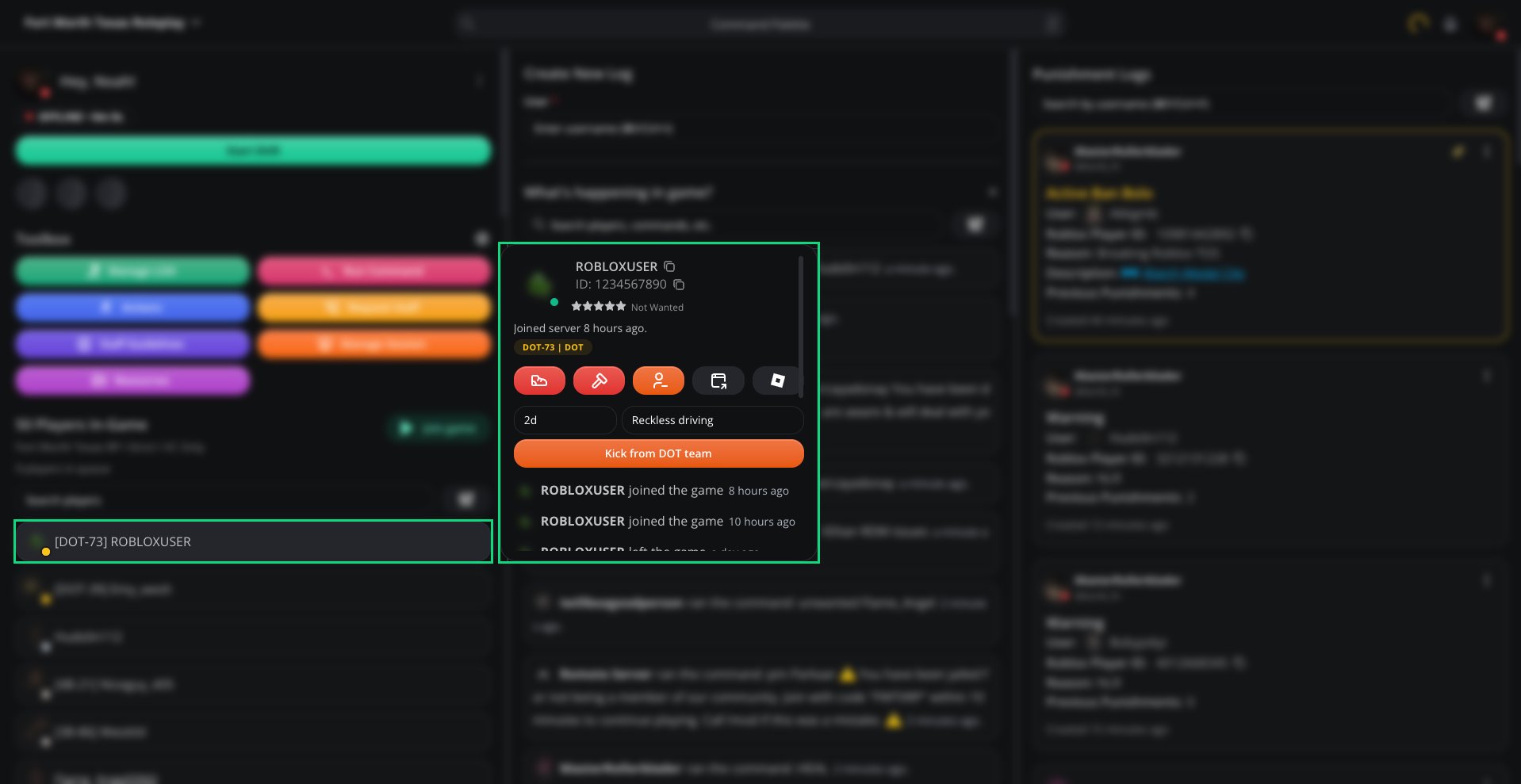
Click a player in [Players In-Game](/Modpanel/erlc/players) to open their info card. Players on Police, Sheriff, Fire or DOT have an orange **Team kick** button next to **Kick** and **Ban**.
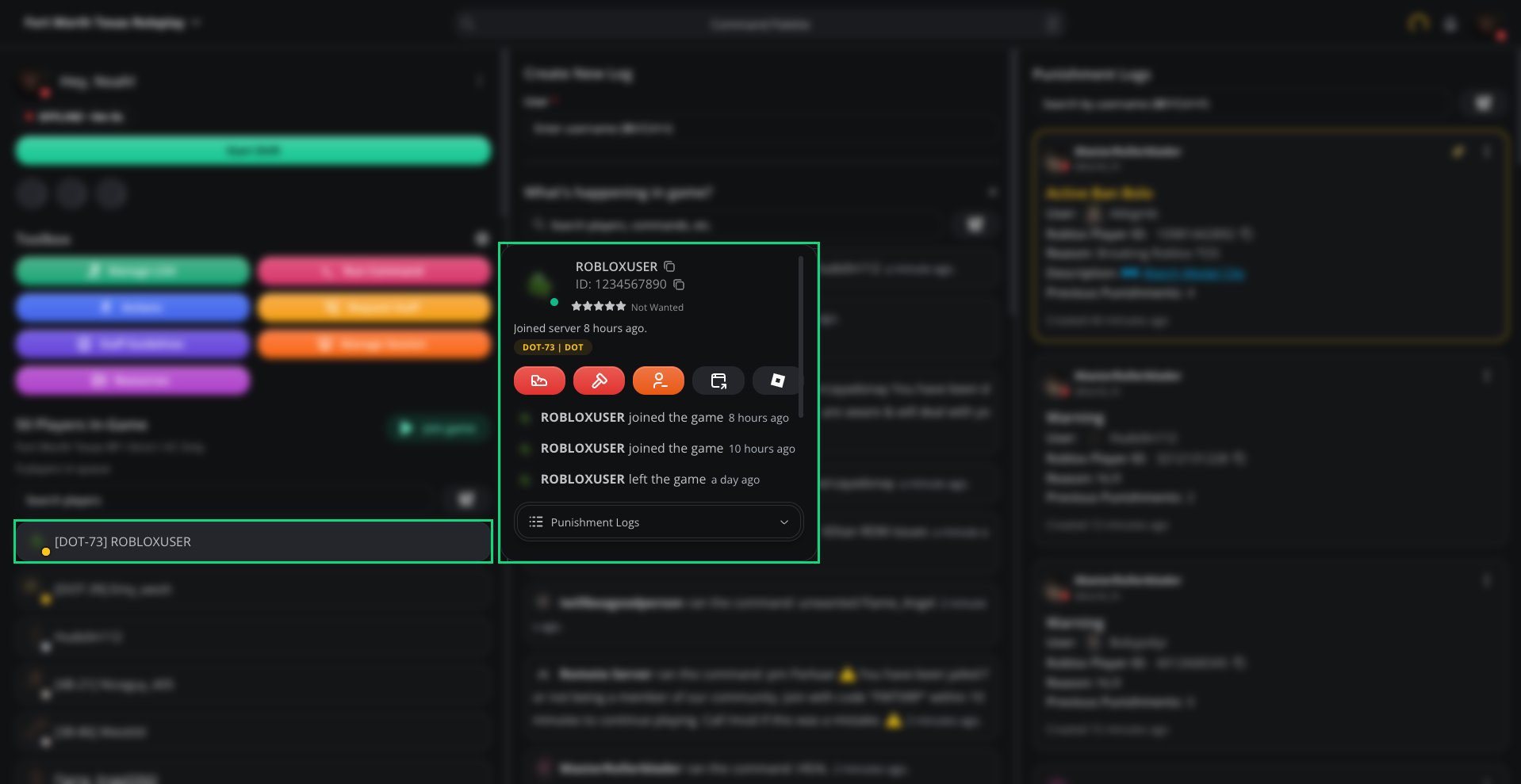 Click the orange **Team kick** button on the player's info card.
Type how long the team kick lasts, such as `2d`.
Type a reason. This is required.
Click **Kick from \[Team] team**.
Click the orange **Team kick** button on the player's info card.
Type how long the team kick lasts, such as `2d`.
Type a reason. This is required.
Click **Kick from \[Team] team**.
 ***
## Team Kicking in Game
Run `:log teamkick` in your ER:LC server:
```
:log teamkick [username] [duration] [reason]
```
For example, `:log teamkick john 2d Reckless driving`.
| Part | Description |
| - | - |
| Username | The player's username or Roblox ID. You can type part of a username if it matches only one player in the server. |
| Duration | How long the team kick lasts, using `m`, `h`, `d` or `w`, such as `10m`, `1h`, `2d` or `1w`. Up to a year. |
| Reason | Why the player is being team kicked. Required. |
`:log teamkick` needs a [linked Roblox account](https://melonly.xyz/my/account) and your [ER:LC webhooks](/Dashboard/erlcintegration/webhook/webhookconfig) set up, like the other `:log` commands.
When it works, Melonly reacts to the command message in Discord with ✅ and sends you an in-game PM confirming it. If something's wrong, you get a Discord reply and an in-game PM explaining why, for example:
* The command format is wrong
* No single player matches the username
* The player isn't on Police, Sheriff, Fire or DOT
* You don't have permission, or your account isn't linked
***
## Automatic Team Kicks
Melonly can also team kick players on its own:
* [Team Jurisdictions](/Dashboard/erlcintegration/api/teamjurisdictions): set **Jurisdiction Enforcement Action** to **Team Kick User** to team kick players who stay outside their area.
* [Auto Arrest Protection](/Dashboard/erlcintegration/api/autoarrestprotection): set **Action** to **Team Kick Officer** to team kick officers who auto arrest.
Both have a **Team Kick Duration** setting that takes the same `m`, `h`, `d` or `w` format and defaults to 1 hour.
***
## What Happens to the Player?
1. Melonly makes the player wanted with `:wanted`, which moves them to Civilian.
2. The player gets an in-game PM with the team, duration and reason.
3. If they rejoin that team while the team kick is active, Melonly makes them wanted again within a few seconds and PMs them how much time is left.
The player can still join any other team. The team kick ends on its own when the duration runs out.
***
## Audit Logs
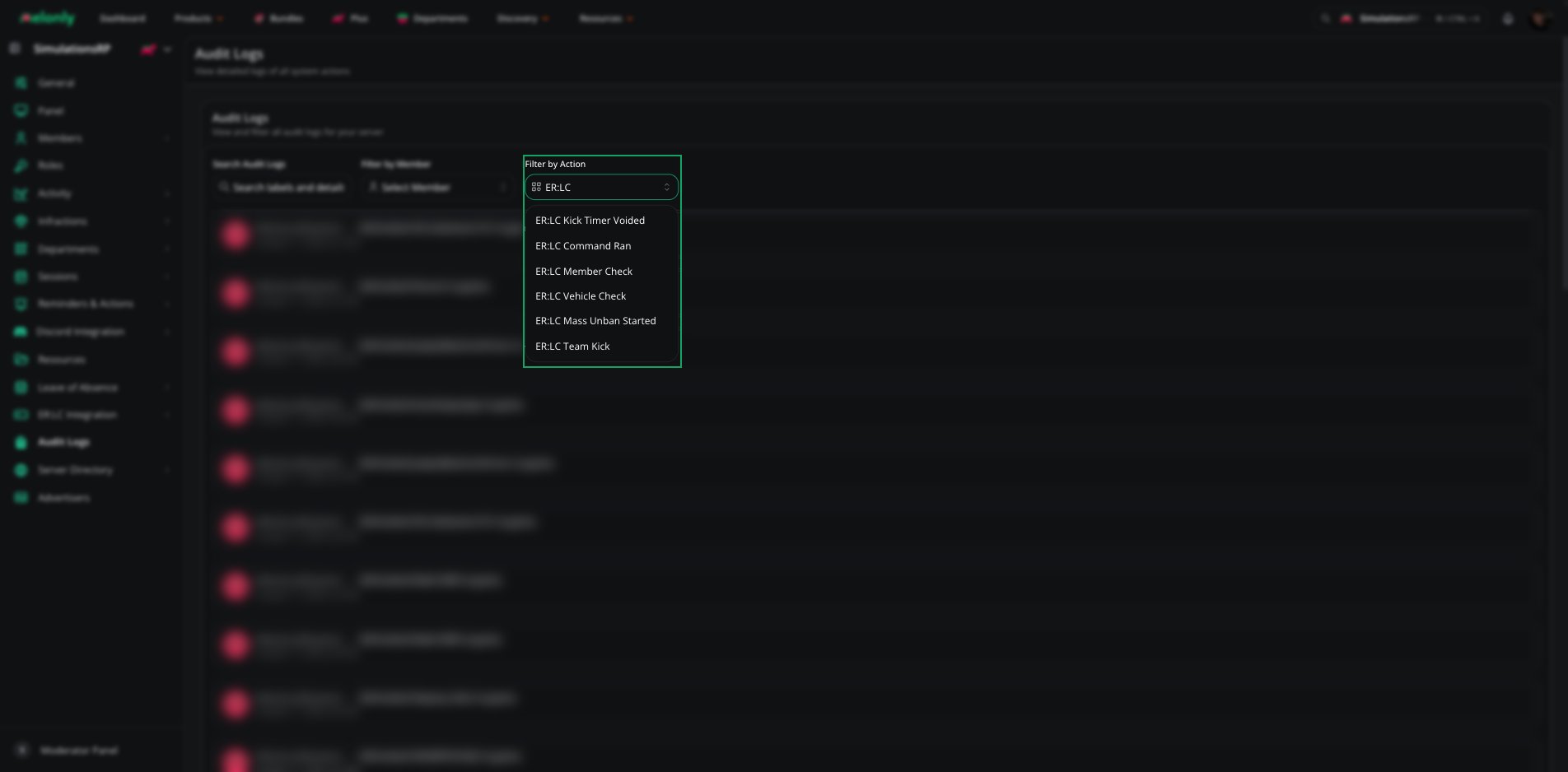
Every team kick from the Mod Panel or `:log teamkick` creates an **ER:LC Team Kick** entry in [Audit Logs](/Dashboard/auditlogs) with who issued it, the player, their Roblox ID, the duration and the reason. Choose **ER:LC Team Kick** under **Filter by Action** to see only team kicks.
***
## Team Kicking in Game
Run `:log teamkick` in your ER:LC server:
```
:log teamkick [username] [duration] [reason]
```
For example, `:log teamkick john 2d Reckless driving`.
| Part | Description |
| - | - |
| Username | The player's username or Roblox ID. You can type part of a username if it matches only one player in the server. |
| Duration | How long the team kick lasts, using `m`, `h`, `d` or `w`, such as `10m`, `1h`, `2d` or `1w`. Up to a year. |
| Reason | Why the player is being team kicked. Required. |
`:log teamkick` needs a [linked Roblox account](https://melonly.xyz/my/account) and your [ER:LC webhooks](/Dashboard/erlcintegration/webhook/webhookconfig) set up, like the other `:log` commands.
When it works, Melonly reacts to the command message in Discord with ✅ and sends you an in-game PM confirming it. If something's wrong, you get a Discord reply and an in-game PM explaining why, for example:
* The command format is wrong
* No single player matches the username
* The player isn't on Police, Sheriff, Fire or DOT
* You don't have permission, or your account isn't linked
***
## Automatic Team Kicks
Melonly can also team kick players on its own:
* [Team Jurisdictions](/Dashboard/erlcintegration/api/teamjurisdictions): set **Jurisdiction Enforcement Action** to **Team Kick User** to team kick players who stay outside their area.
* [Auto Arrest Protection](/Dashboard/erlcintegration/api/autoarrestprotection): set **Action** to **Team Kick Officer** to team kick officers who auto arrest.
Both have a **Team Kick Duration** setting that takes the same `m`, `h`, `d` or `w` format and defaults to 1 hour.
***
## What Happens to the Player?
1. Melonly makes the player wanted with `:wanted`, which moves them to Civilian.
2. The player gets an in-game PM with the team, duration and reason.
3. If they rejoin that team while the team kick is active, Melonly makes them wanted again within a few seconds and PMs them how much time is left.
The player can still join any other team. The team kick ends on its own when the duration runs out.
***
## Audit Logs
Every team kick from the Mod Panel or `:log teamkick` creates an **ER:LC Team Kick** entry in [Audit Logs](/Dashboard/auditlogs) with who issued it, the player, their Roblox ID, the duration and the reason. Choose **ER:LC Team Kick** under **Filter by Action** to see only team kicks.
 ***
## Example Use Cases
* Take a reckless driver off DOT for the rest of the day
* Remove an officer from Police for a week after repeated FRP
* Team kick from in game without opening the Mod Panel
* Team kick officers who auto arrest or leave their jurisdiction
***
Still have questions? Join our Discord server for support from the Melonly Team.
This documentation is built and hosted on [Mintlify](https://mintlify.com), a developer documentation platform.
***
## Example Use Cases
* Take a reckless driver off DOT for the rest of the day
* Remove an officer from Police for a week after repeated FRP
* Team kick from in game without opening the Mod Panel
* Team kick officers who auto arrest or leave their jurisdiction
***
Still have questions? Join our Discord server for support from the Melonly Team.
This documentation is built and hosted on [Mintlify](https://mintlify.com), a developer documentation platform.