
What is the Law Panel?
The Law panel is the court side of the CAD. Judges and court staff use it to decide cases, set bond, approve warrants, manage licences, adjust jail sentences and handle unpaid fines. Everything is laid out as cards on one page. You can close any card and add it back later. The top bar lets you run checks, search records and create warrants, law records or law reports.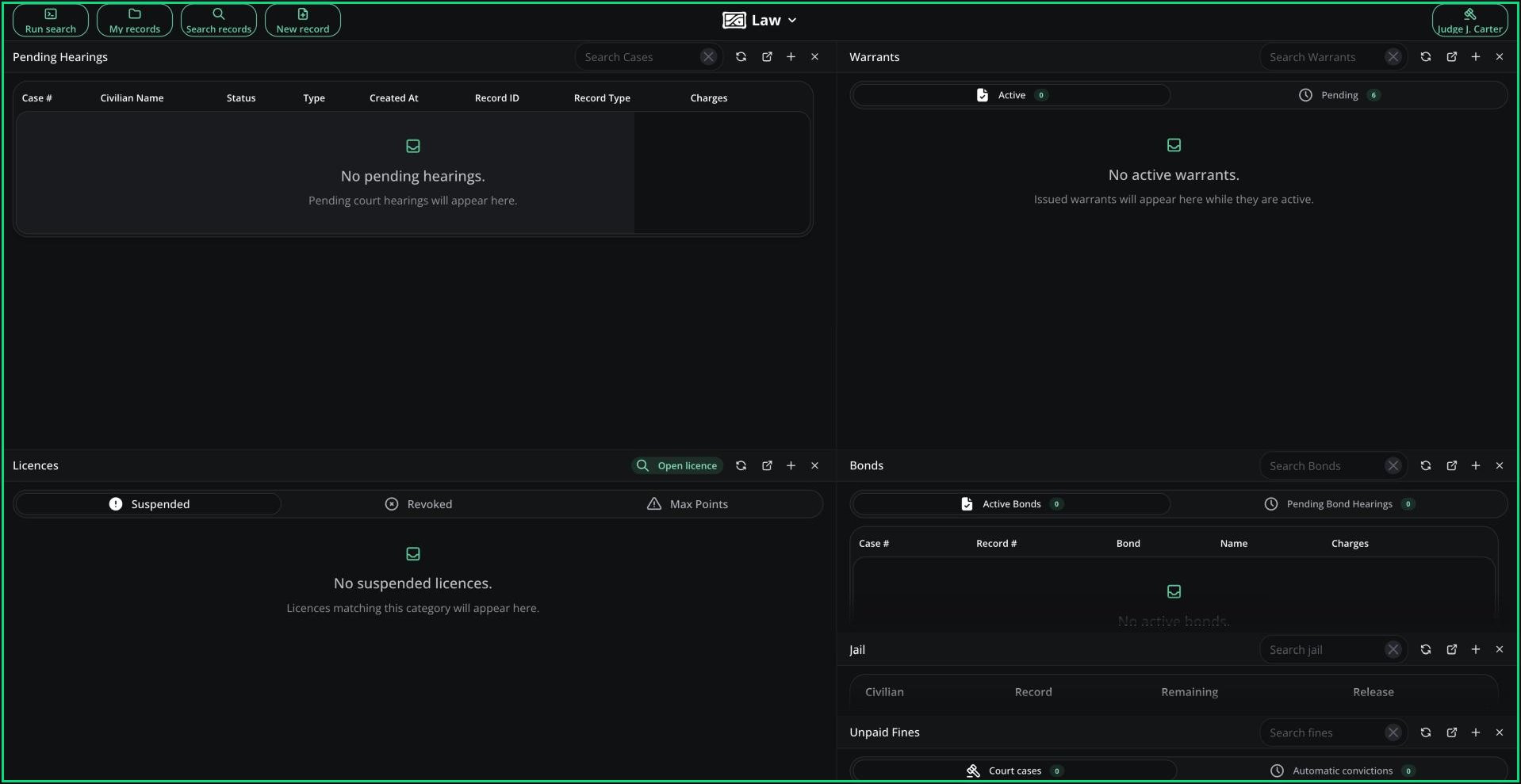
Law panel
🧭 Quick Navigation
Court Cases
Review hearings, convict or acquit and set bond.
Warrants
Approve, deny, update and cancel warrants.
Licences
Suspend, reinstate or revoke licences and manage points.
Bonds, Jail & Fines
Revoke bonds, change sentences and manage unpaid fines.
Access
You need the law panel permission and to be in at least one CAD department. You don’t need to be on shift.
Judicial Name
Your Judicial Name is your roleplay name as a judge. You need one before you can use most of the panel. Click the red button on the right of the top bar, enter a name (6 to 256 characters) and click Set name. Empty supervisor fields, like signatures, are filled in with it automatically. Your Judicial Name is saved in this browser only, so set it again on a new device.Court Cases
Hearings are opened when charges are filed, when a civilian contests a ticket or when a licence hits its maximum points. You decide them from the Pending Hearings card. See Court Cases for how to review, convict, acquit and set bond.Licences
The Licences card lists suspended, revoked and max-points licences, and opens the licence editor. See Licences.Suspend a Licence
Open the licence from the Licences card, tick Suspend Licence, set the length in RP days and a reason, then click Save. See Suspend a Licence for the full steps.Related Settings
CAD admins control how the court works in Law settings.Need help?
Still have questions? Join our Discord server for support from the Melonly Team.