
What is the DMV Panel?
The DMV panel is for staff who run your server’s Department of Motor Vehicles. You can issue licences, vehicle registrations and DMV records to any civilian, and manage their points, suspensions and status. Unlike the Civilian panel, you aren’t limited to your own characters, and you can use DMV-only templates. Civilians renew their own documents in the DMV Hub, not here.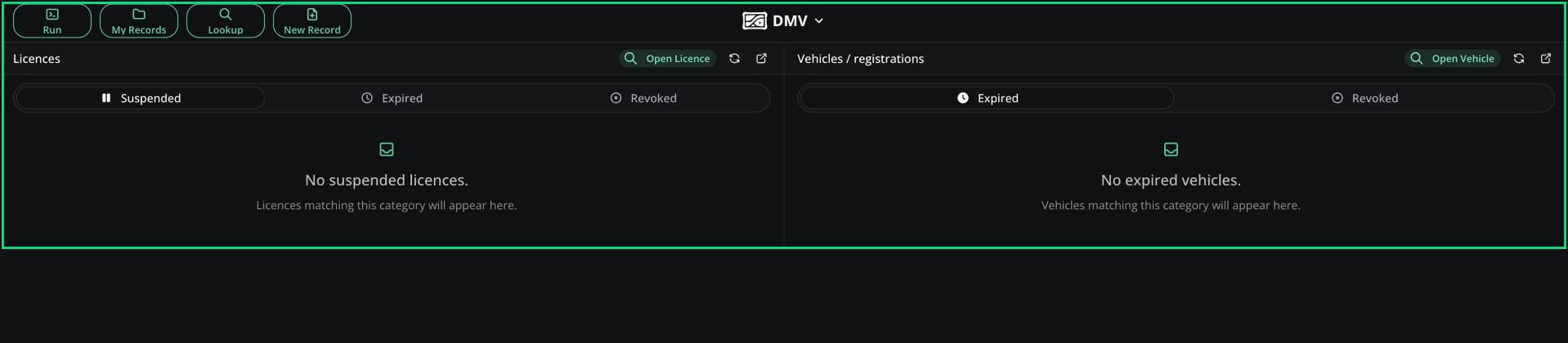
DMV panel
Access
You need the DMV panel permission, given on a rank in an Other type department. This one permission covers everything on the panel. See Permissions.
Issue a Document
1
Pick a Template
Click New Record and choose a licence, vehicle or DMV record template.
2
Fill in the Form
Enter the civilian’s details. Unlike the Civilian panel, every field is editable.
3
Save
Click Create Record.
DMV-Only Templates
Admins can set any licence, vehicle or DMV record template to DMV-only in Records & Reports. Civilians can’t create, edit or delete these documents themselves. Use this for documents that need a test or staff approval.Licences and Vehicles
The Licences card lists suspended, expired and revoked licences. The Vehicles card lists expired and revoked registrations. Each tab shows the 25 most recent. Click Open Licence or Open Vehicle to search for any document. For vehicles, you can only change the status to Active or Revoked. Only the DMV panel can revoke or restore a registration. Officers can still suspend licences with the Suspend Licence permission.Licence Editor
Opening a licence shows its form on the left and these controls on the right. The Law panel uses the same editor.
Click Save to apply your changes.
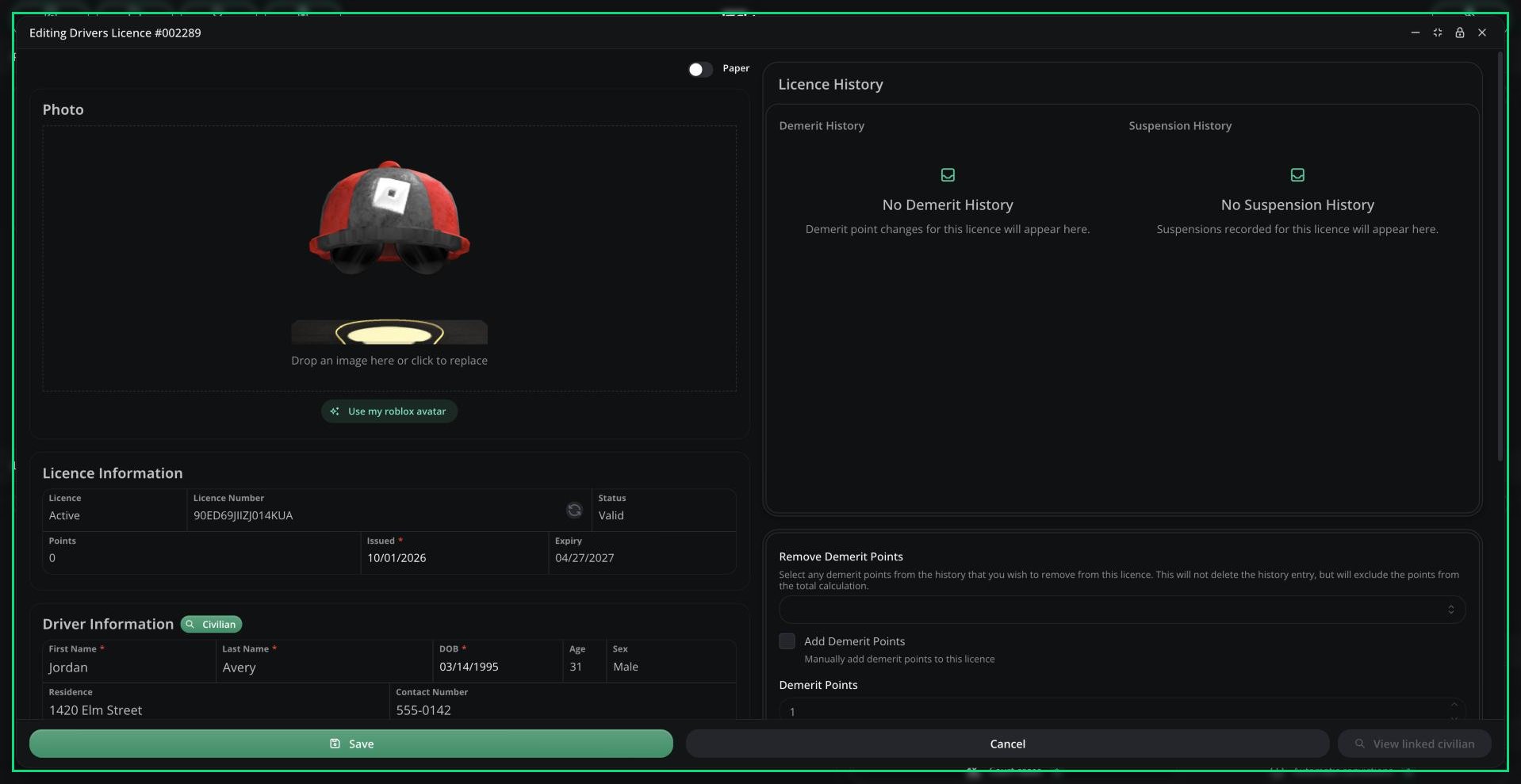
Licence editor
Template Options
Admins set these per template in Records & Reports.Need help?
Still have questions? Join our Discord server for support from the Melonly Team.