
What is the Fire Panel?
The Fire panel is where firefighters work their shifts. You go on duty as a unit, respond to fire, rescue and hazmat calls, ride together as apparatus and write Fire records. Most tools are shared with the other service panels and have their own pages: Units, Calls, Records, Lookups and Radio.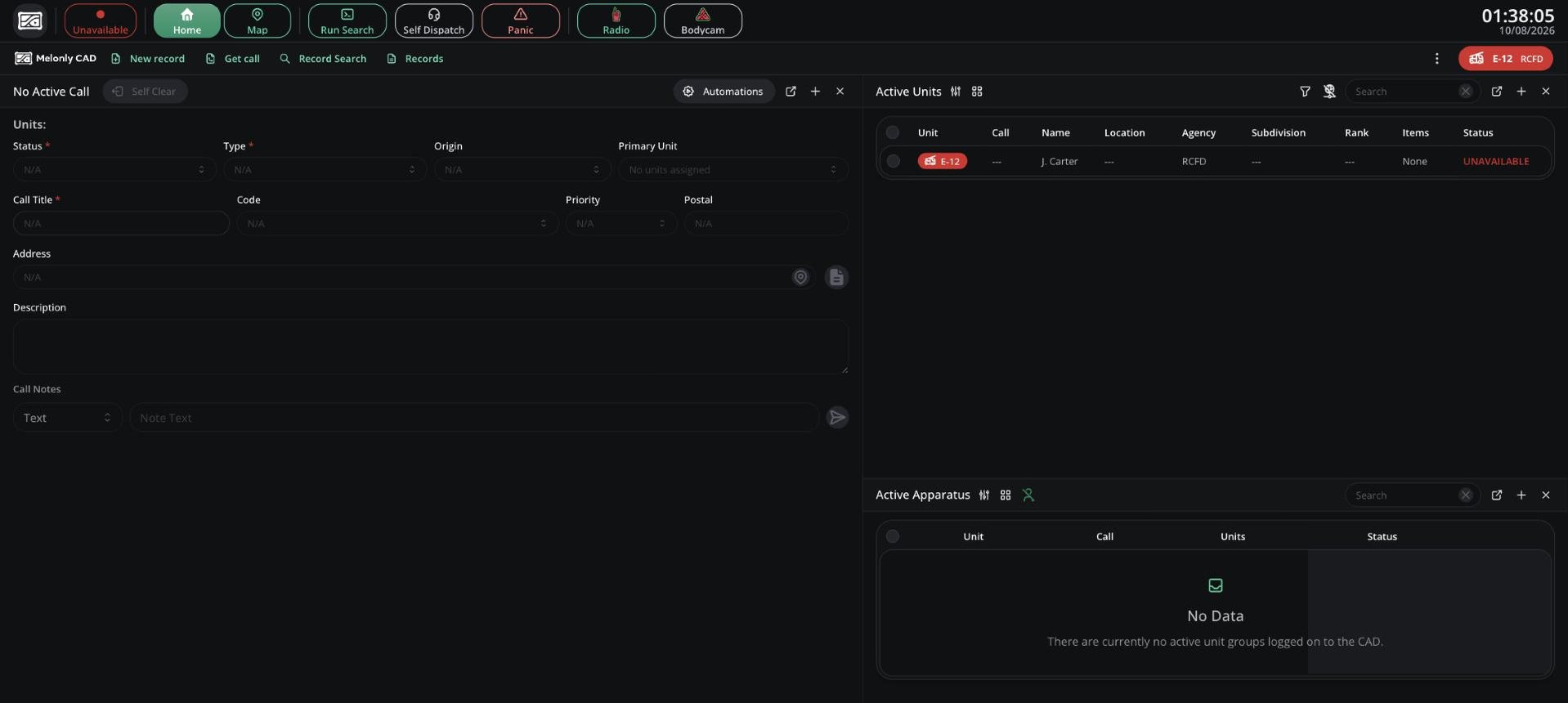
The Fire panel
Access
You need the fire panel permission, given on a rank in a Fire department. See Permissions.
If your server limits the panel to certain agencies, you need a unit in one of them. Your server may also require you to be clocked in or to start your bodycam first.
Your Unit and Apparatus
Pick or create a unit to get started. Only Fire agencies allowed on this panel show in the Agency list. See Units. On Fire, unit groups are called apparatus. They show in Active Apparatus under Active Units, and hold up to 4 units. Your unit’s items and subdivisions come from its agency, which your admins set up in Customization.Calls
You see calls inside your agency’s jurisdiction that are sent to Fire (or to all panels). In-game Fire and EMS calls go to both the Fire and EMS panels. When no dispatcher is online, you hear the incoming call tone for new calls in your area. When a dispatcher is online, they take incoming calls and assign you. When you self dispatch, the Call Title field suggests common Fire titles. You can also type your own.Records
Click New record to write a Fire Record or Fire Report. A new CAD has no Fire templates, so your admins need to build them first, for example a fire incident report. See Records & Reports. Closed Fire records can’t be edited. You can see active BOLOs in Active Lookouts, but creating or closing one needs Police or Dispatch permissions.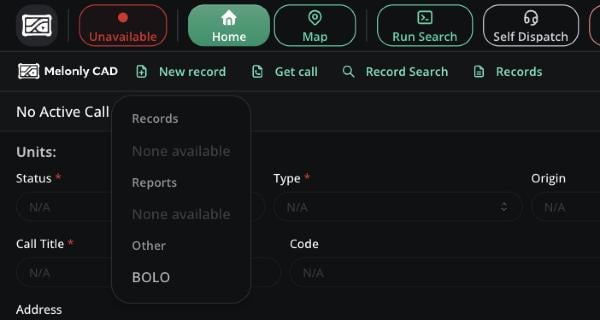
The New record menu
Lookups
Record Search covers every record type your agency can see. Runs return the same civilian, vehicle and licence data as Police, but linked records only list Fire Records, Fire Reports and BOLOs. Flagged results aren’t sent to dispatch. See Lookups.Supervisors
With fire panel supervisor you can:- Fill in supervisor-only fields on Fire records and review them in the Supervisor Centre.
- See who wrote a record with View Author.
- Self dispatch even when your server turns it off, and create calls for other Fire units.
- Set other units’ status and panic, manage apparatus and send them lookups and records.
- Use Dispatch Tools (tones, signals, timers, live map) for your own panel.
- Edit other Fire units’ identifiers and watch their bodycams.
Need help?
Still have questions? Join our Discord server for support from the Melonly Team.