
What is the Law Enforcement Panel?
The Law Enforcement (Police) panel is where officers work their shift. You run plates and names, start traffic stops and write citations and arrest reports. You also keep track of warrants and BOLOs. Most tools are shared with the other service panels and have their own pages: Units, Calls, Records, Lookups and Radio.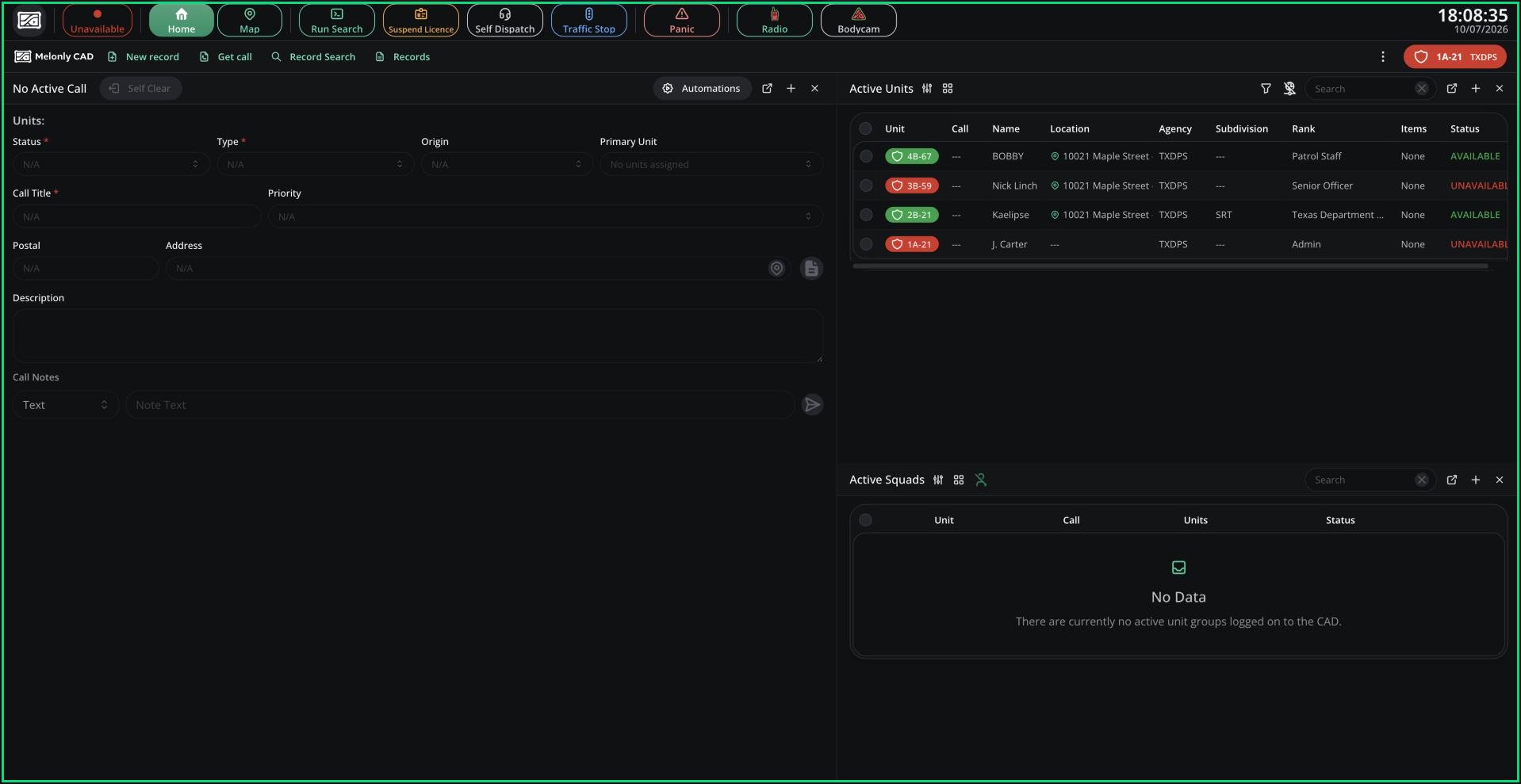
Police panel
🧭 Quick Navigation
Traffic Stops
Run a plate and create a traffic stop call in one step.
Suspending a Licence
Suspend a licence or end a suspension without writing a record.
Warrants & BOLOs
Create, track and close warrants and BOLOs.
Virtual Ankle Monitors
Get alerted when a civilian leaves an area you draw.
Access
You need the police panel permission, given on a rank in a Police department. If the panel is limited to certain agencies, your unit must be in one of them. See Permissions.
On Police, unit groups are called squads. A squad holds up to 4 units.
Flagged Lookups
When your run or search finds an alert, such as an active warrant, dispatchers are told automatically. Warnings like an expired licence stay with you. See Lookups. If a civilian calls 911 by voice while no dispatcher is online, you get the call instead. Click Join call to talk to them.Falcon ALPR
If your server has Falcon cameras, Police and Dispatch get an alert when a vehicle passes one. The alert shows the camera, driver and vehicle, with buttons to view the location, civilian or vehicle. The alert stays open until you close it, and plays the lookup tone with a spoken “Falcon camera detection”. Radio-only and overlay windows don’t show it.Licence Scan
With the Melonly desktop app, you can scan a civilian’s licence in Roblox instead of typing it. Set a Scan License keybind in Preferences. Then, with the licence showing in Roblox, press the keybind and the result opens in your most recent Run window. If scanning fails, check the app has screen recording permission, and that the player has linked their Roblox account and picked a civilian in this CAD.Need help?
Still have questions? Join our Discord server for support from the Melonly Team.