
What is Activity?
Activity tracks how much time your members spend on shift. Time is counted in activity waves: set periods, like a week or a month, that each have their own hour quota.Requires the Activity Manager permission. Department administrators always have access.
- Quotas, exclusions and filters use your department’s ranks. You can only pick or act on members ranked below you.
- Shift types are free, with no Melonly Plus needed.
- The only shift limit is Max On Shift.
- Members can also clock in from Melonly CAD and through ER:LC shift automation.
Department activity
🧭 Quick Navigation
Activity Waves
Wave length, hour quotas and inactivity flags.
Shifts
Clocking in, shift types, report forms and editing shifts.
Member Activity & Leaderboard
One member’s shift history, and everyone ranked by time.
Activity Waves
Waves are the periods your quota is counted in. Only one runs at a time.Wave Duration
Choose when waves end: after a number of days, weekly, every other week, monthly or on a set day and time. Details.Shifts
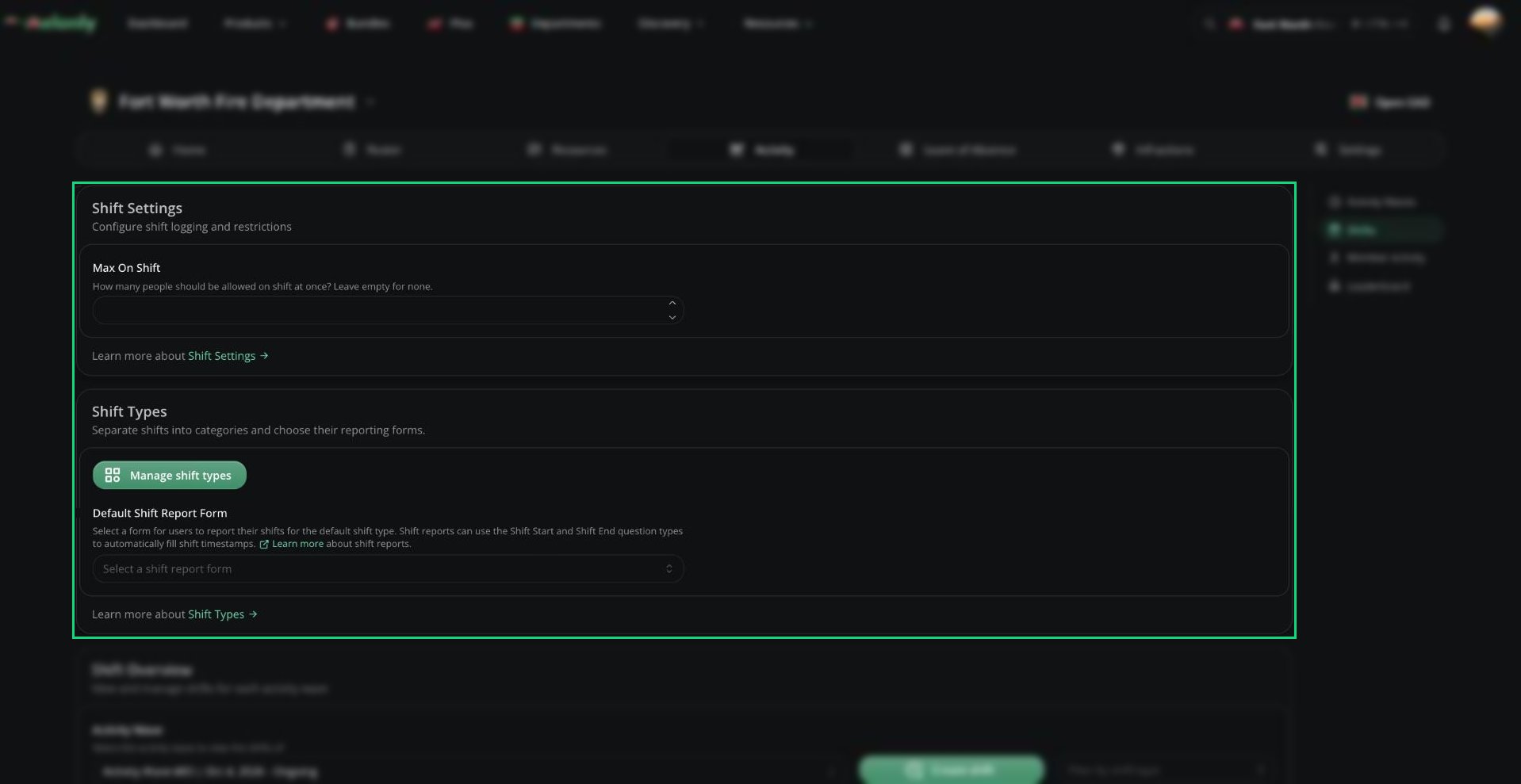
Members clock in from Home, Melonly CAD or automatically through ER:LC teams. Details.Shift Settings
Set Max On Shift to limit how many people can be on shift at once. Details.Shift Types
Split shifts into categories like Patrol or Training, each with its own required ranks, Discord role and report form. Details.Default Shift Report Form
The form members fill in after a shift with no shift type. Details.Shift Overview
See, create, edit and delete shifts in a wave. Details.Member Activity
See one member’s shifts, online time and break time for a wave. Details.Leaderboard
Compare everyone’s time in a wave and see who met their quota. Details.Need help?
Still have questions? Join our Discord server for support from the Melonly Team.