
The CAD Admin Panel
The CAD admin panel is where you set up Melonly CAD for everyone on your server, once the CAD is turned on. The Config tab covers everyday CAD behavior, call and record numbering, Falcon Cameras, Discord webhooks and the audit log.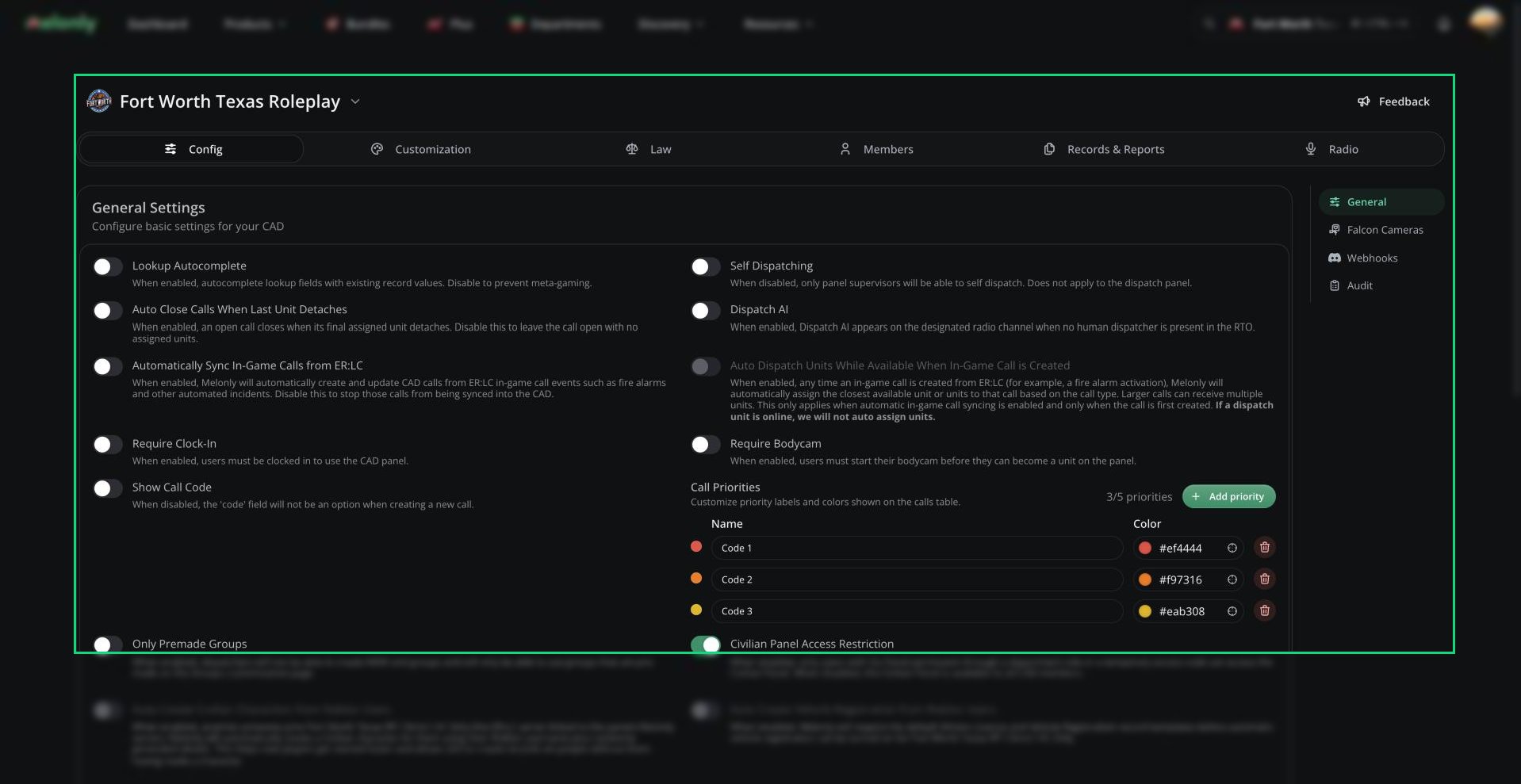
CAD admin panel
You need the CAD Admin permission. The server owner and server administrators always have it. Department Administrators only get it if their rank has it ticked, and join codes can’t grant it.
Ctrl + S). Other admin pages save each change straight away.
🧭 Quick Navigation
Config
Sequencer Formats
How call, case and record numbers look.
Falcon Cameras
Plate readers that alert on wanted vehicles.
Webhooks
Post CAD events to Discord.
Other Admin Tabs
Customization
Regional terms, 10-Codes, tones, agencies, groups, statuses and panels.
Law
Acts, charges, speeding, surcharges and the law system.
Members
Units, connected users, blocked users and join codes.
Records & Reports
Record templates, search indices, charge reports and purges.
Radio
Radio channels, groups and Radio FX.
Dispatch AI
Set up the AI dispatcher for your radio.
General Settings
Open Config → General to control how the CAD behaves day to day.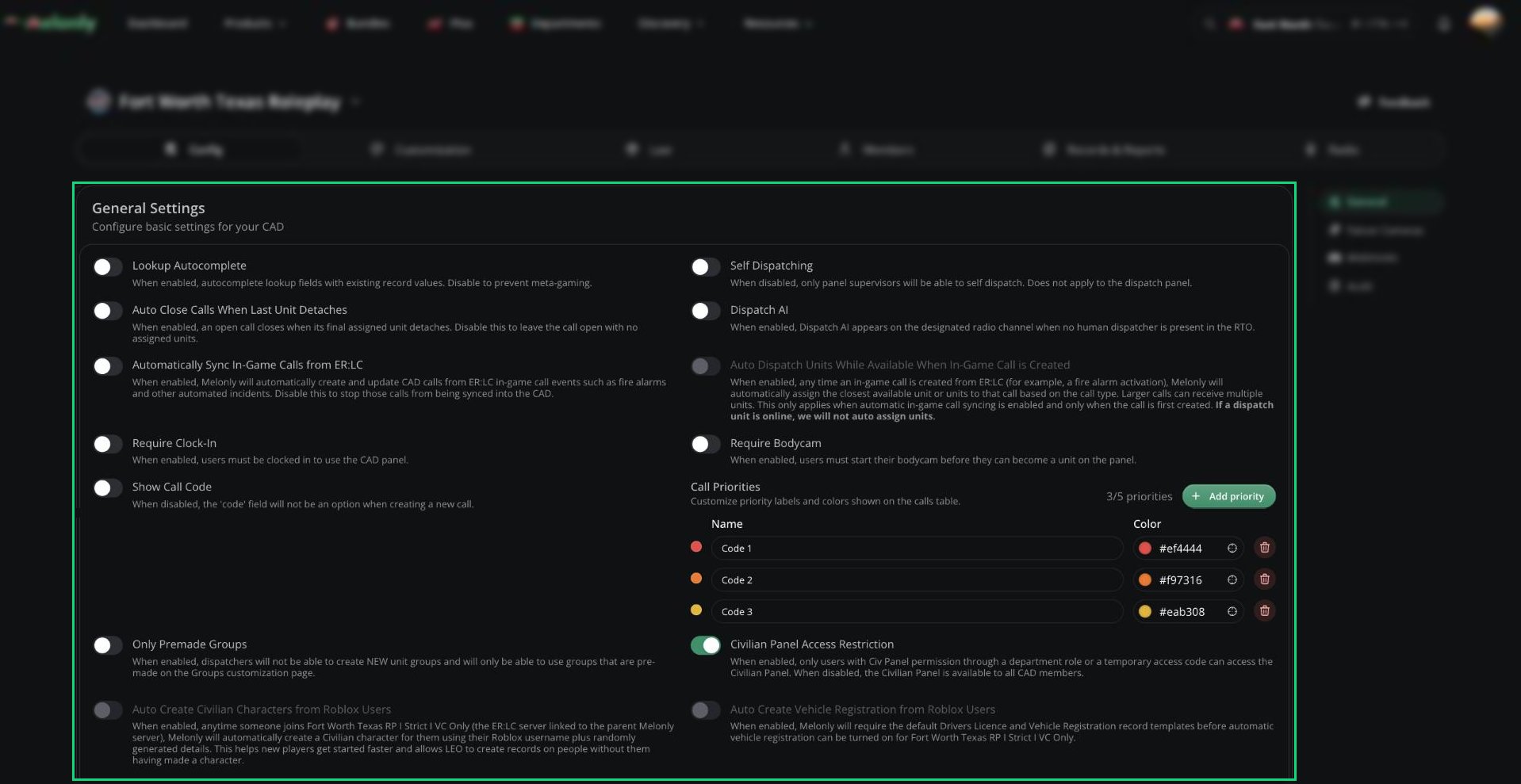
General Settings
Auto-Creating Civilians and Vehicles
Auto-created civilians need a linked ER:LC server and the default Civilian Character template. Vehicle registration also needs auto-created civilians on and the default Drivers Licence and Vehicle Registration templates.Call Priorities and UnbelievaBoat
Call priorities are colored labels on the calls table. You can have up to 5, each with a name (up to 45 characters) and a color. New CADs start with Priority 1, 2 and 3. To sync economy balances with civilian characters, click Authorize Unbelievaboat API once. UnbelievaBoat only gets access to economy data.Sequencer Formats
The Sequencer Formats card (on the General page) sets how call numbers, court case numbers and record numbers look. See Sequencer Formats for tokens, rules and presets.Falcon Cameras
Falcon Cameras are plate readers around the ER:LC map that alert Police and Dispatch when a wanted vehicle drives past. See Falcon Cameras to turn them on and place them.Webhooks
Webhooks post a Discord message when CAD events happen, like a panic or a new call. See Webhooks to add one.Audit Logs
Open Config → Audit to see every change made in the CAD admin panel, newest first. Use Filter by Action to narrow it down, for example to settings changes, blocked users, purged records or template edits. For the rest of your server, see the dashboard audit logs.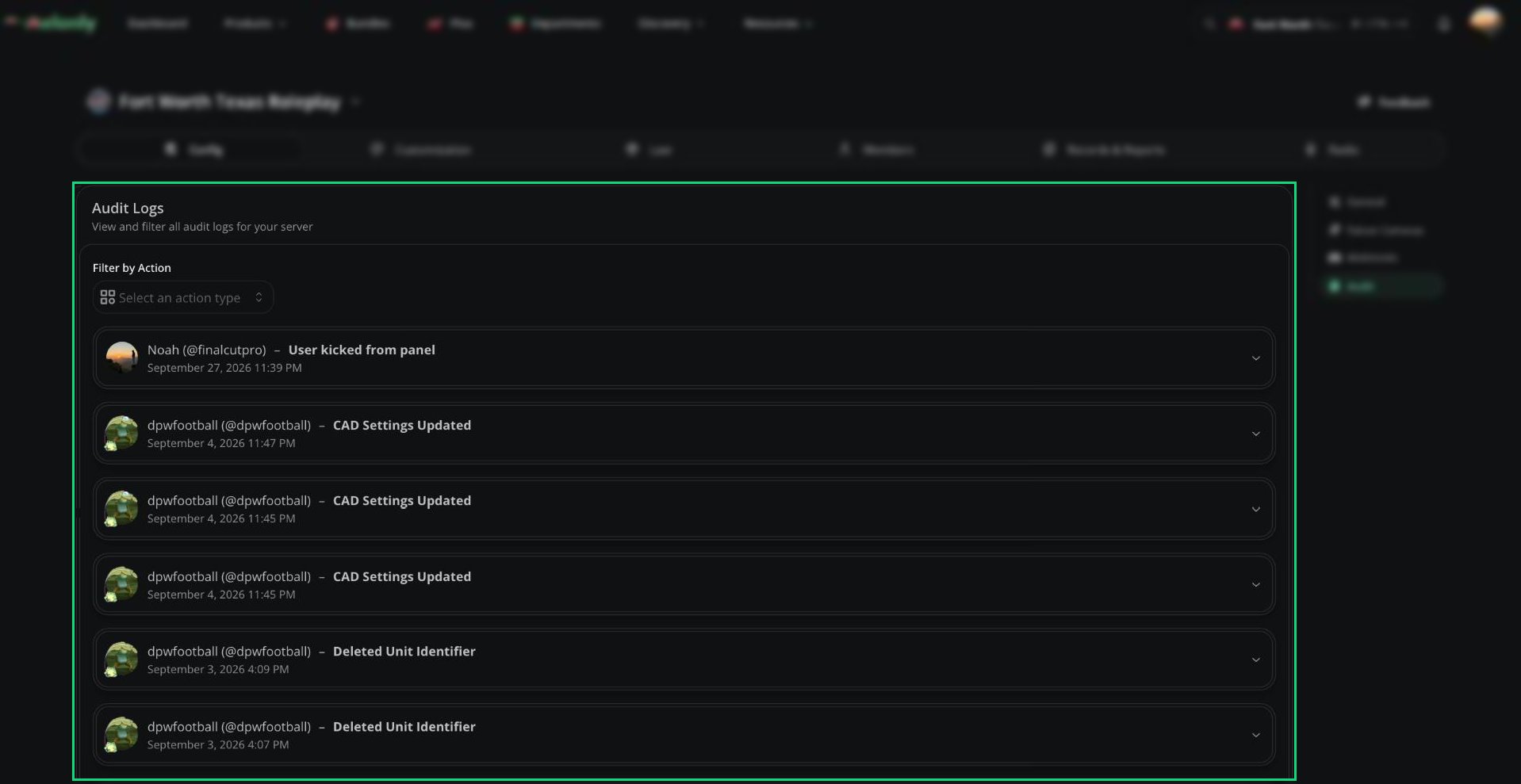
Audit Logs
Need help?
Still have questions? Join our Discord server for support from the Melonly Team.