
What is Playtime?
Playtime tracks how long players spend in a server’s ER:LC game and ranks everyone on a leaderboard. Servers can add levels with perks and Discord roles that you unlock as you play. Servers set this up in Playtime Levels.Access Playtime
1
Open Playtime
Go to melonly.xyz/my/playtime, or click Playtime in your account sidebar.
2
Pick a server
You’ll see the Melonly servers whose Discord you’re in. Click one marked View Playtime. Servers marked Playtime Disabled don’t track it.
Your Stats
If you’ve played in the server, your stats show above the leaderboard.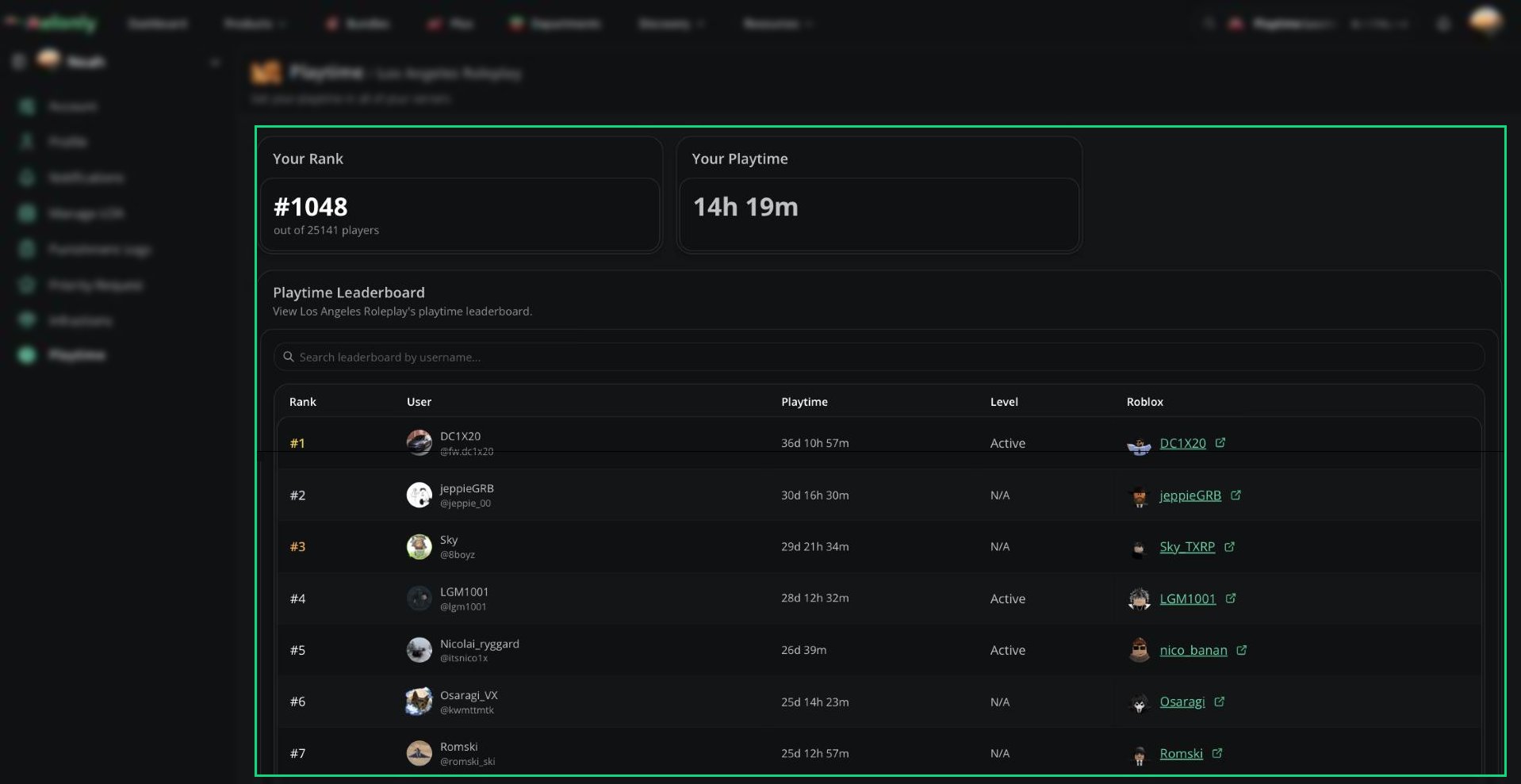
Playtime leaderboard
Leaderboard
The leaderboard shows 25 players at a time. Click Load More to see more. Use the search bar to find a player by username and see their rank.
Levels and Perks
If a level has perks, its name is a button. Click it to see what that level unlocks.Need help?
Still have questions? Join our Discord server for support from the Melonly Team.