
What are Off-Duty Command Alerts?
Off-Duty Command Alerts tell your team when a staff member runs a moderation command while they’re not on shift. Melonly posts an alert in a Discord channel you choose, which helps you catch misuse and keep staff to your shift rules.Requires a Webhook Channel in Webhook Configuration.
How Off-Duty Alerts Work
When a staff member runs a command, Melonly checks whether they’re on shift. If they aren’t, it posts an alert and pings the roles you pick. Commands and roles on your allow lists never trigger an alert.Configuration Options
Find Off-Duty Commands Alert on the ER:LC Integration → Webhooks page. The other settings appear once you turn on the toggle.
Click the icon next to Alert Channel to customize the alert message. This requires Melonly Plus.
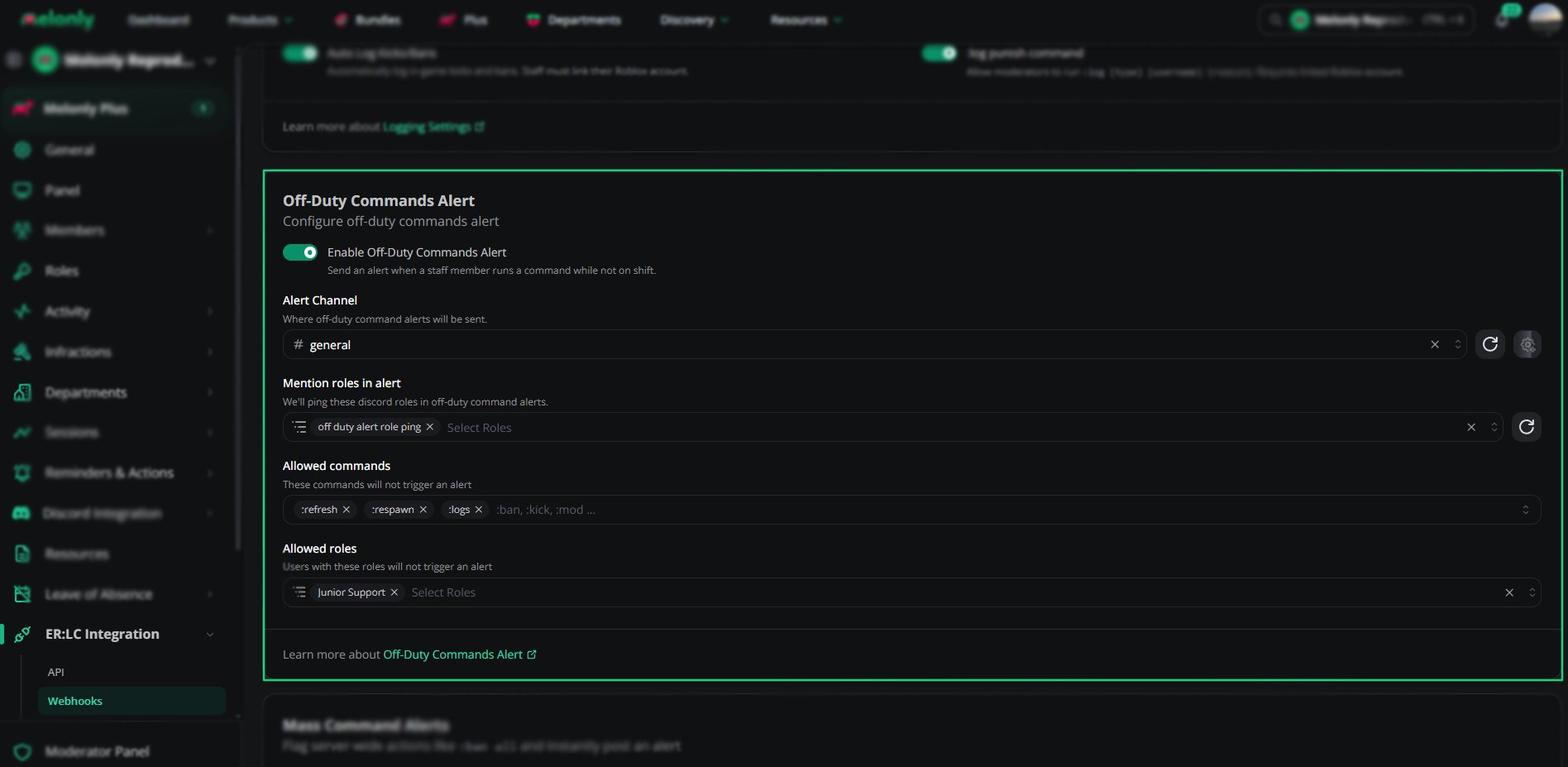
Off-Duty Commands Alert settings
Example Use Cases
- Notify supervisors when staff use moderation commands off shift
- Make sure staff follow your shift rules
- Let harmless commands through without an alert
Need help?
Still have questions? Join our Discord server for support from the Melonly Team.