
What is Member Activity?
Member Activity shows detailed statistics for each staff member. Pick an activity wave and a member to see their logs, job actions and shift history. Use it to review performance, spot trends and check moderation actions.How Member Activity Works
When you pick a wave and a member, Melonly shows their statistics for that wave, using their shifts and moderation logs. You can switch between overall statistics and averages per shift, and open the log viewer to see their moderation logs in detail.Configuration Options
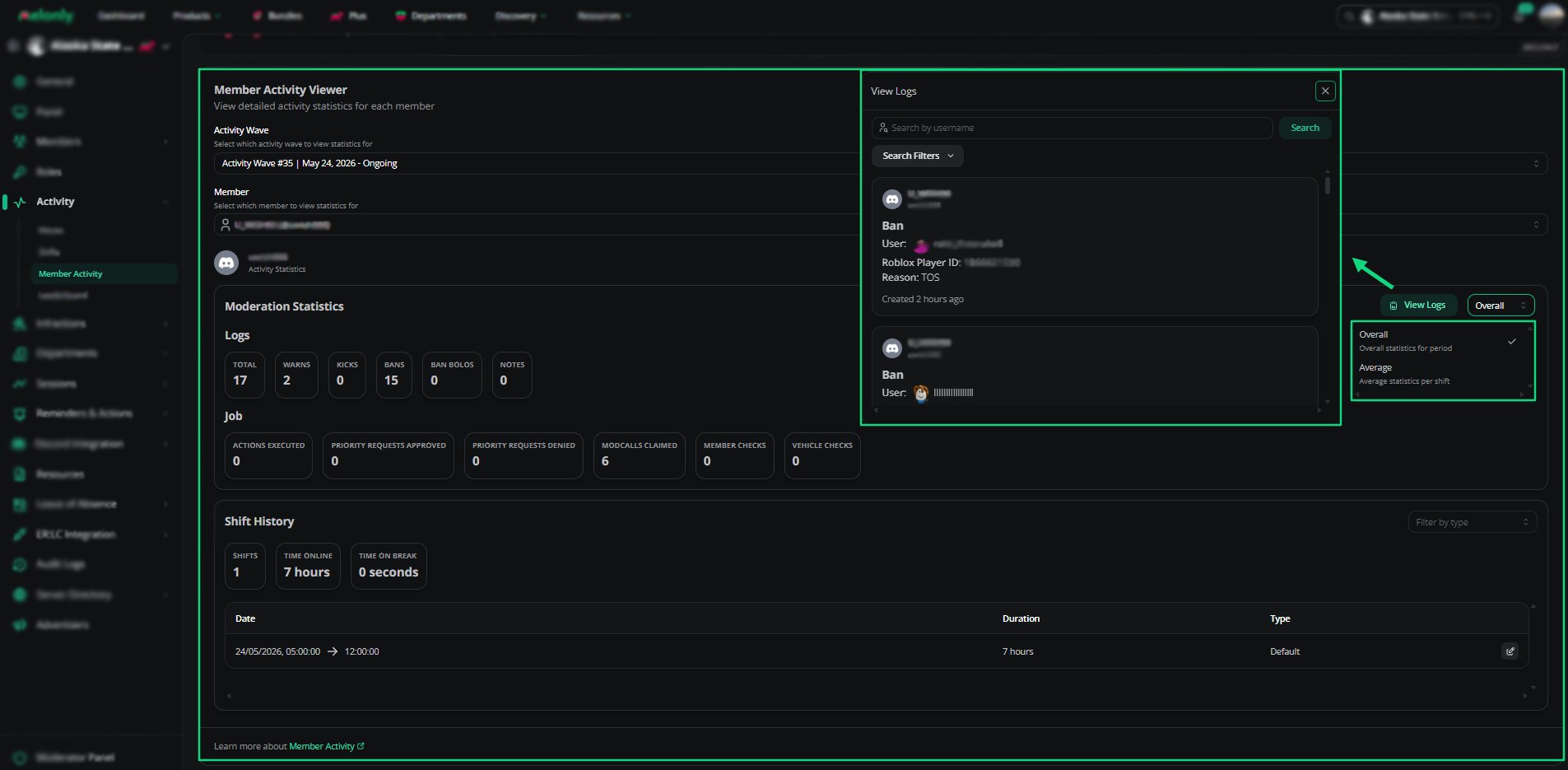
Member Activity Viewer
How to Use It
1
Pick an Activity Wave
Choose the wave you want to review. Each wave has its own statistics.
2
Pick a Member
Choose the member you want to review. Their statistics load straight away.
3
Review Statistics and Logs
Use the statistics, shift history and log viewer to review the member’s performance.
Example Use Cases
- Reviewing a staff member’s performance
- Checking shift history for a specific wave
- Viewing a member’s moderation logs
- Comparing overall and average statistics
Need help?
Still have questions? Join our Discord server for support from the Melonly Team.