
What are Waves?
An activity wave is a set period of time, such as a week or a month, that Melonly tracks staff activity over. Each wave records online time, break time and shifts for every staff member. Waves let you set hour requirements, review past activity and spot inactive staff.How Waves Work
A wave ends automatically based on the duration you set, and the next wave starts straight away. Melonly keeps the results of every past wave. You can also end or delete a wave yourself from the timeline.Configuration Options
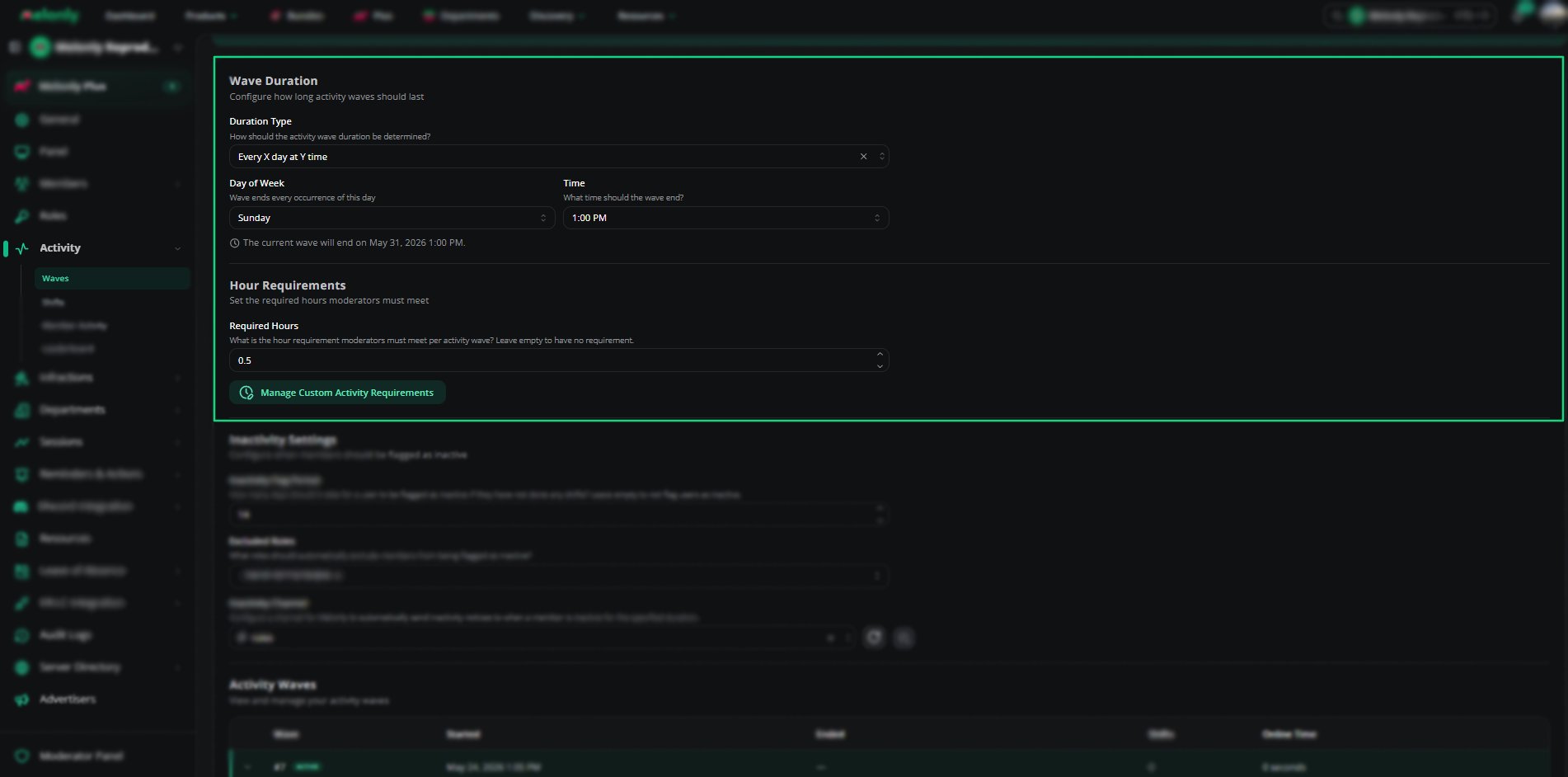
Wave Settings
How to Configure
1
Choose a Duration Type
Pick how long each wave should last.
2
Set the End Day and Time
For the day-and-time duration types, choose the day and time the wave should end.
3
Set Hour Requirements
Enter the hours staff must reach. Click Custom activity requirements to set different quotas per role.
Inactivity Settings
Melonly can flag staff who haven’t done any shifts for a set number of days. You can exclude roles from this and pick a channel for Melonly to send inactivity notices to.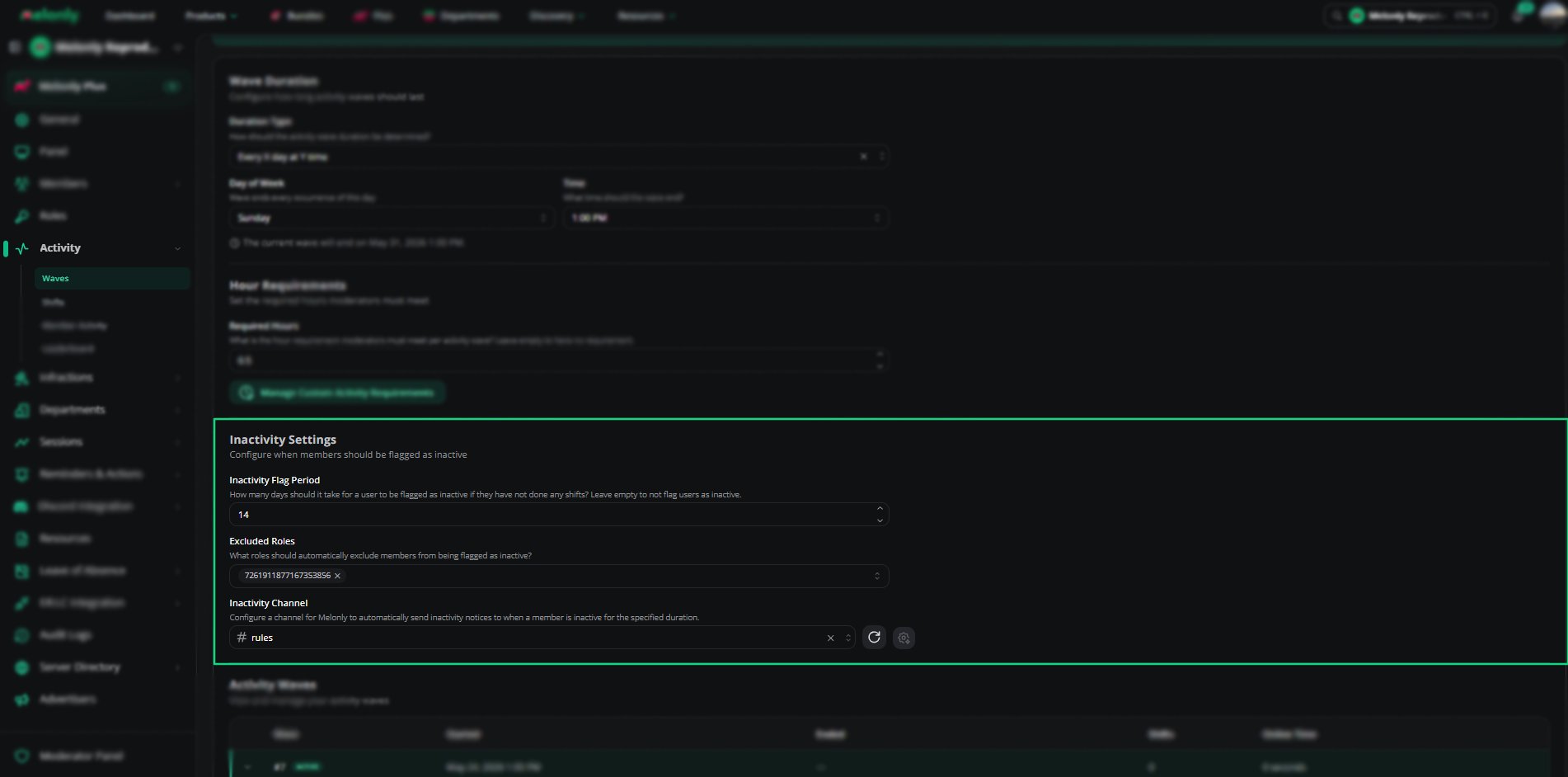
Inactivity Settings
Example Use Cases
- Weekly activity tracking
- Monthly performance reviews
- Different hour requirements for each role
- Automatic wave scheduling
Need help?
Still have questions? Join our Discord server for support from the Melonly Team.