
What are Shifts?
Shifts are how staff log their activity. Each shift records its start and end time, duration and shift type. Shifts show you how your staff are performing and whether they meet your requirements. You can also create shifts yourself when staff forget to clock in.How Shifts Work
Staff start and end shifts from the Mod Panel or with the Discord command. Melonly tracks online time, break time and shift duration automatically. Shift types sort shifts into groups, and shift reports let staff add notes about a shift. Administrators can edit or delete any shift.Configuration Options
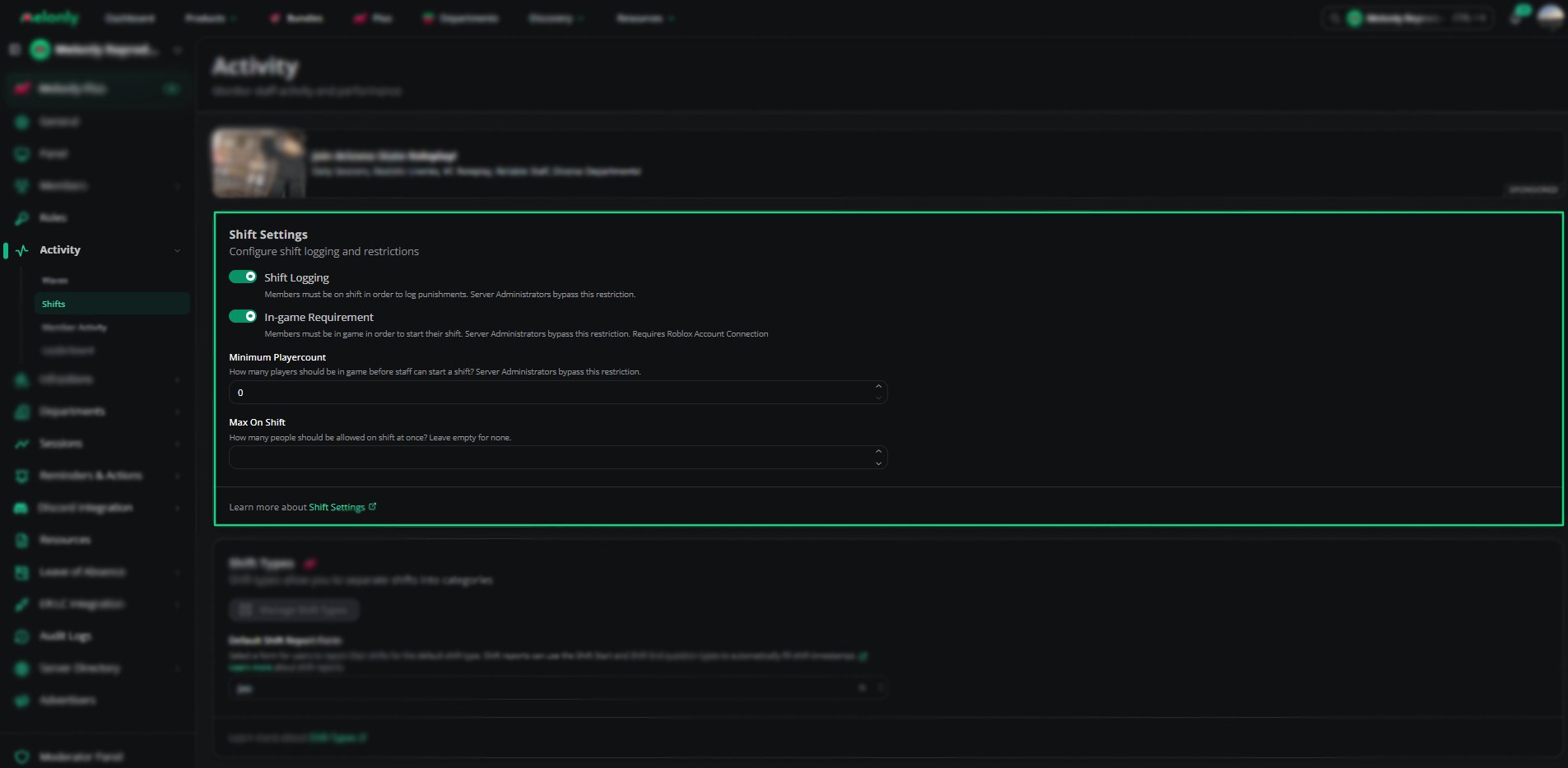
Shift Settings
In-game Requirement and Minimum Playercount only appear once the ER:LC integration is set up.
Shift Types
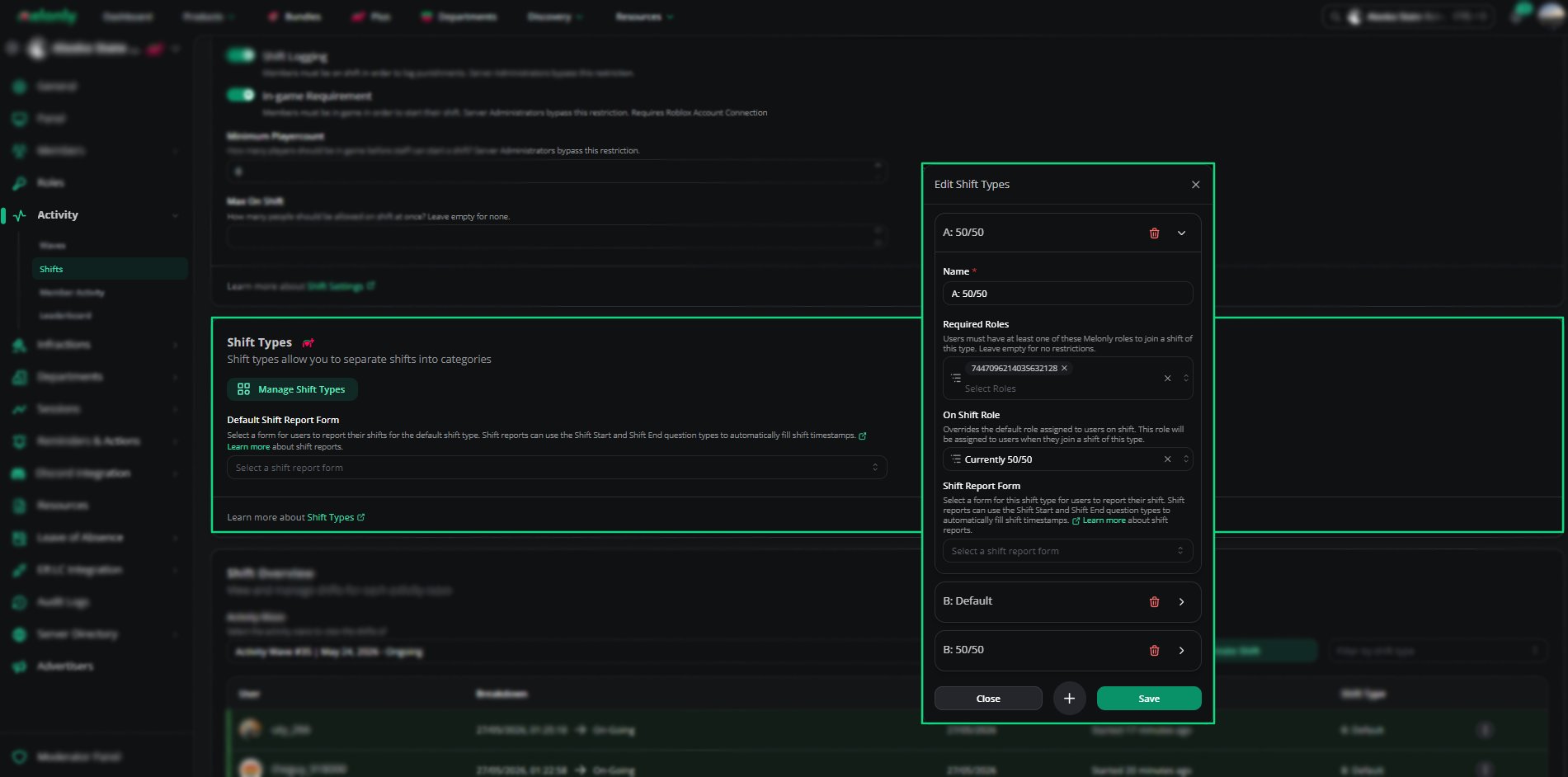
Shift Types
When you delete a shift type, its shifts move to the default type. Turn on Delete related shifts to delete them instead.
Default Shift Report Form
The Default Shift Report Form is the form staff fill in to report shifts of the default type. Each custom shift type has its own Shift Report Form setting. Shift reports can use the Shift Start and Shift End question types to capture timestamps automatically.Shift Overview
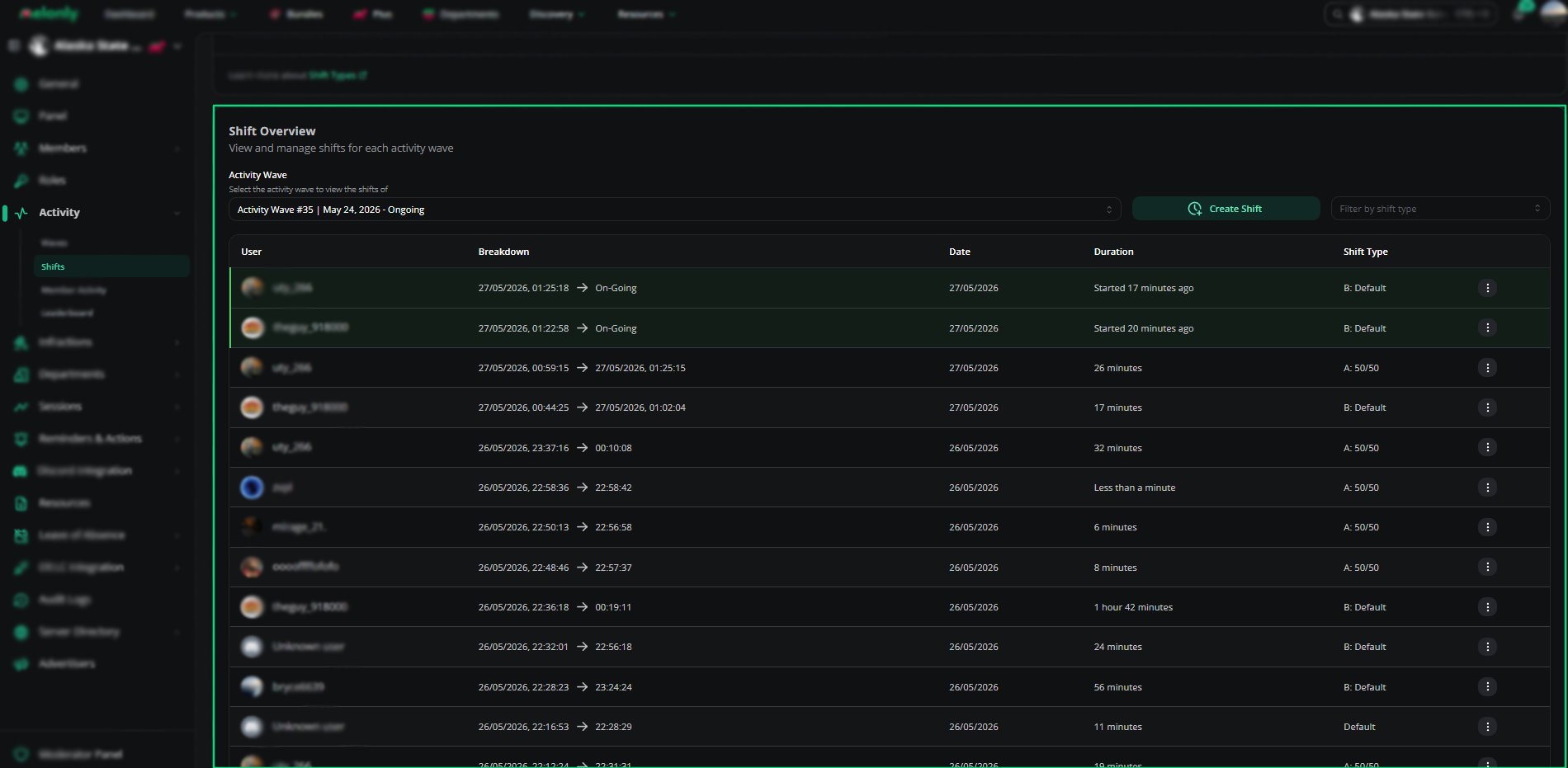
Shift Overview
How to Configure
1
Set Shift Logging Rules
Set shift logging, the in-game requirement and the minimum playercount in the shift settings.
2
Create Shift Types
Add shift types to sort staff activity, and set a report form for each one (Plus).
3
Pick a Default Shift Report Form
Create a form on the Resources page, then pick it as the Default Shift Report Form.
Example Use Cases
- Sorting shifts by type
- Requiring staff to be in game before starting a shift
- Limiting how many staff can be on shift at once
- Using shift reports to note activity or server status
Need help?
Still have questions? Join our Discord server for support from the Melonly Team.