
What are Bundles?
Bundles combine server subscriptions for one lower price, so you don’t have to buy and pay for each one separately.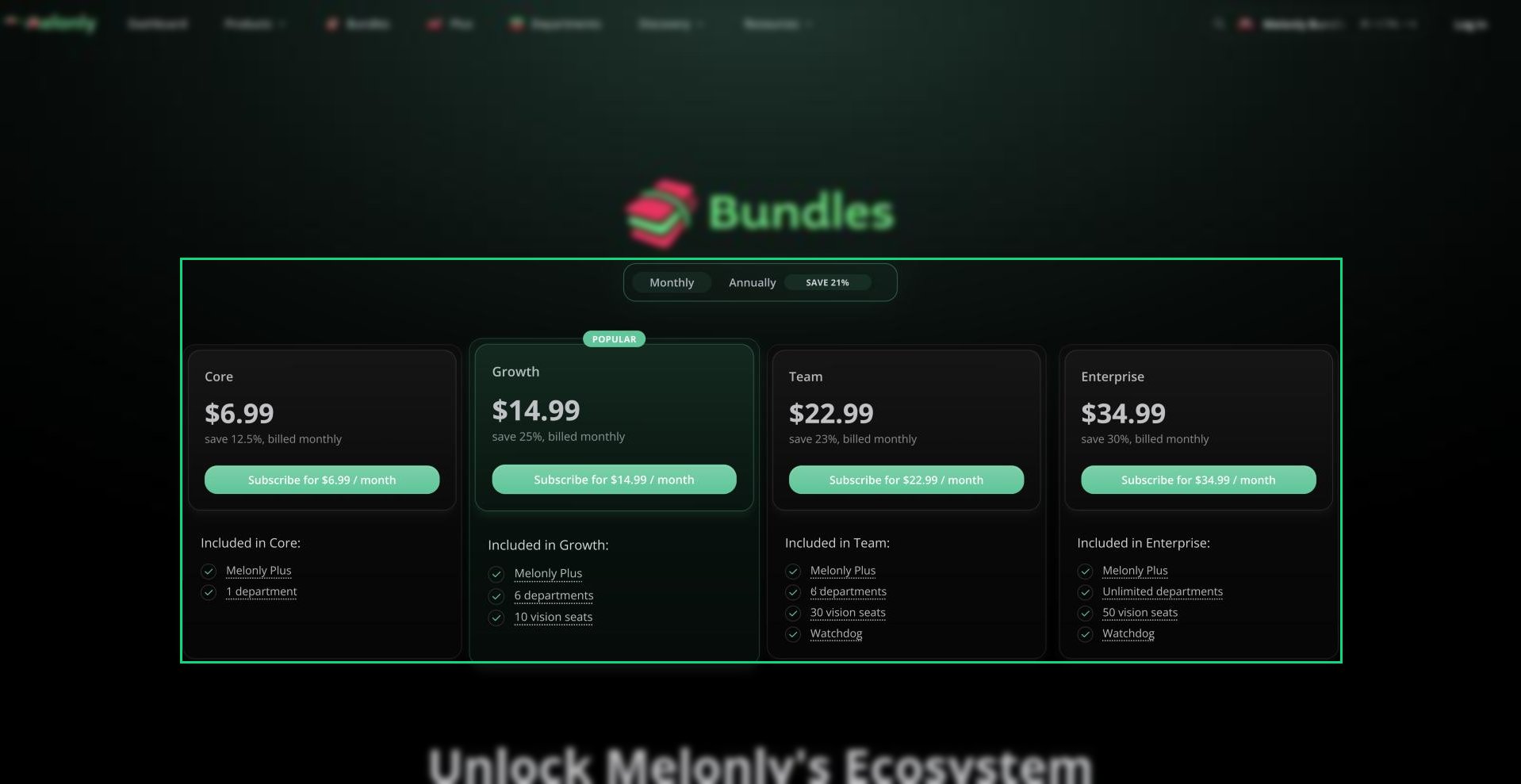
Bundles
Plans
Prices are in US dollars and don’t include tax. For lifetime bundle pricing, email [email protected].
Getting a Bundle
1
Pick a Bundle
Go to melonly.com/bundle, choose monthly or annual billing and pick a bundle.
2
Check Out
Pay through Stripe.
3
Activate Each Item
Each item in a bundle shows up on its own in Manage subscriptions, so you activate them one at a time. See Activating a Subscription.
What’s in Each Item
Need help?
Still have questions? Join our Discord server for support from the Melonly Team.