
What are AFK Inactivity Checks?
AFK Inactivity Checks watch your on-shift staff during ER:LC sessions. If a staff member goes inactive, Melonly alerts your team, then escalates if they stay inactive.Requires your ER:LC webhooks to be set up.
How to Configure AFK Inactivity Checks
Find AFK Inactivity Checks on the ER:LC Integration → API page, below Event Logs.Configuration Options
Melonly won’t save the template without
{{token}}. If the template is empty, no PM is sent.
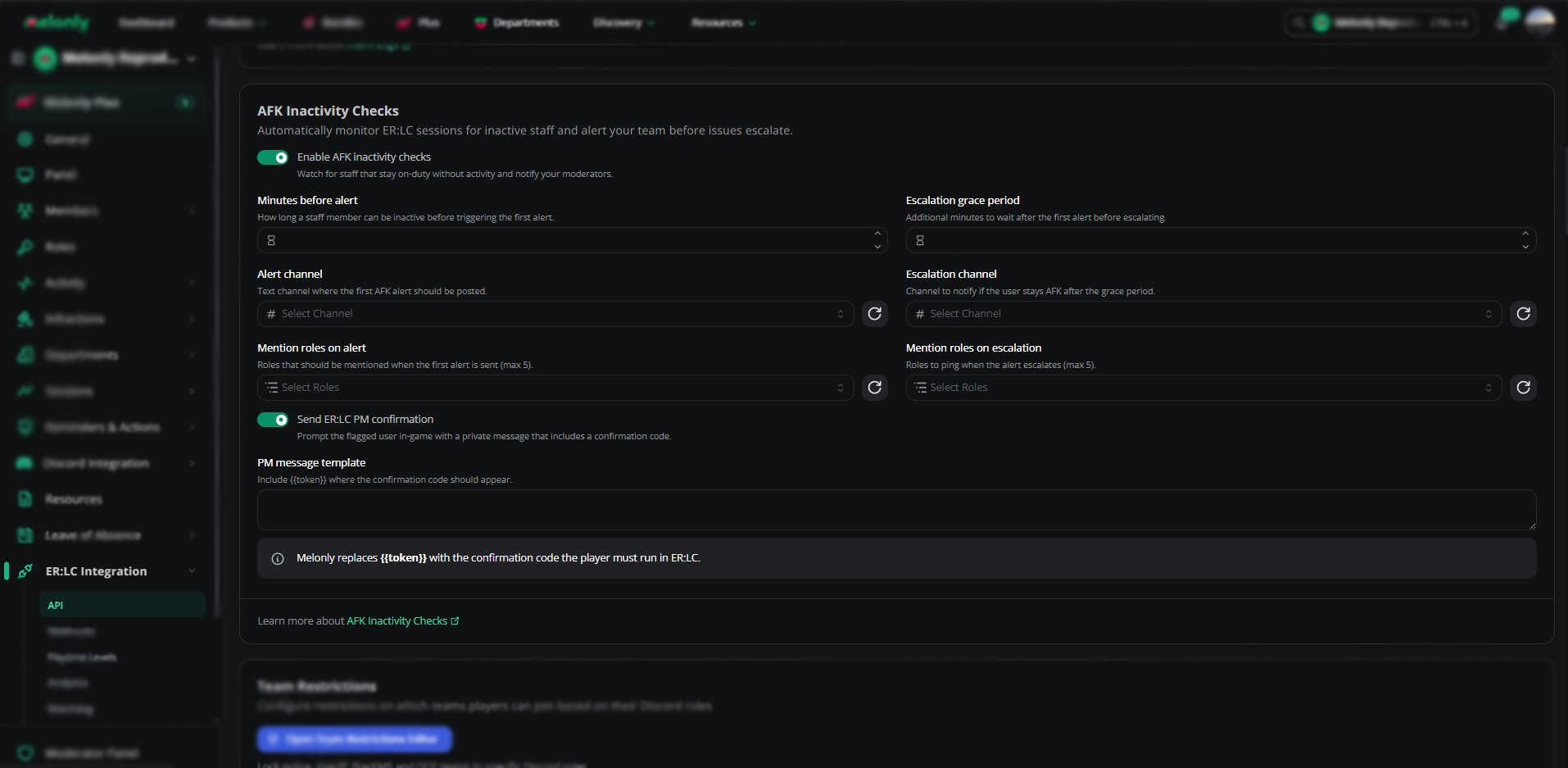
Inactivity checks configuration
Example Workflow
- A staff member goes inactive during a session
- After Minutes Before Alert, Melonly posts an alert in the alert channel
- If Send ER:LC PM Confirmation is on, the staff member gets a PM asking them to confirm
- If they stay inactive for the Escalation Grace Period, Melonly posts an escalation and pings the escalation roles
Need help?
Still have questions? Join our Discord server for support from the Melonly Team.