
What are Vehicle Restrictions?
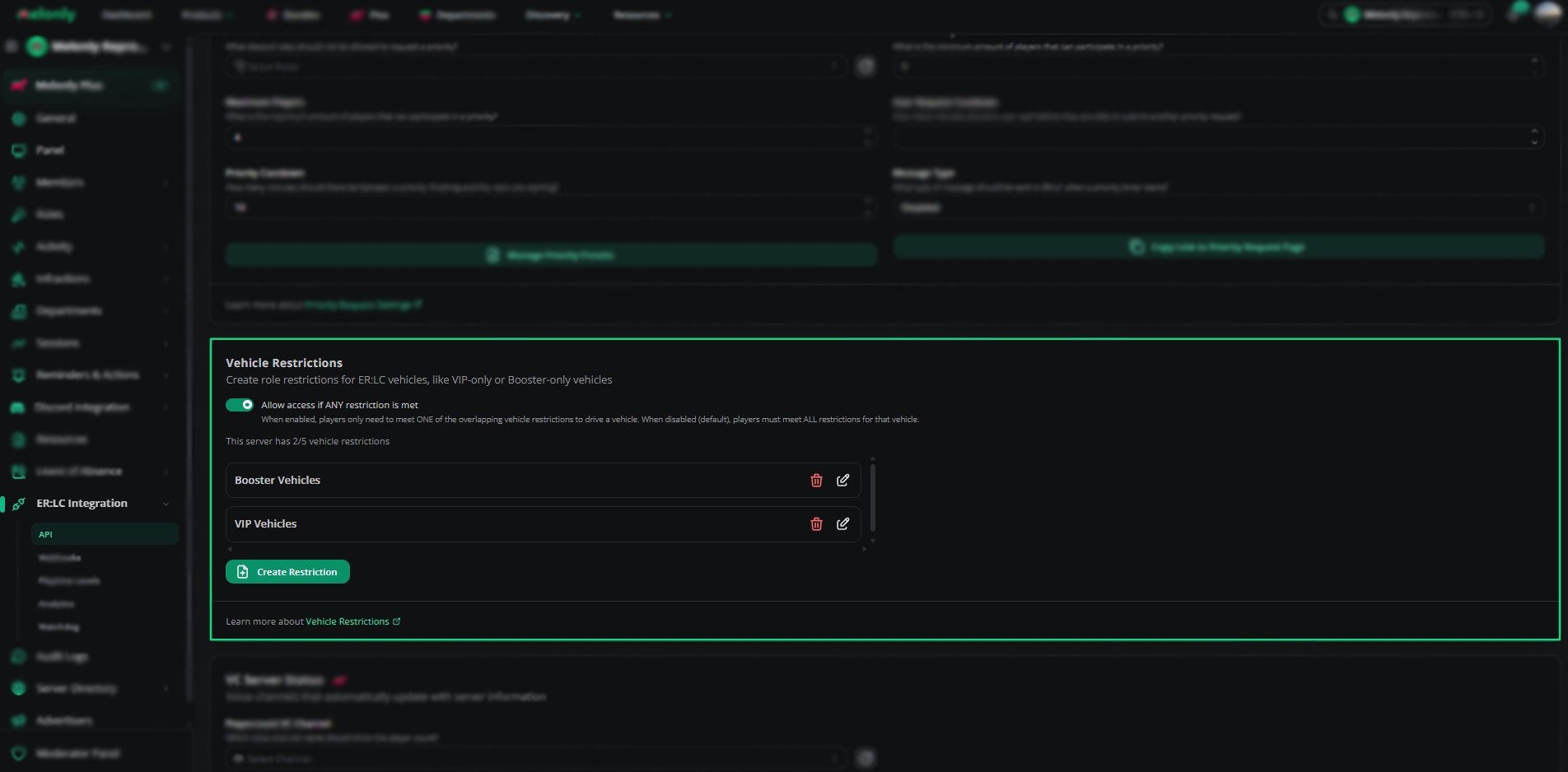
Vehicle Restrictions lock specific ER:LC vehicles behind Discord roles. Players without the role are flagged in the panel or reminded in game, which is useful for VIP, Booster or department vehicles.Free servers get up to 5 restrictions with 3 vehicles each. Melonly Plus raises this to 15 restrictions with 30 vehicles each.
How to Use Vehicle Restrictions
Find Vehicle Restrictions on the ER:LC Integration → API page, below Priority Request Settings.Configuration Options
You can edit or delete existing restrictions at any time from the list.
Using the Vehicle Restriction Editor
Click Create restriction, or edit an existing restriction, to open the editor.
Click Save to add the restriction to your list.
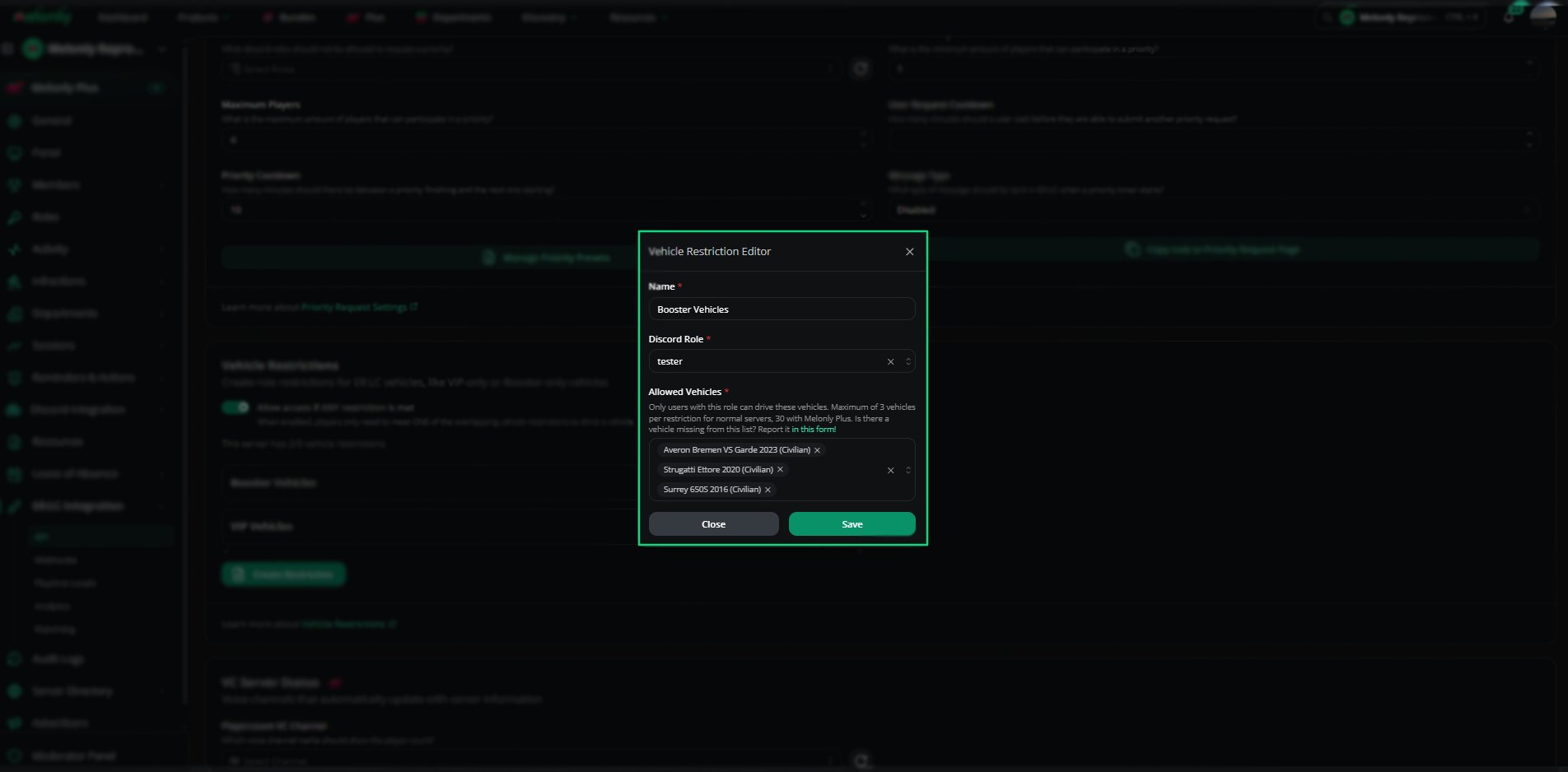
Vehicle Restriction Editor
Example Use Cases
- Create VIP-only vehicles for supporters
- Restrict department vehicles to trained members
- Offer Booster-only vehicles
- Limit high-performance vehicles to trusted roles
Need help?
Still have questions? Join our Discord server for support from the Melonly Team.