
What are Voice Channel Configurations?
Voice Channel Configurations give your Discord voice channels short abbreviations. Players run the in-game;vc command with an abbreviation to move between channels.
Requires the ER:LC Events Webhook.
How to Use Voice Channel Configurations
Find Voice Channel Configurations on the ER:LC Integration → API page, below VC Server Status.Configuration Options
Click the plus button to add another channel. Every row needs both a channel and an abbreviation before you can save.
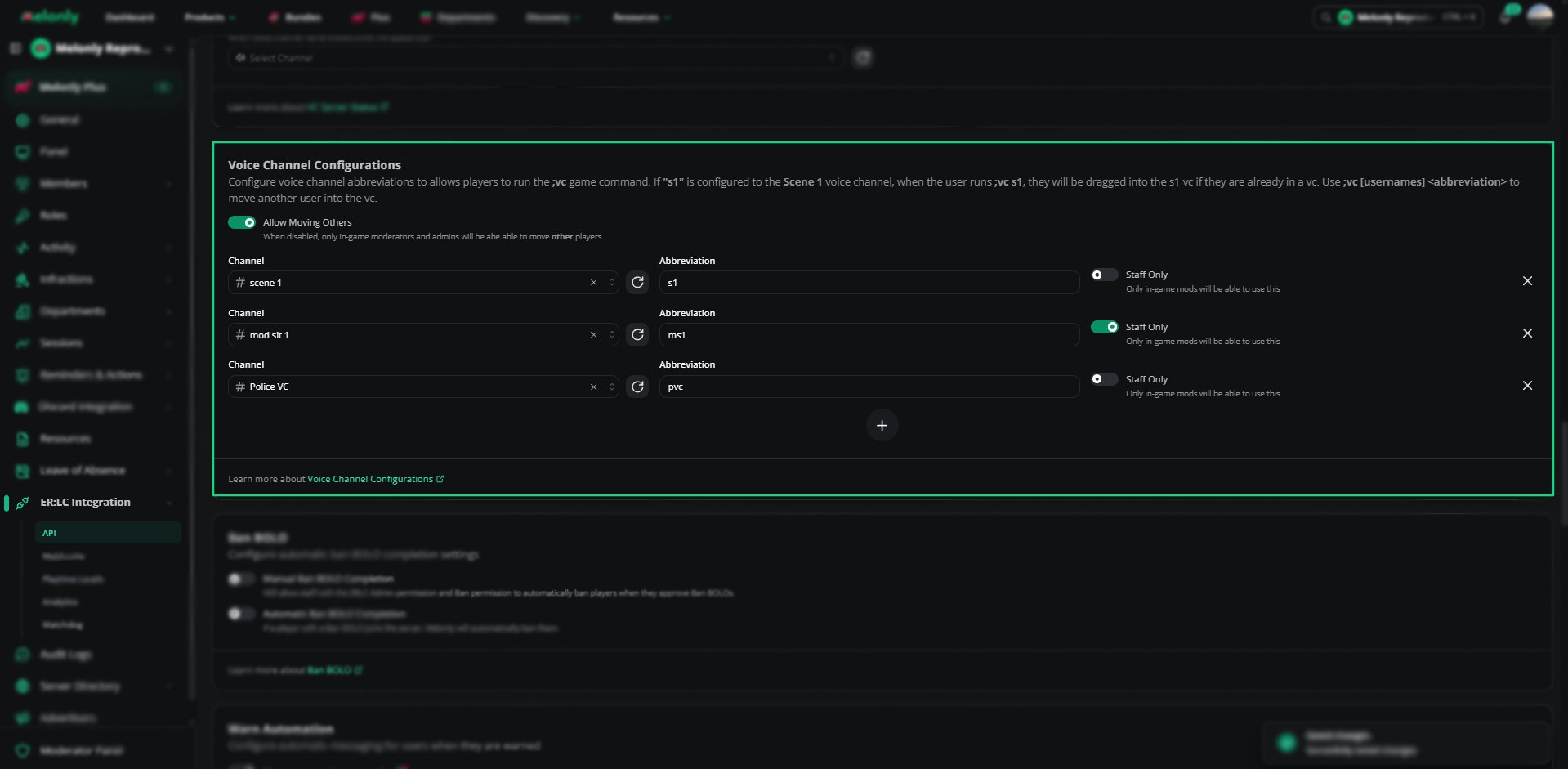
Voice Channel Configurations
Using the ;vc Command
Staff can also use
:log vc [abbreviation] or :log vc [username] [abbreviation], which runs through the Webhook Channel instead.Example Use Cases
- Let players jump into scene channels quickly
- Let moderators pull players into mod calls
- Keep certain channels staff only
Need help?
Still have questions? Join our Discord server for support from the Melonly Team.