
What are Team Restrictions?
Team Restrictions control who can join each ER:LC team, such as Police, Sheriff, Fire/EMS or DOT. Players who don’t meet the requirements get a PM and are kicked off the team.Some options require Melonly Plus.
How to Use Team Restrictions
Find Team Restrictions on the ER:LC Integration → API page, below AFK Inactivity Checks.Opening the Team Restrictions Editor
1
Open the Editor
Click Open team restrictions editor to see every ER:LC team.
2
Select a Team
Choose the team you want to restrict. Each team has its own settings.
3
Save Your Changes
Set the options below, then click Save.
Configuration Options
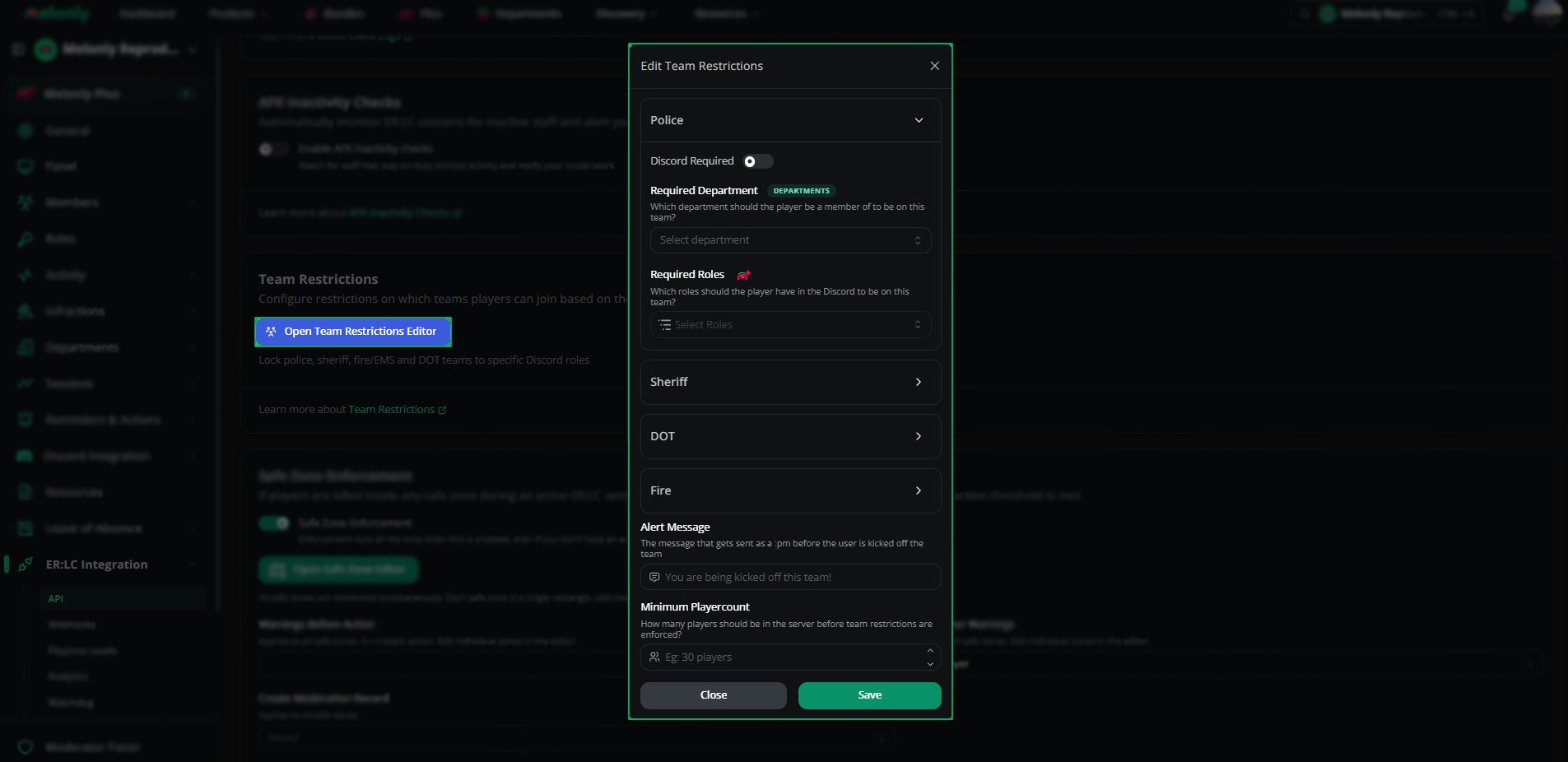
Configuration
Need help?
Still have questions? Join our Discord server for support from the Melonly Team.