
What are Team Jurisdictions?
Team Jurisdictions set where each ER:LC team is allowed to operate. If a player stays outside their team’s area too long, Melonly warns them and can then respawn, wanted or kick them.How to Use Team Jurisdictions
Find Team Jurisdictions on the ER:LC Integration → API page, below Safe Zone Enforcement.Configuration Options
Using the Jurisdiction Editor
Click Open jurisdiction editor to view and draw jurisdictions on the ER:LC map.1
Select a Jurisdiction
Choose a preset jurisdiction, such as Police or Sheriff, or a custom one.
2
View or Modify Boundaries
Preset jurisdictions can’t be edited. Drag the boundary points of a custom jurisdiction to reshape it.
3
Create a Custom Jurisdiction
Click + Create Custom to draw a new jurisdiction anywhere on the map.
4
Save Your Changes
Click Save. Changes apply right away, even during active sessions.
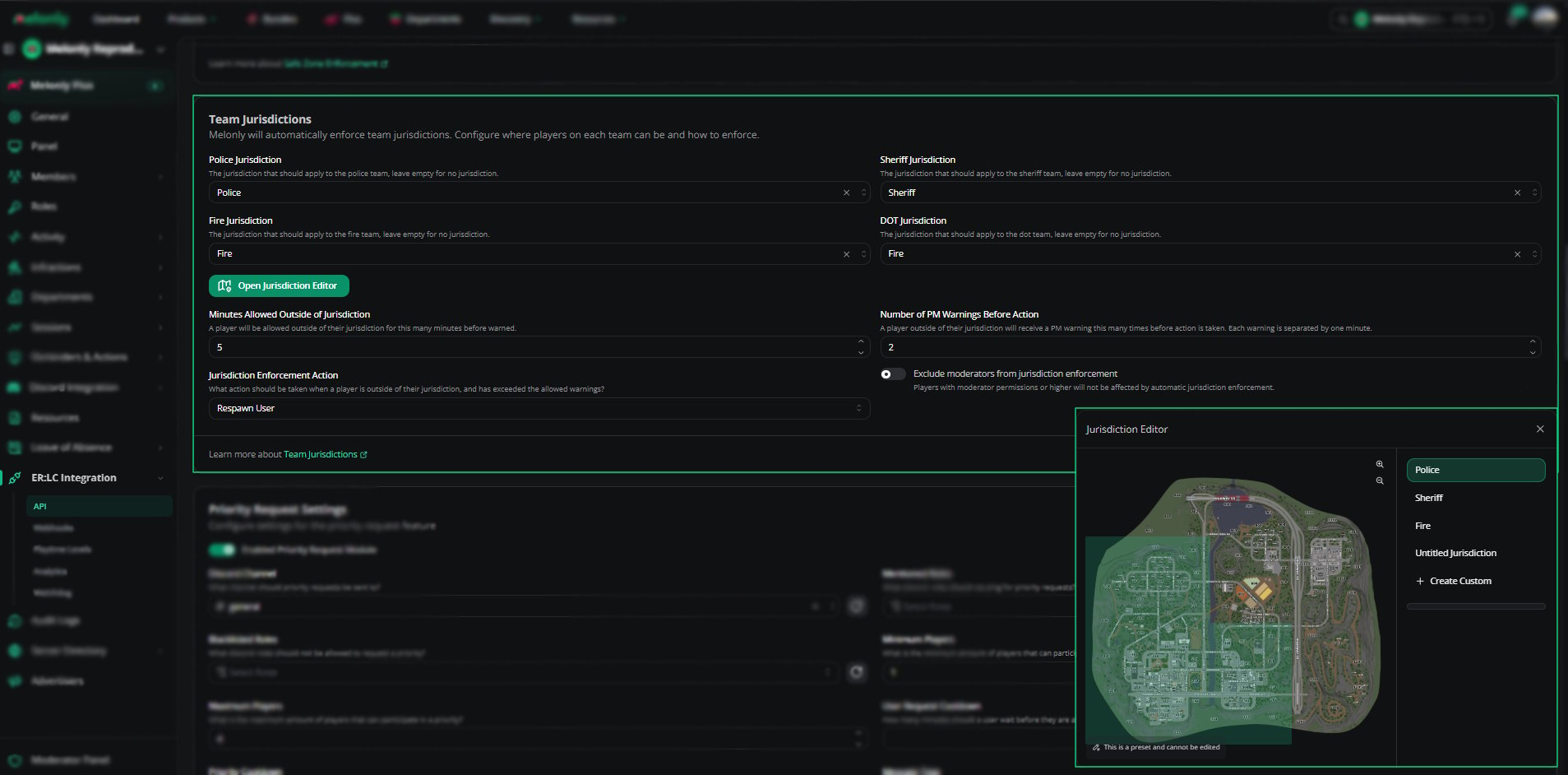
Configuration
Example Use Cases
- Keep Police in the city while Sheriff covers the county
- Assign Fire/EMS to a specific district
- Create custom DOT areas for roadwork or events
- Respawn players who keep leaving their assigned area
- Let moderators move freely while regular players are held to their area
Need help?
Still have questions? Join our Discord server for support from the Melonly Team.