
What is Safe Zone Enforcement?
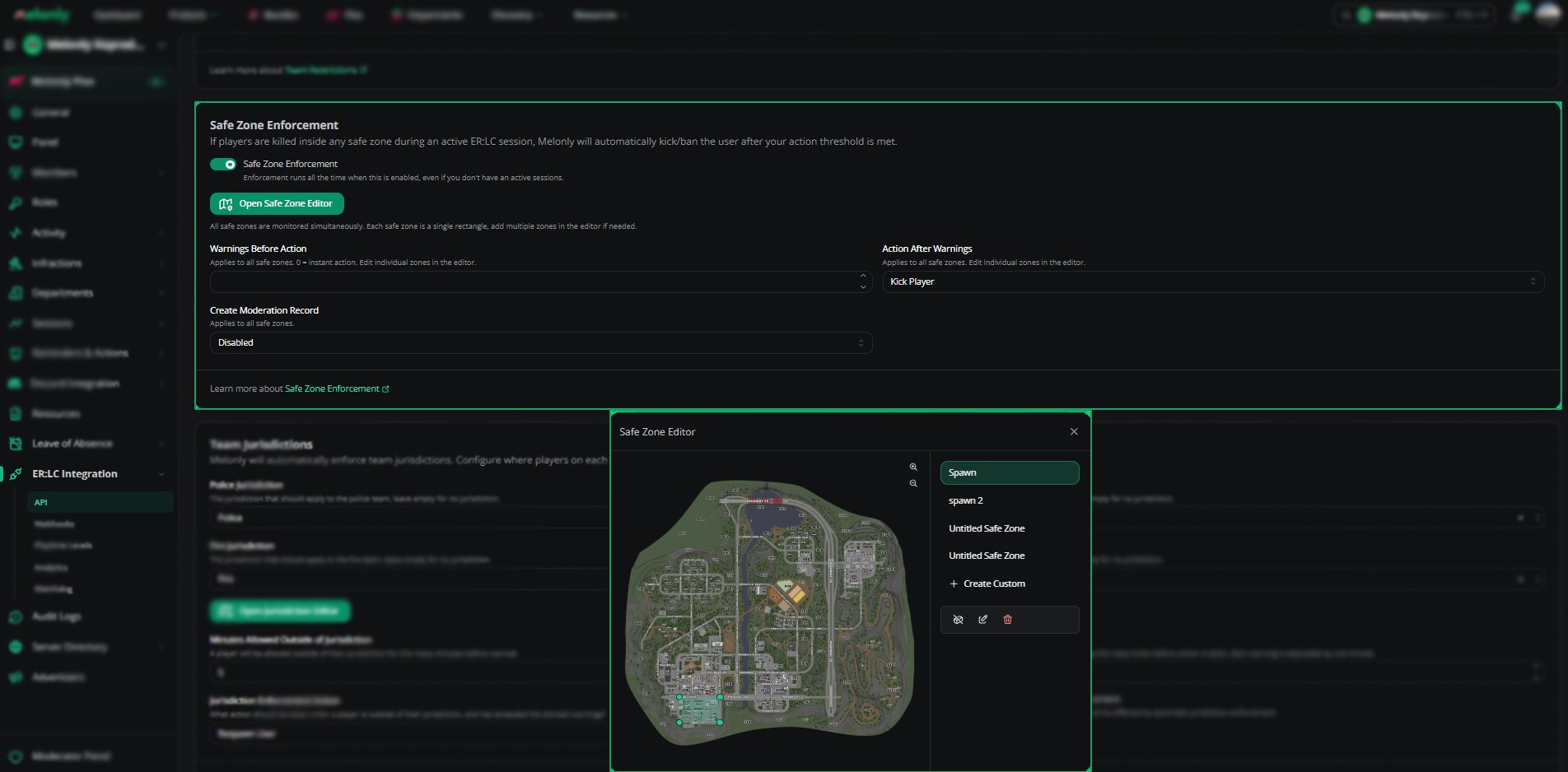
Safe Zone Enforcement watches the safe zones you draw on the ER:LC map. If a player kills someone inside a safe zone, Melonly warns them and then kicks or bans them, based on your settings.How to Use Safe Zone Enforcement
Find Safe Zone Enforcement on the ER:LC Integration → API page, below Team Restrictions.Configuration Options
The last three settings apply to all safe zones.
Warnings Before Action, Action After Warnings and Create Moderation Record stay disabled until you create at least one safe zone. If your zones have different values, they show Mixed.
Using the Safe Zone Editor
There are no preset safe zones, so start by creating one. Each safe zone is a single rectangle, and all zones are monitored at the same time.1
Create a Custom Zone
Click + Create Custom to draw a new safe zone anywhere on the map.
2
Adjust the Boundaries
Select a zone and drag its boundary points to move or resize it.
3
Save Your Changes
Click Save to apply your safe zone layout.
Configuration
Example Use Cases
- Stop spawn killing with instant kicks in spawn zones
- Create custom safe zones for events or training sessions
- Keep moderation records of safe zone violations
Need help?
Still have questions? Join our Discord server for support from the Melonly Team.